
Send Emojis
Edited
Express yourself in chats with emojis.
To react to a specific message with an emoji, see our article "React to Messages”.
On Mobile (iOS)
Open a chat.
Tap the text box.

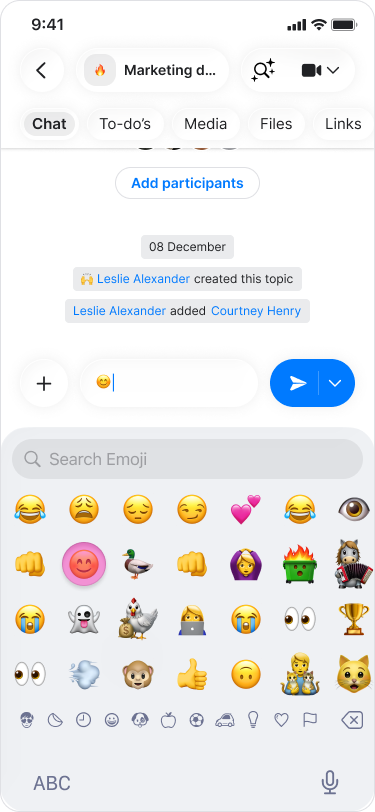
Tap the “Emoji” icon (smiley face) on the bottom left of your keyboard.

Choose your emojis and send them with text or alone.
On Mobile (Android)
Open a chat.
Tap on the "Emoji" icon (smiley face) on the left side of the text box.

Choose your emojis and send them with text or alone.

On Desktop (Windows, macOS, & Web App)
Open a chat.
Click on the "Emoji" icon (smiley face) on the left side of the text box.

Choose your emojis and send them with text or alone.

Note: Recently used emojis will appear at the top of the menu for quick access.