
Reply to a Message
On Mobile (iOS & Android)
Reply in a Chat
Swipe right on the message you want to reply.
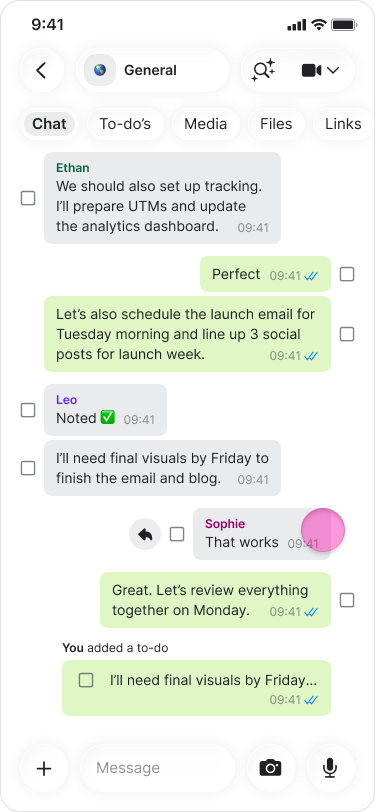
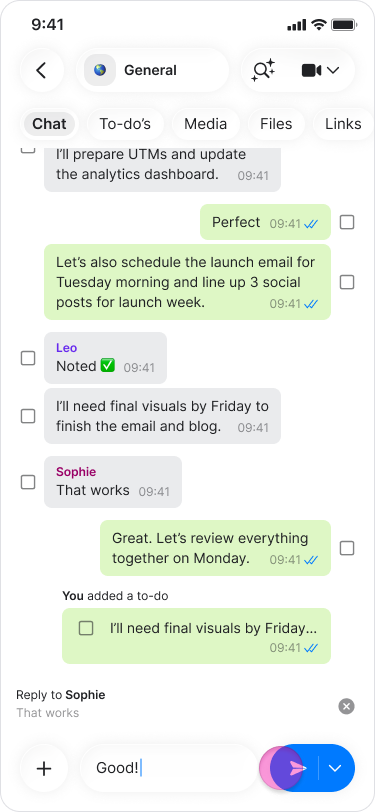
Type your response in the message field.
Tap the blue send arrow.
Reply Privately
Long-press on the message.
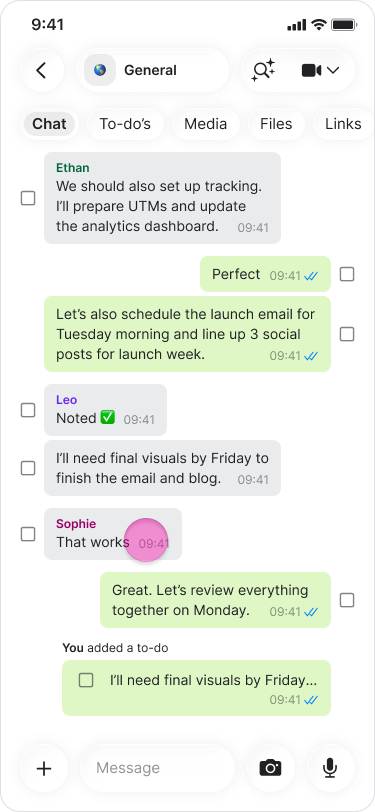
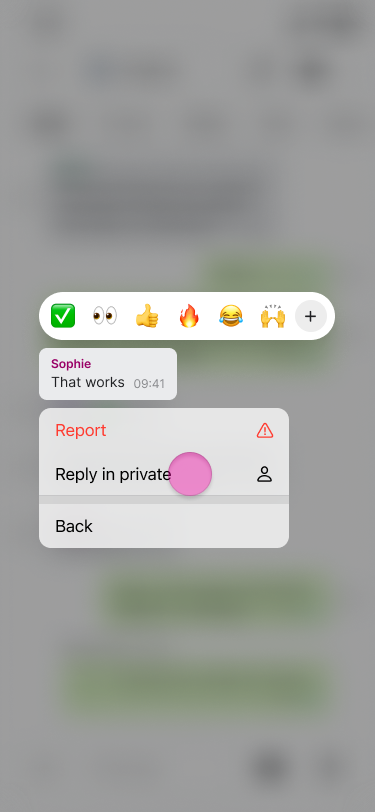
Tap “more…” (On iOS).
Select “Reply in private”.
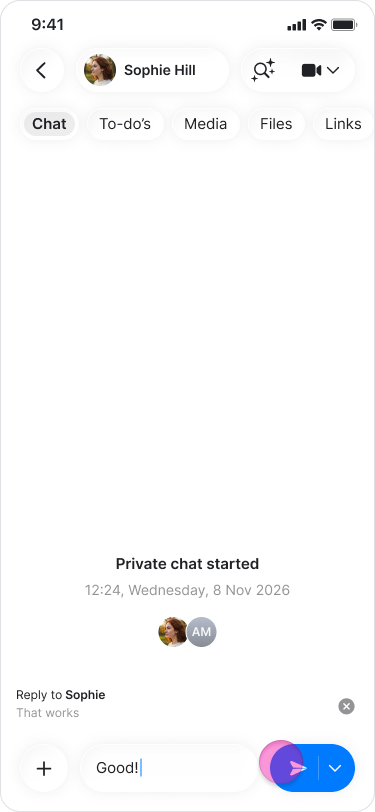
You will be directed to the chat with the person.
Type your response in the message field.
Tap the blue send arrow.
Note:
The original message appears above your response—even in private replies—so the recipient knows which message you are responding to.
You can reply to any content sent in a chat, including GIFs, photos, documents, and to-dos.
On Desktop (Windows, macOS, & Web App)
Reply in a Chat
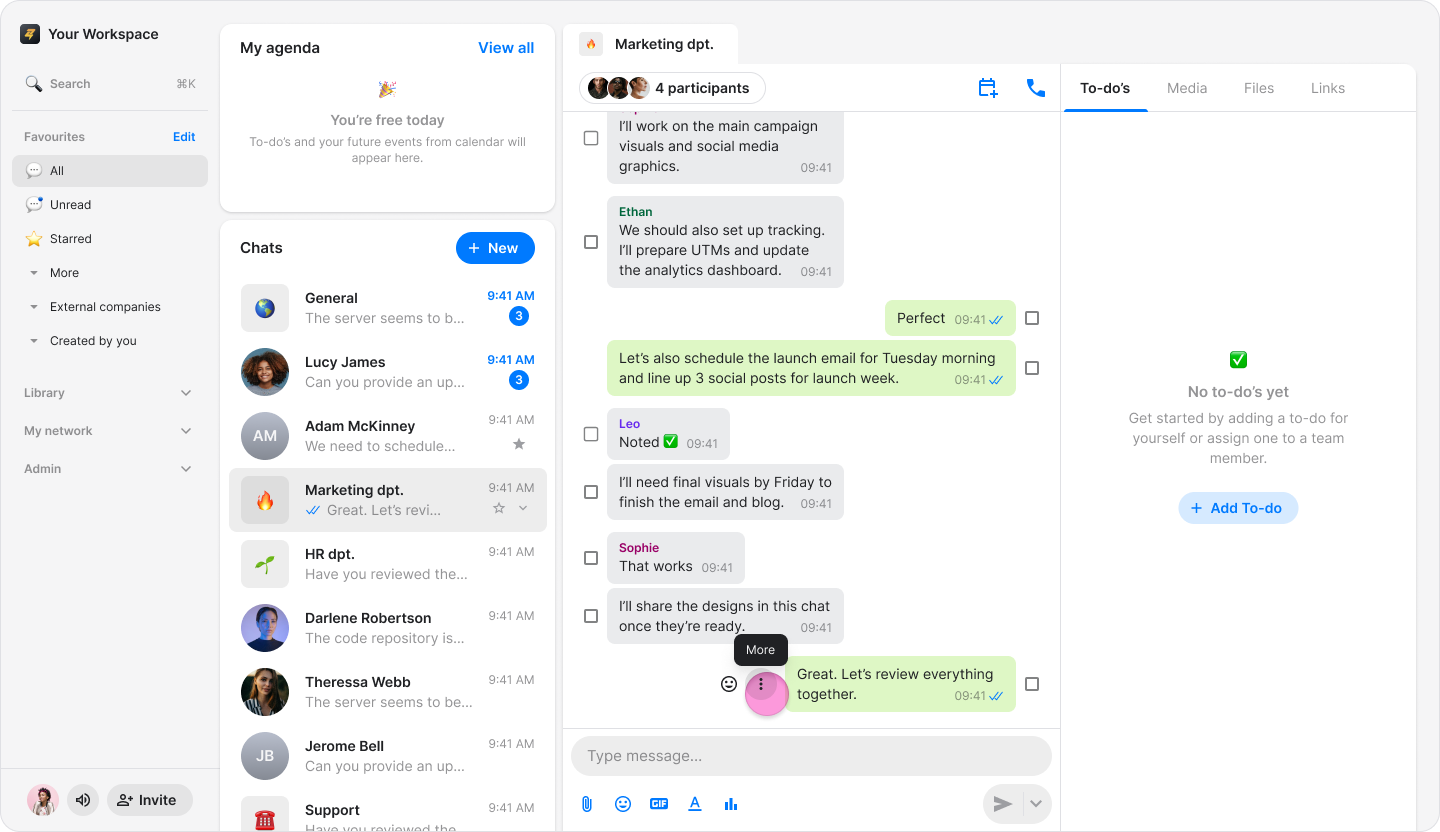
Hover over the message you want to reply to.
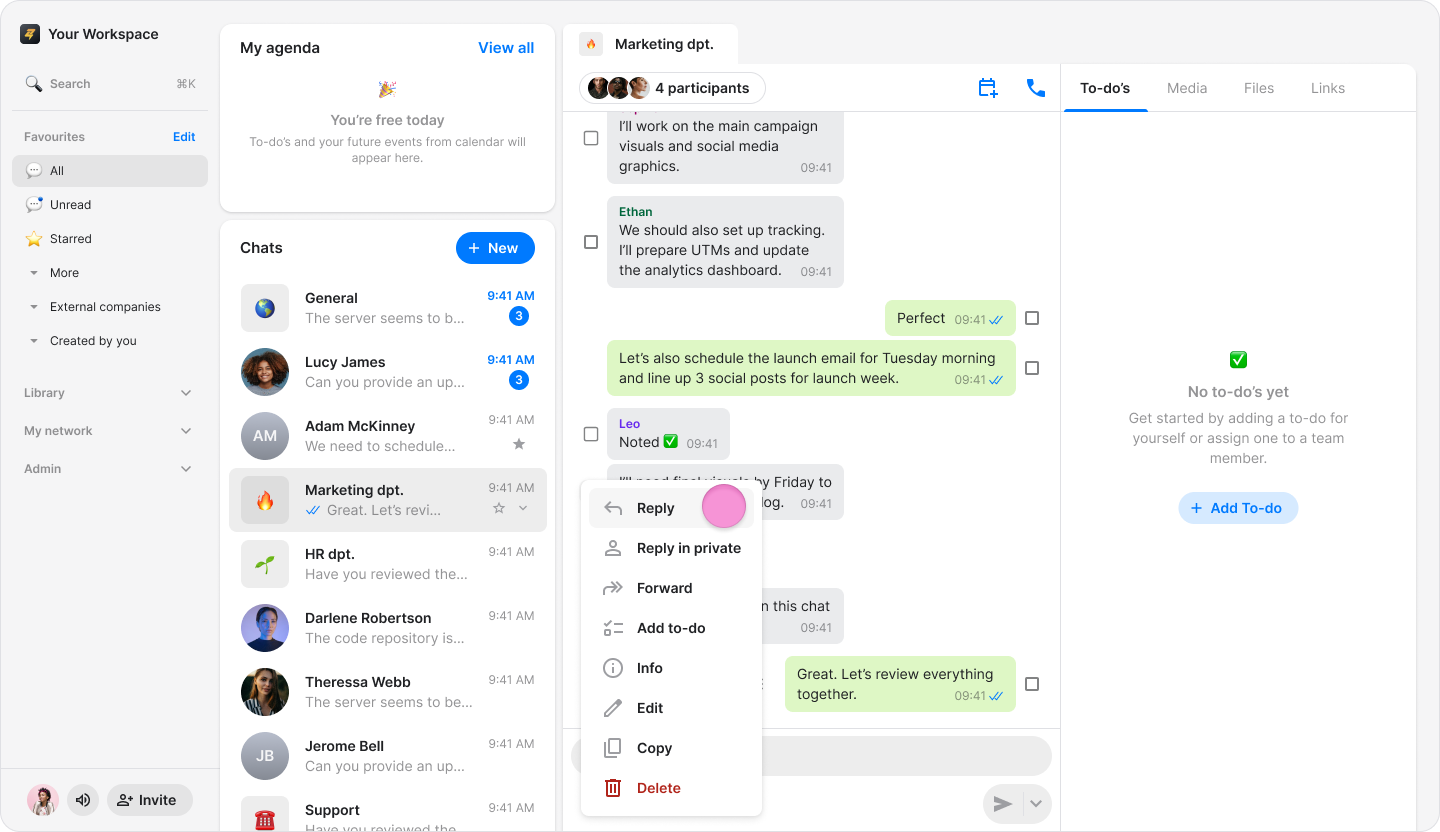
Click the “Three dots” icon.
Click “Reply”.
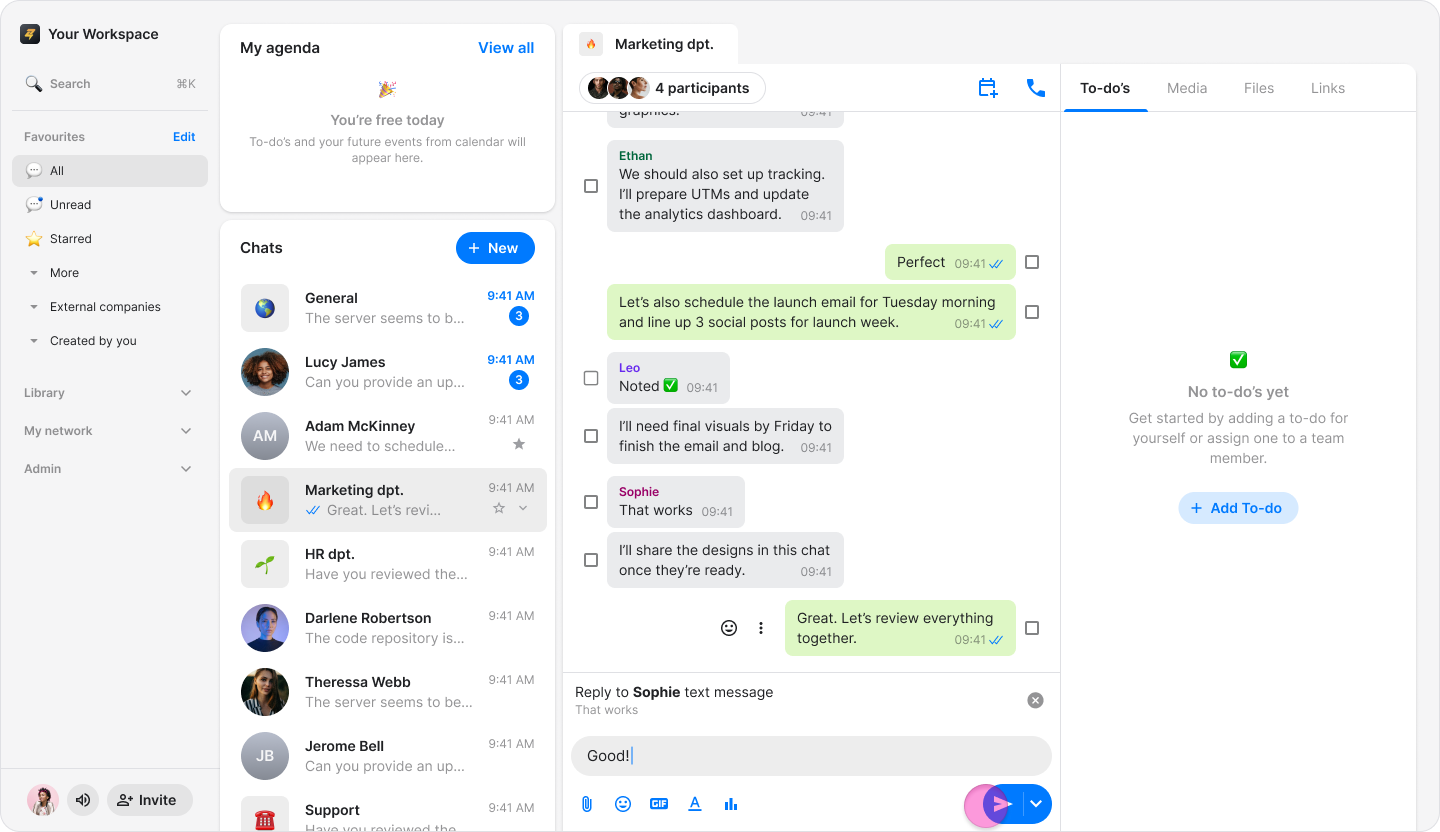
Type your response in the message field.
Click the blue send arrow.
Reply Privately
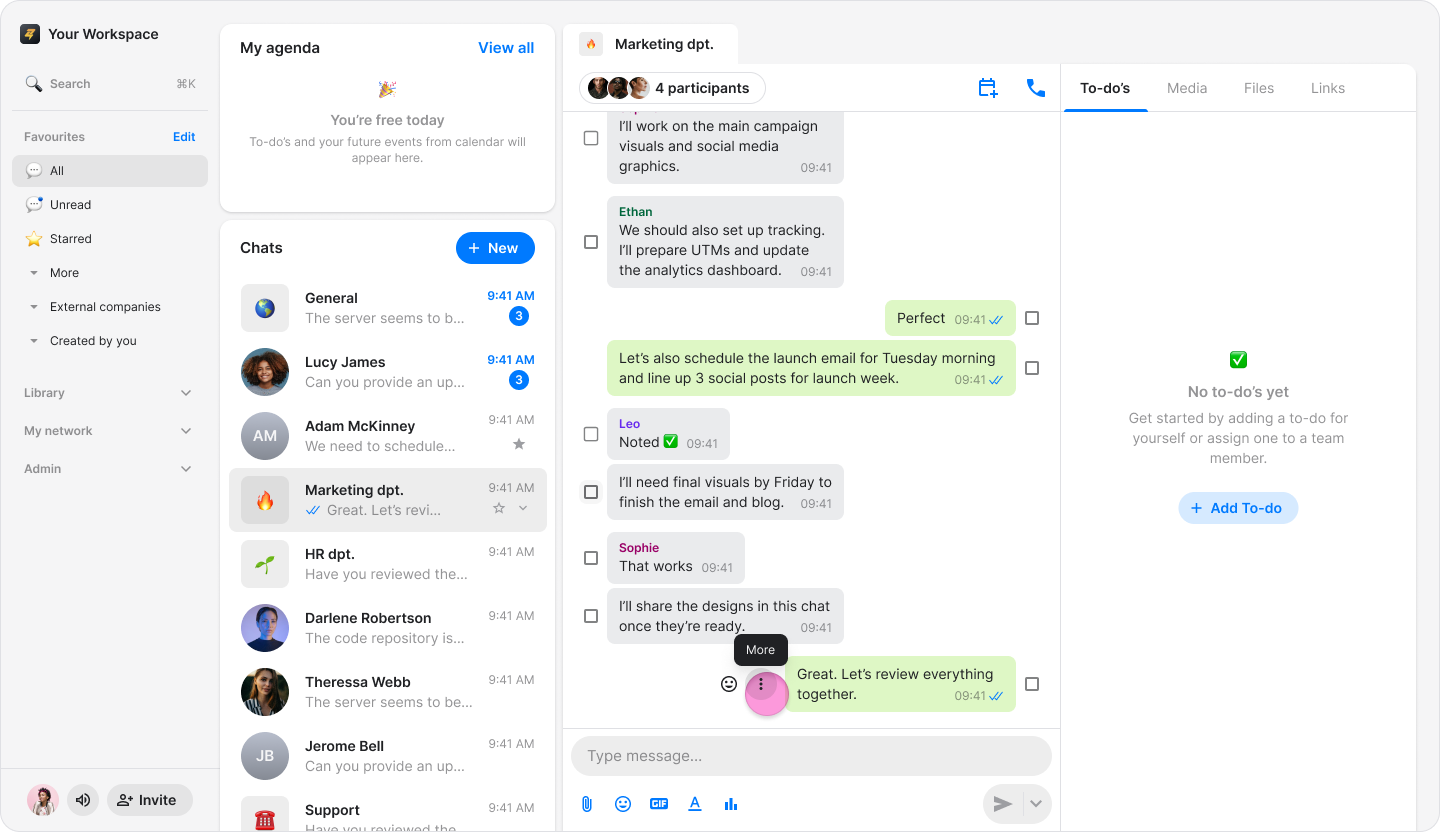
Hover over the message you want to reply to.
Click the “Three dots” icon.
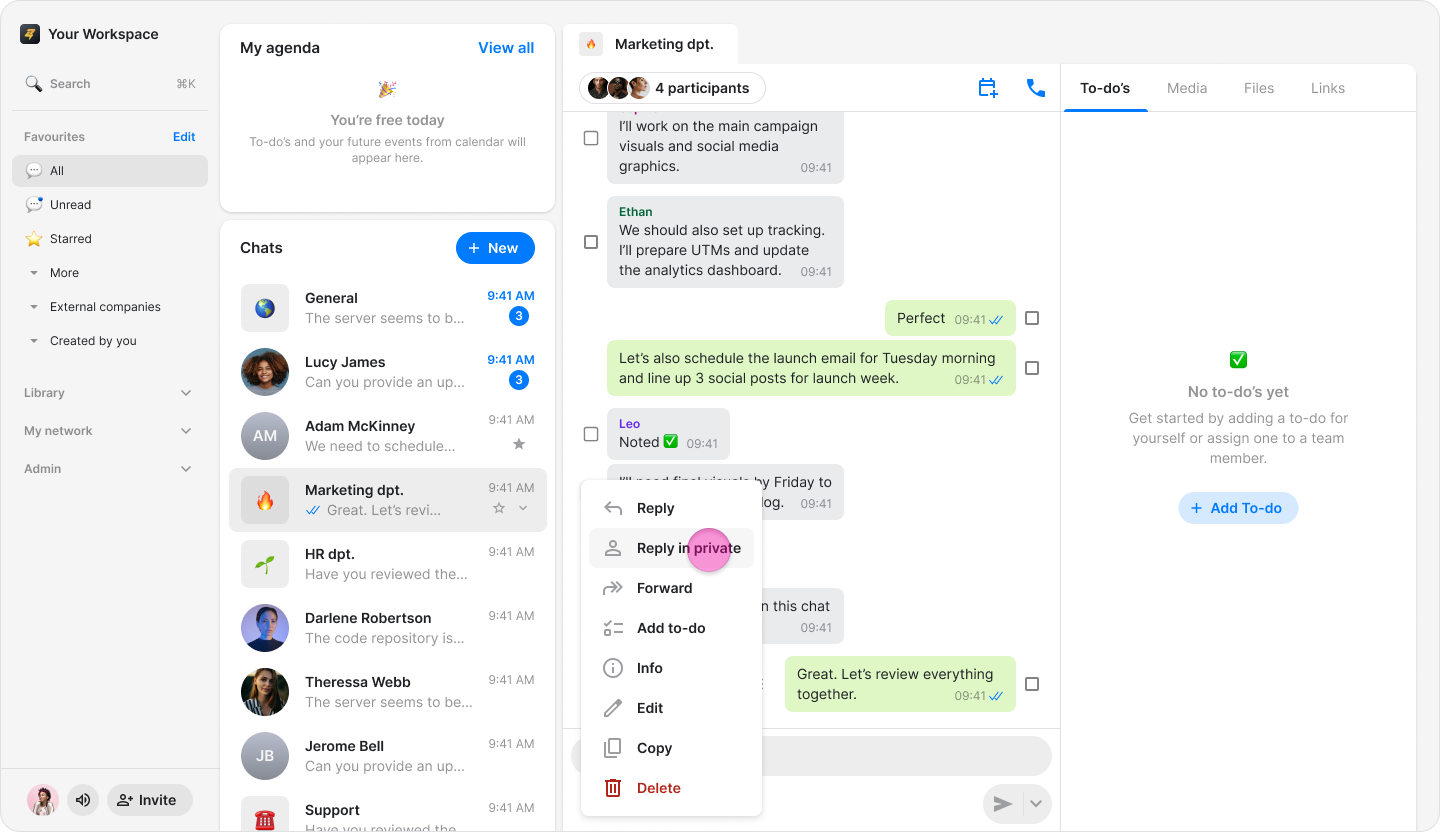
Click “Reply in private”.
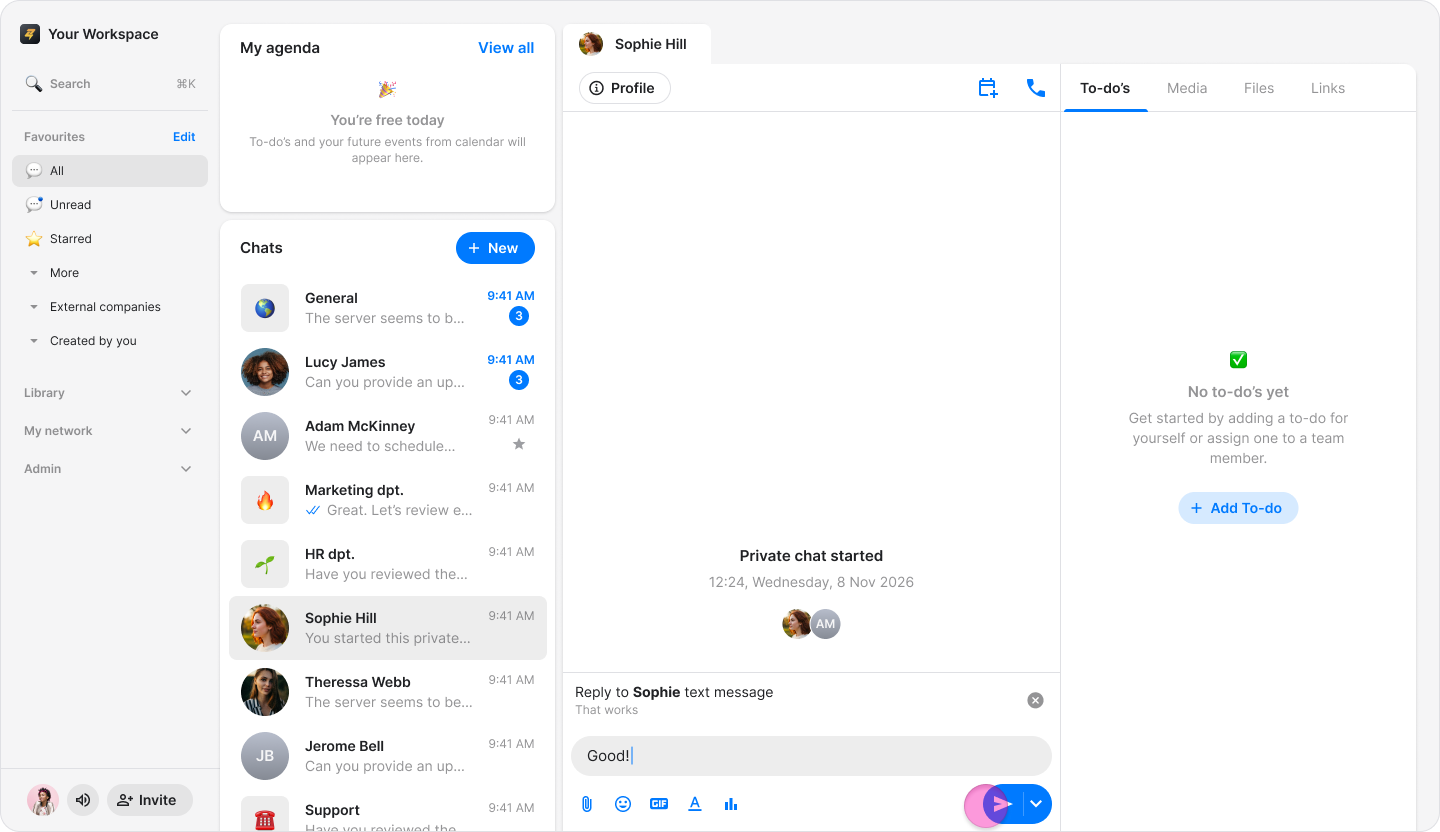
You will be directed to the chat with the person .
Type your response in the message field.
Click the blue send arrow.
Note:
The original message appears above your response—even in private replies—so the recipient knows which message you are responding to.
You can reply to any content sent in a chat, including GIFs, photos, documents, and to-dos.