
Send a New Direct Message
Create a direct message to chat one-on-one with a team member or an external user.
On Mobile (iOS & Android)
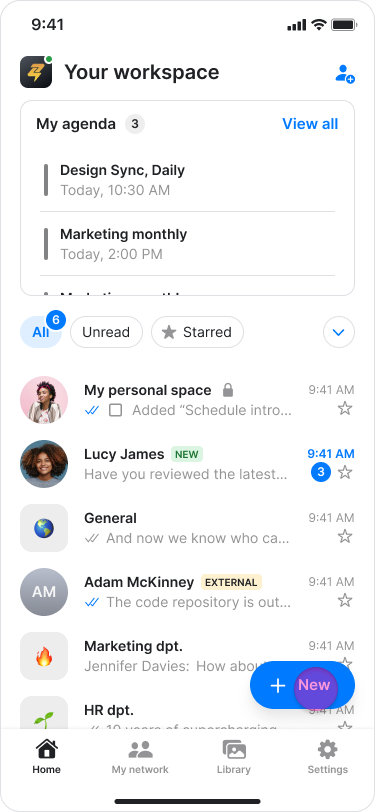
Navigate to the home screen.
Tap the "+ New" button on the bottom right.
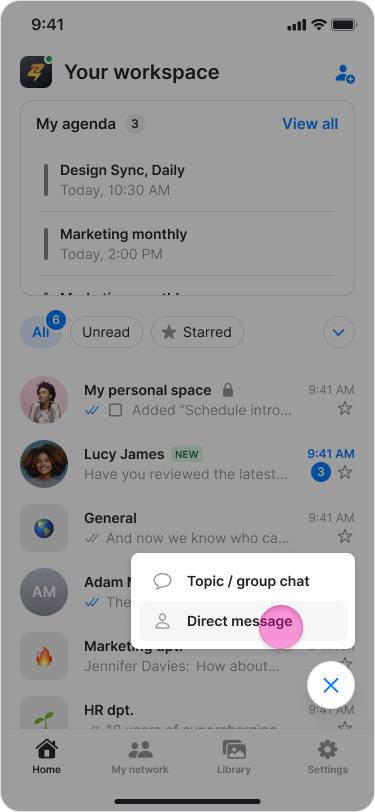
Tap "Direct Message".
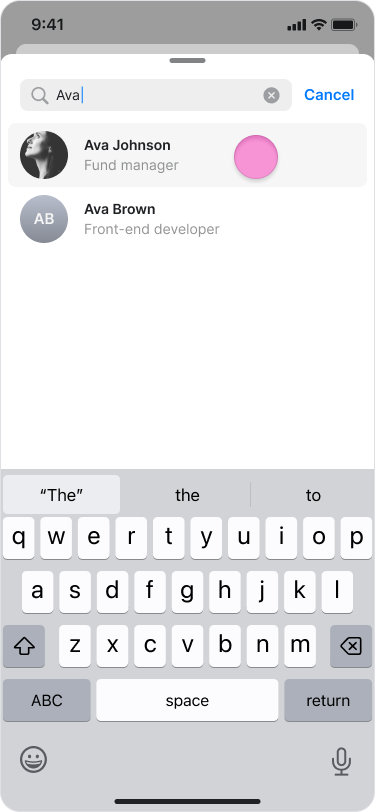
Select the person you want to chat with from your contacts list.
Note:
Your contacts list includes all workspace members and external users you have previously messaged.
To start a conversation with a new external user, please see the "Chat with an External User" guide.
On Desktop (Windows, macOS, & Web App)
Click "Chats" in the left menu.
Click "+ New" at the top of your chats list.
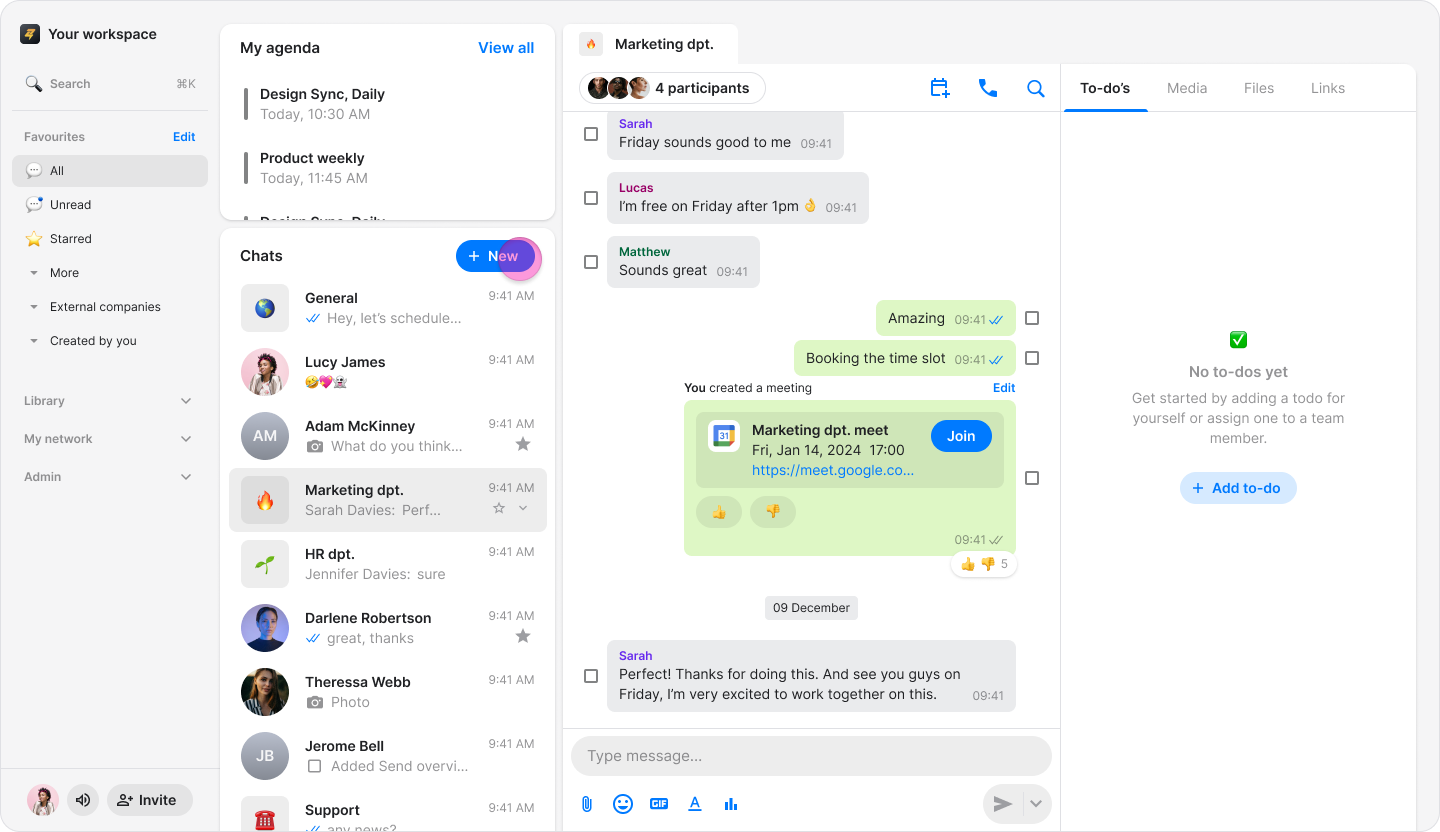
Click "Direct Message".
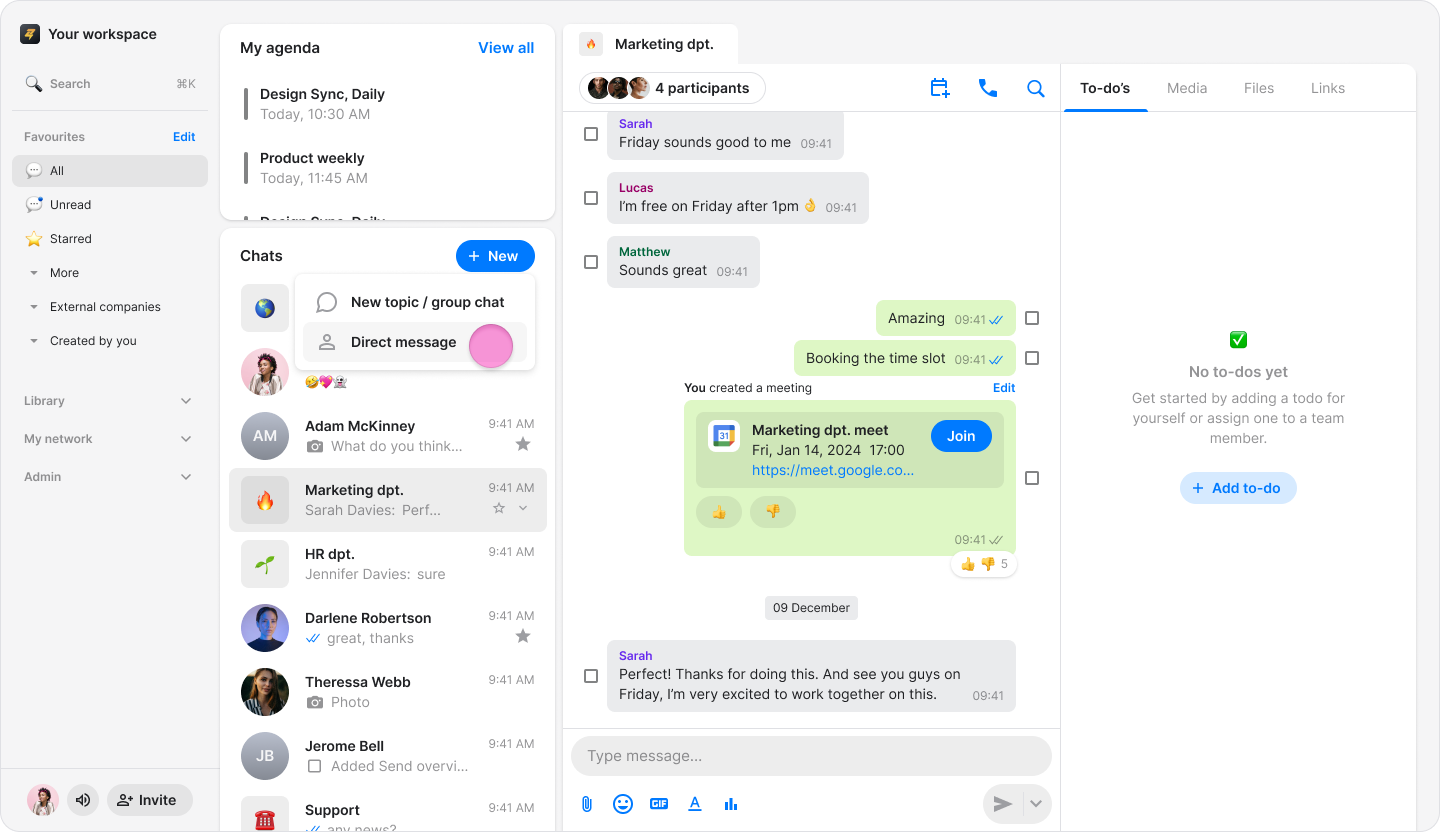
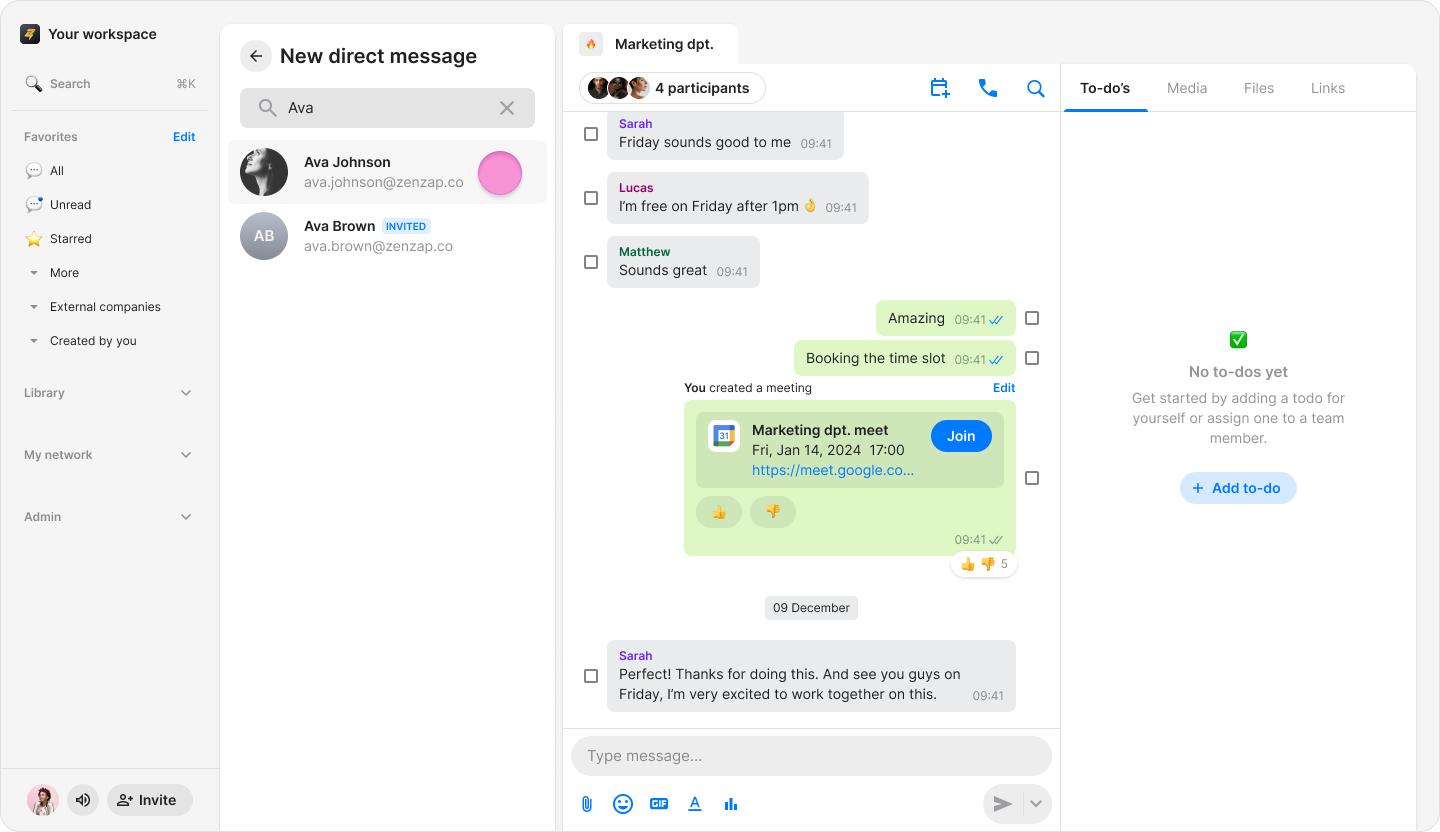
Select the person you want to chat with from your contacts list.
Note:
Your contacts list includes all workspace members and external users you have previously messaged.
To start a conversation with a new external user, please see the "Chat with and External User" guide.