
Delete a Message
You can always delete messages you sent in chats or topics.
On Mobile (iOS & Android)
Find the message you want to delete.
Long-press on the message or select multiple messages by pressing the circle next to them.
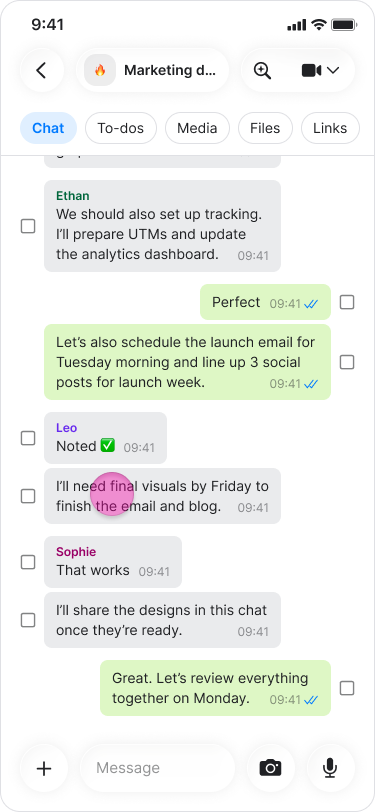
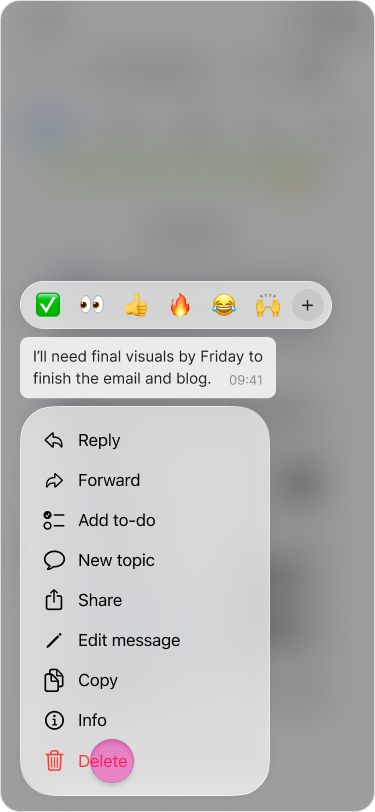
Tap "Delete" at the bottom of the menu.
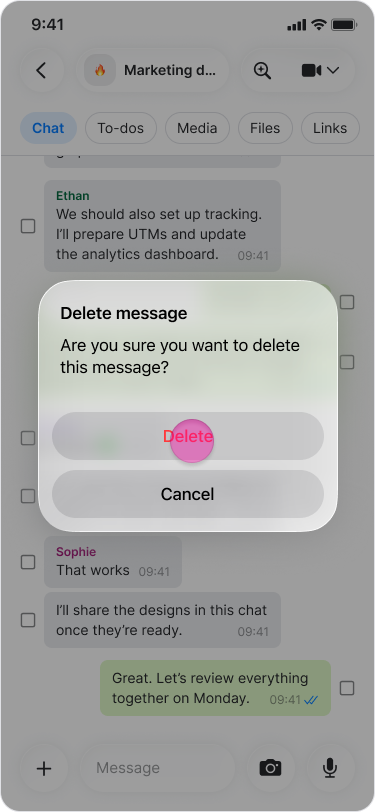
Tap "Delete" on the confirmation message.
Note:
Deleted messages are removed for everyone in the chat.
If someone has not read the message, they will not see it or know it was deleted.
You can delete older messages without limitation.
Deleting a message is permanent.
On Desktop (Windows, macOS, & Web App)
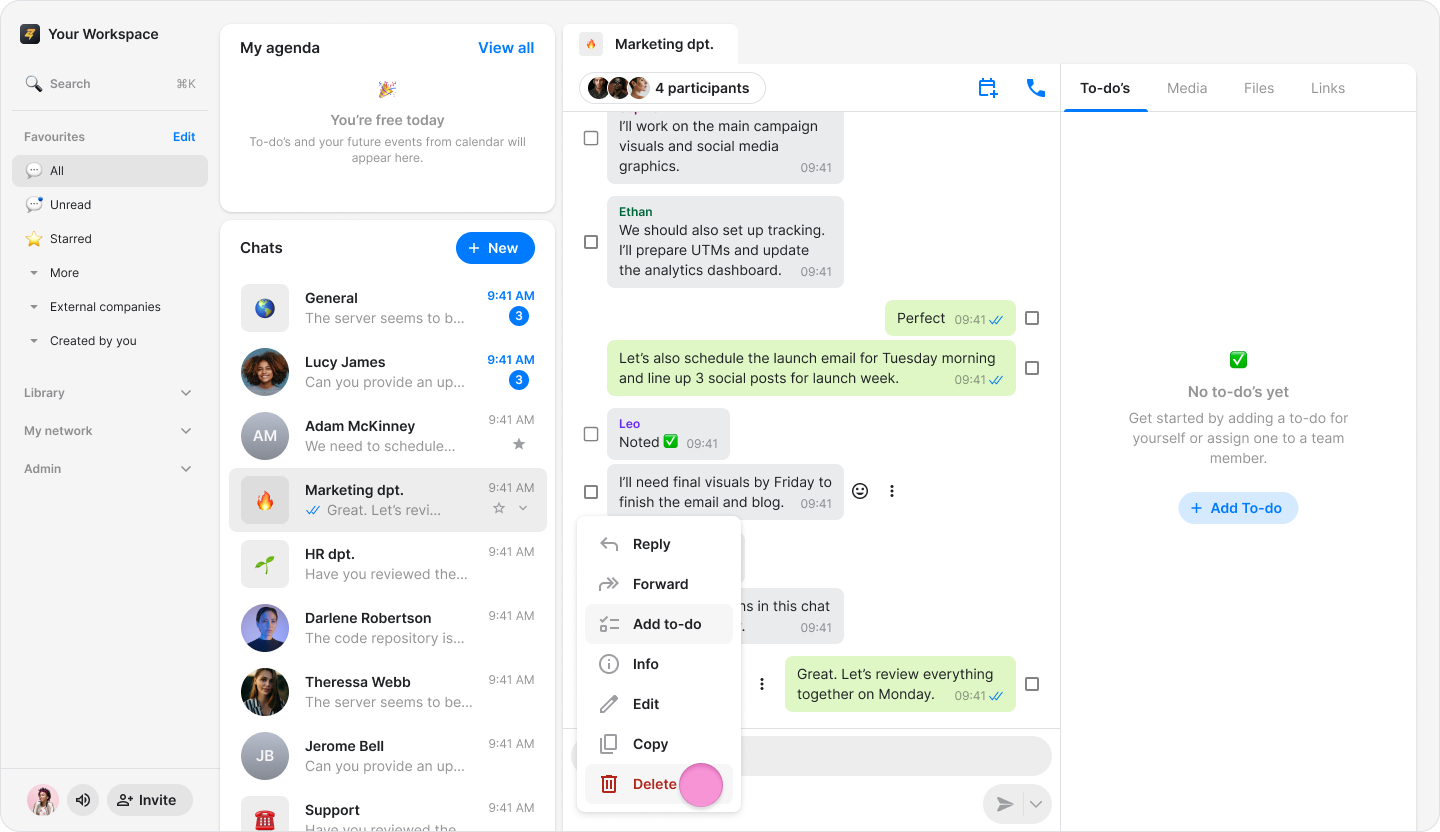
Hover over the message you want to delete.
Click the "Three dots" icon.
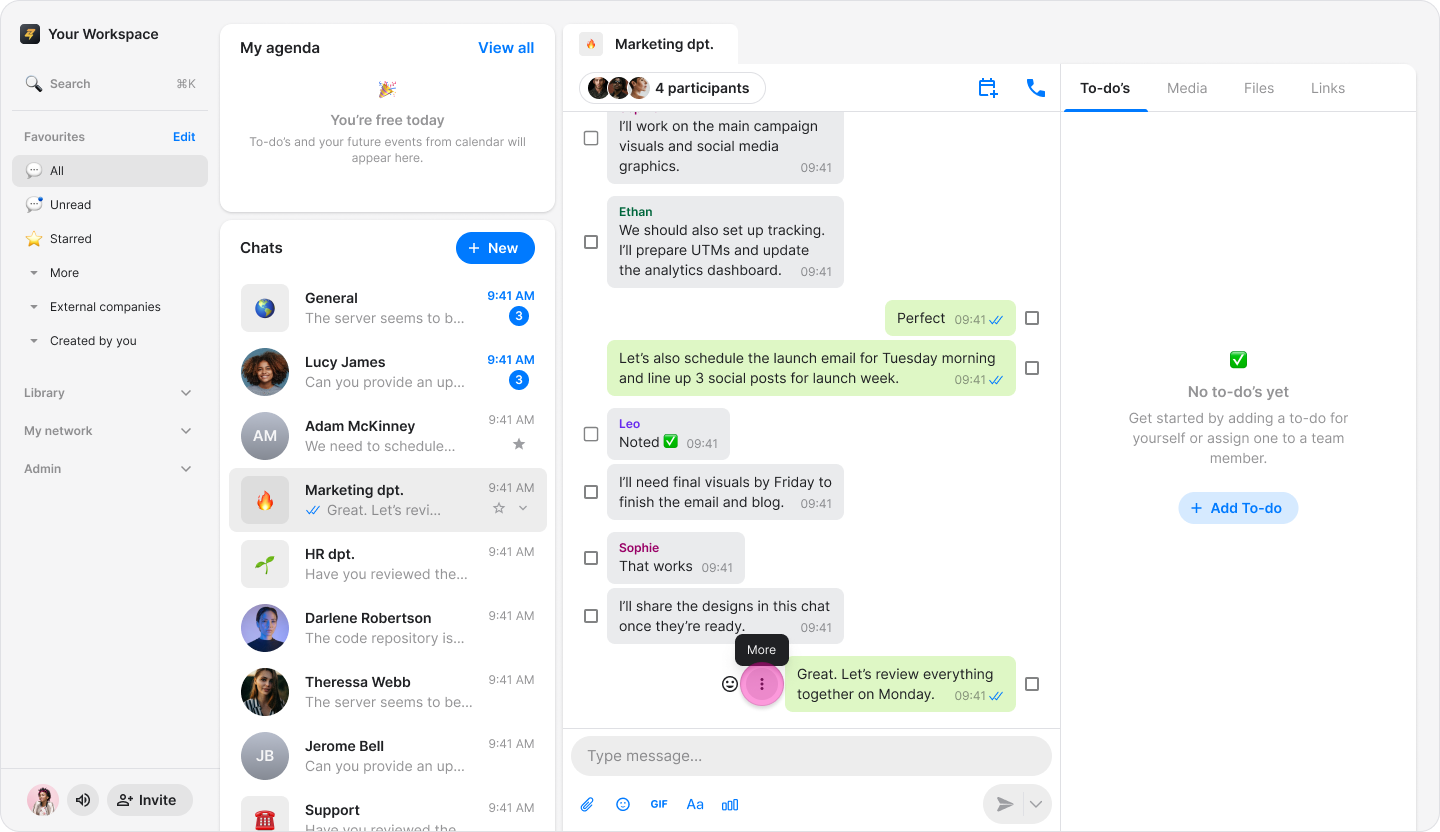
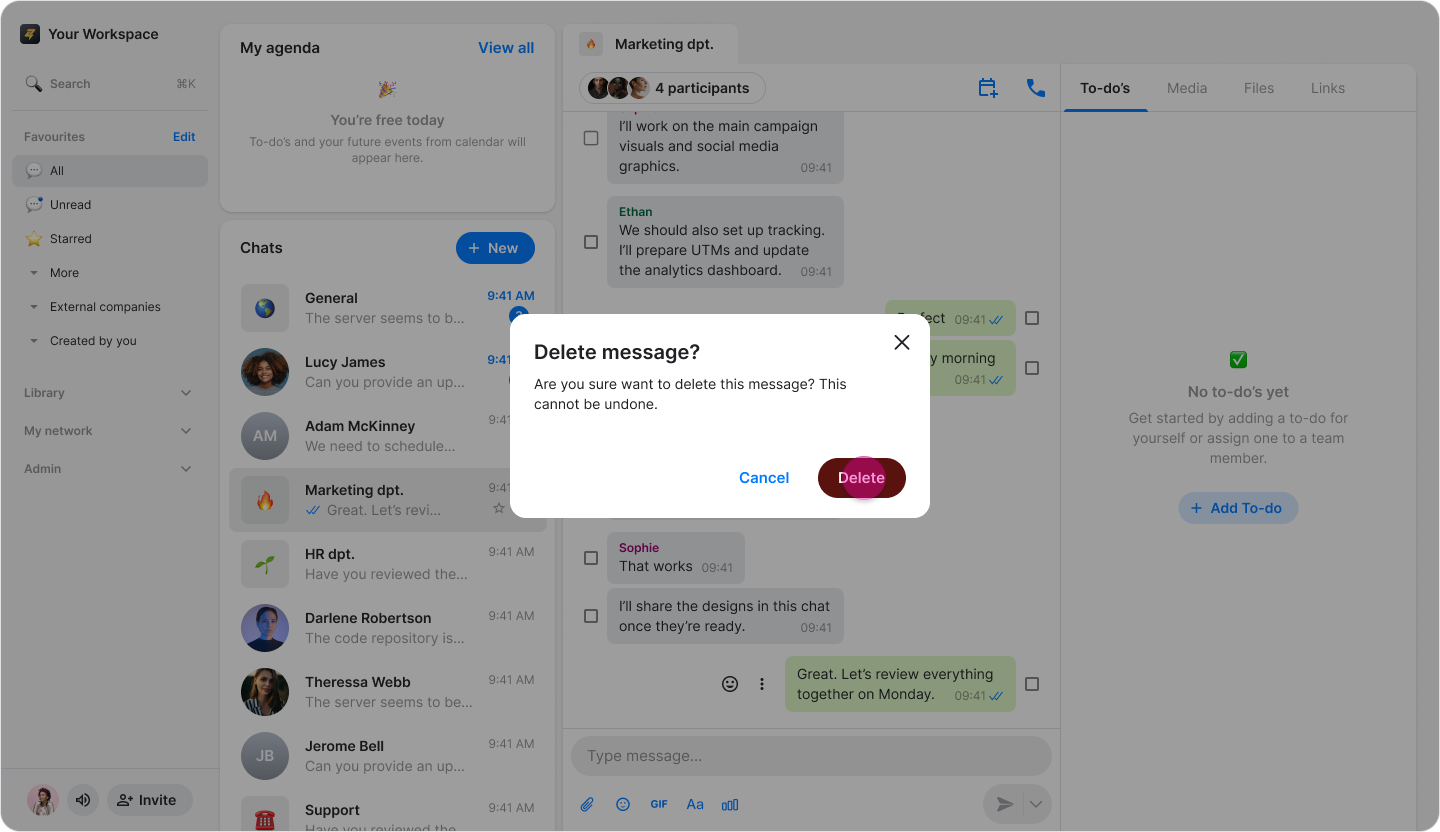
Click "Delete".
Click "Delete" to permanently delete the message or "Cancel" to leave it.
Note:
Deleted messages are removed for everyone in the chat.
If someone has not read the message, they will not see it or know it was deleted.
You can delete older messages without limitation.
Deleting a message is permanent.
⭐ Pro Feature: Workspace admins can delete any message sent by someone in the workspace, while regular team members can only delete their own messages.