
Create To-dos from Messages
Convert any message into a task to keep track of important items and assignments. Learn more about creating to-dos in this article.
On Mobile (iOS & Android)
Long-press the message you want to convert to a to-do.
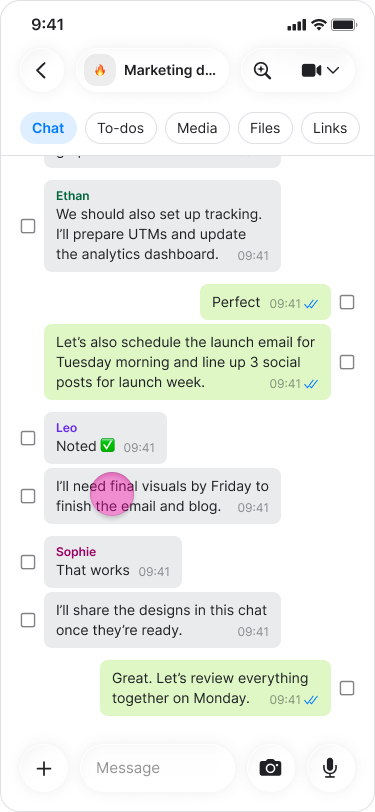
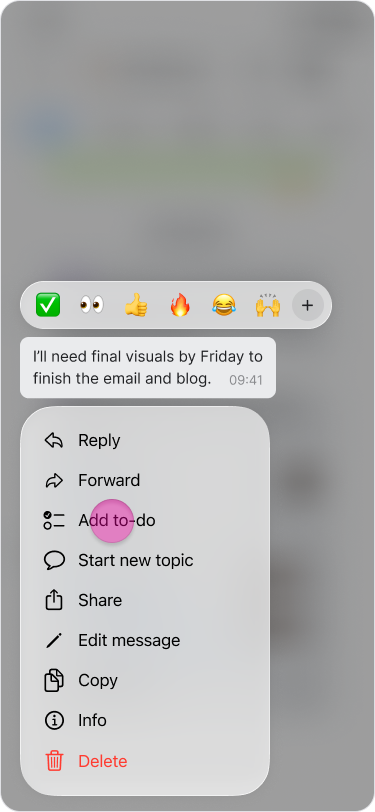
Tap "Add to-do".
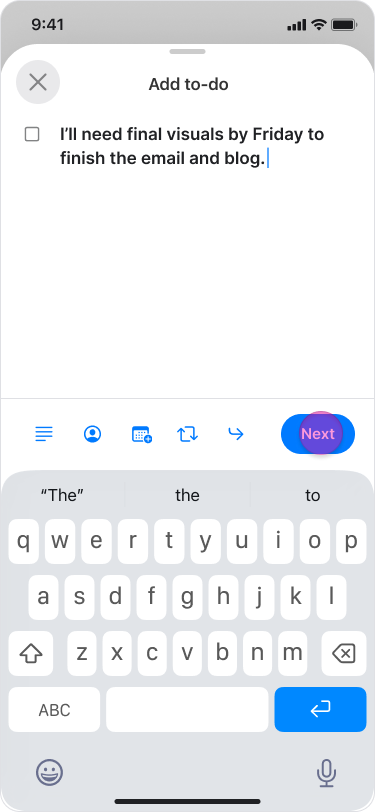
Tap "Edit" if you want to change the text or tap "Next" to continue with the original message.
Select or search for the chat where you want the to-do to appear.
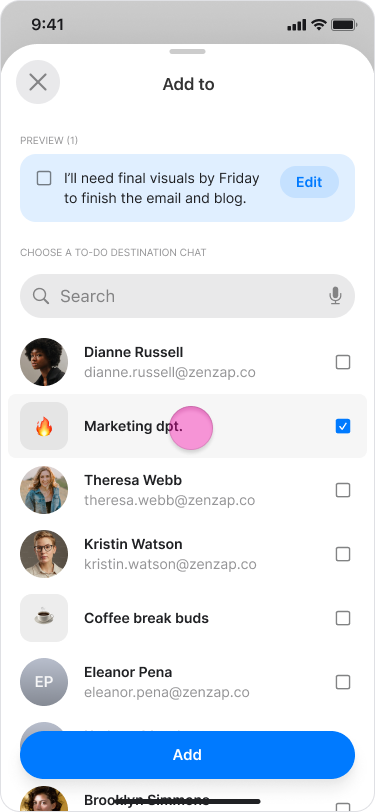
Tap "Add" to create the to-do item.
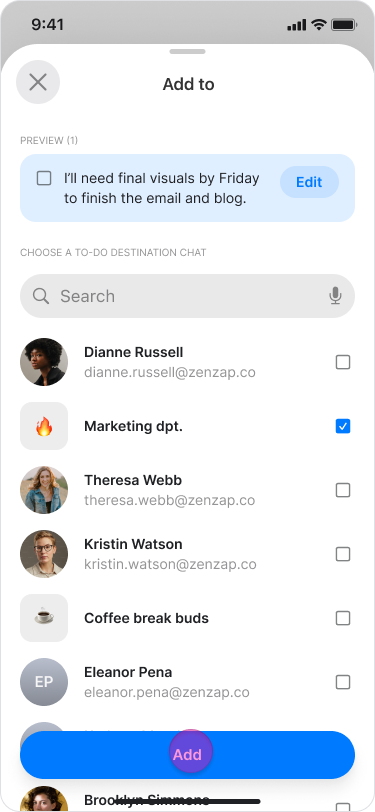
Note: These items function as regular to-dos and appear in the "To-dos" tab of your chosen chat.
On Desktop (Windows, macOS, & Web App)
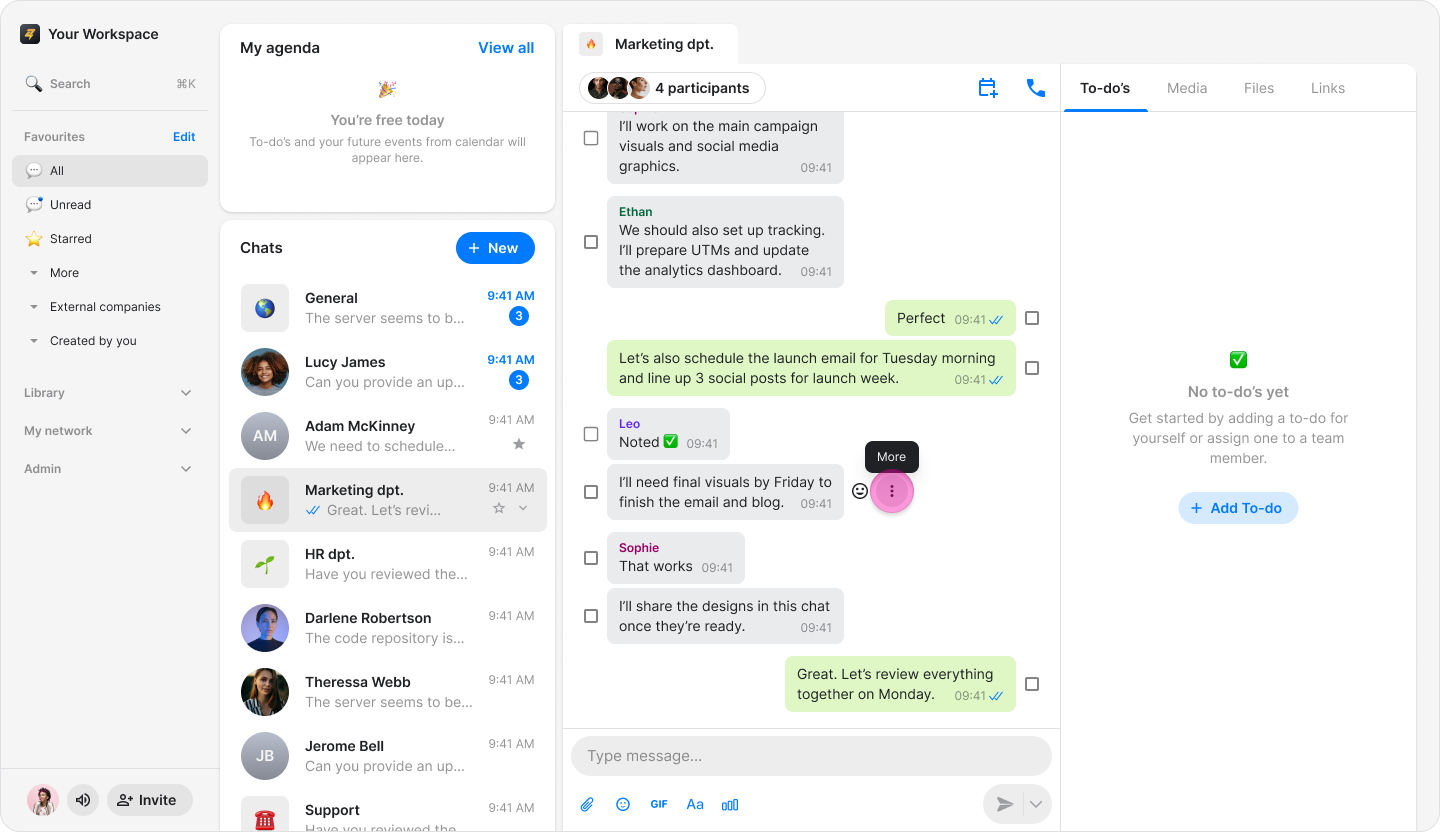
Hover over the message you want to convert.
Click the "Three dots" icon.
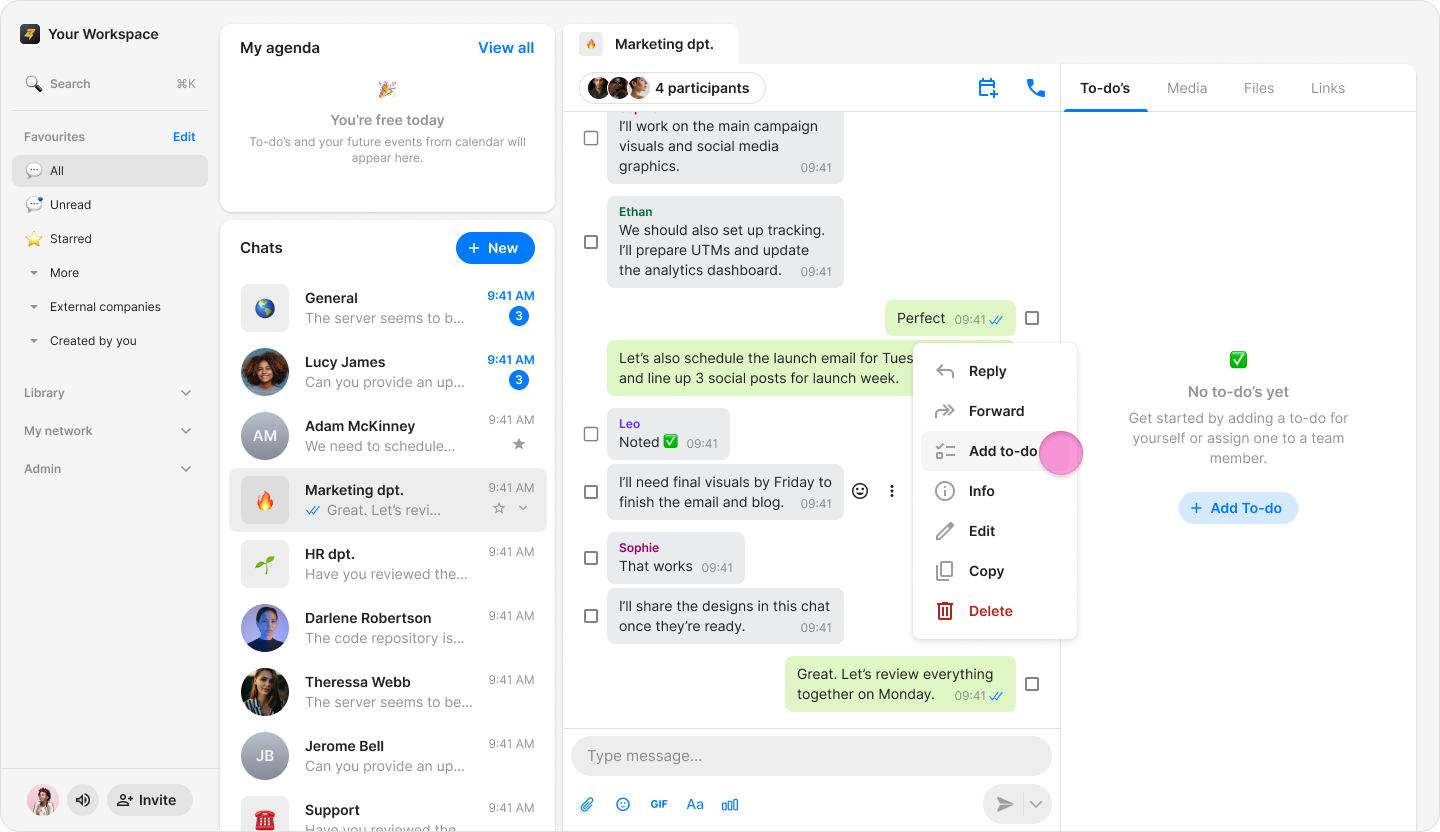
Select "Add to-do" from the menu.
Click on the text of the message at the top if you want to edit it.
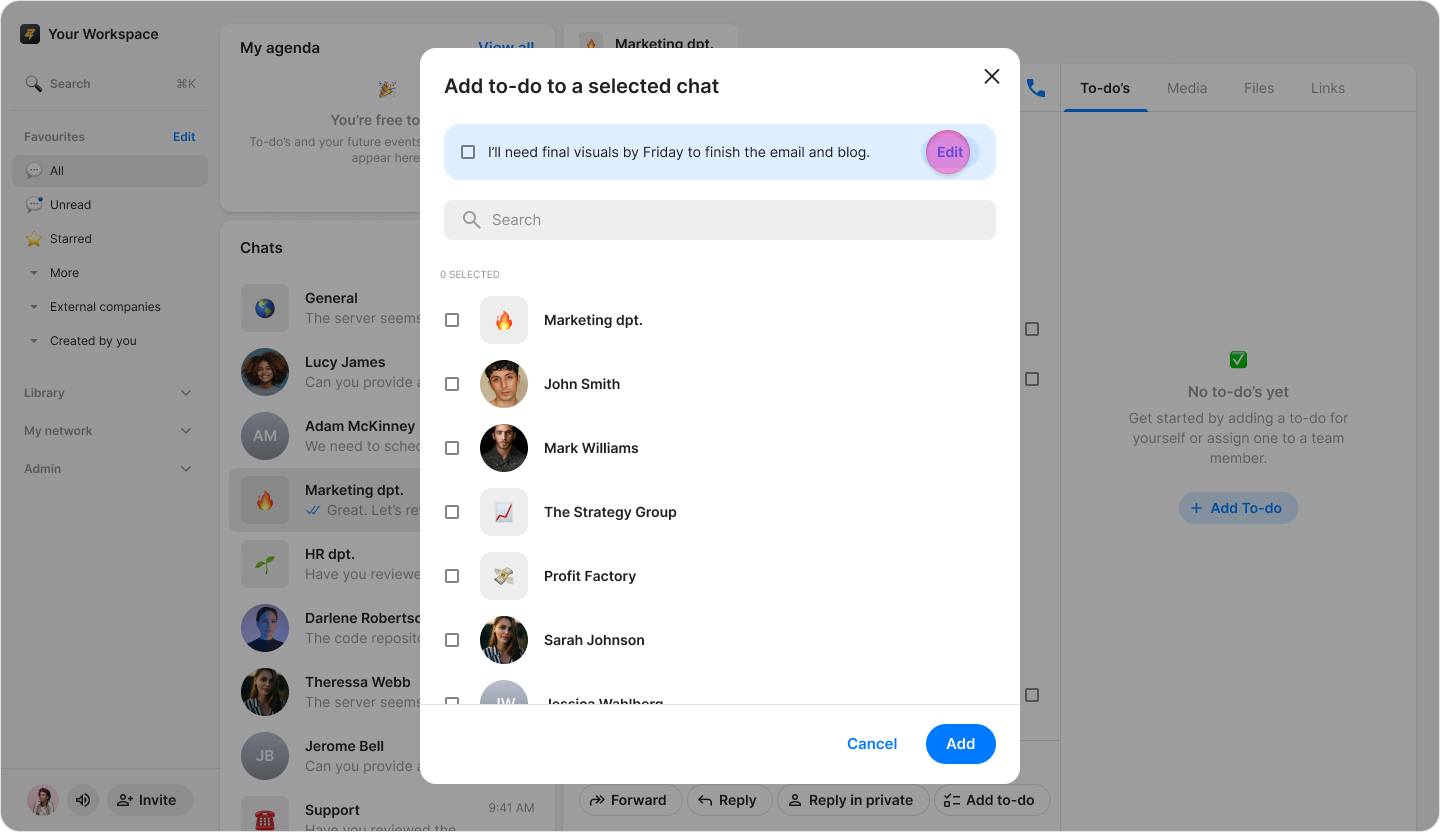
Choose or search for the chat where you want the to-do to appear.
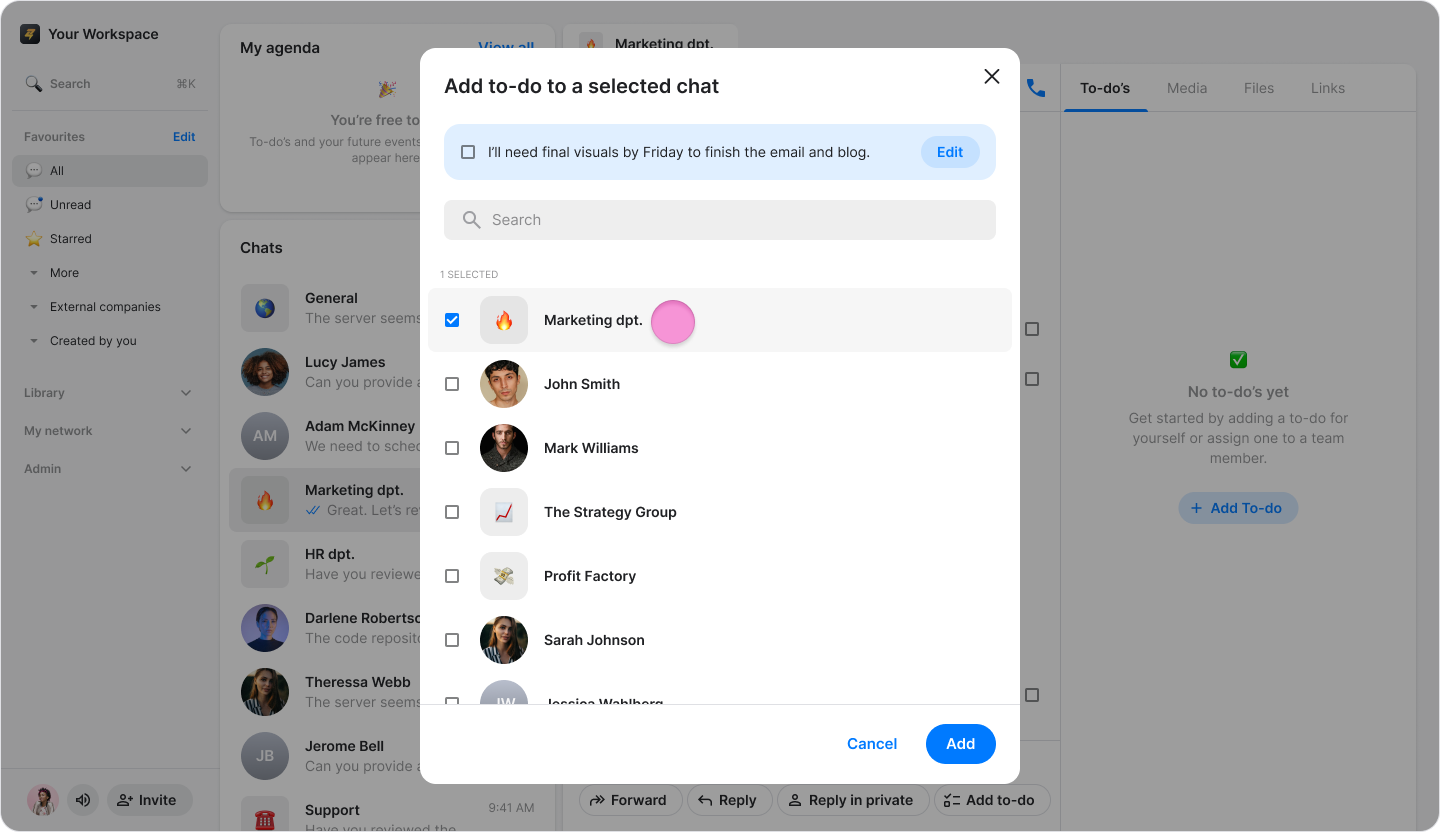
Click "Add" to create the to-do item.
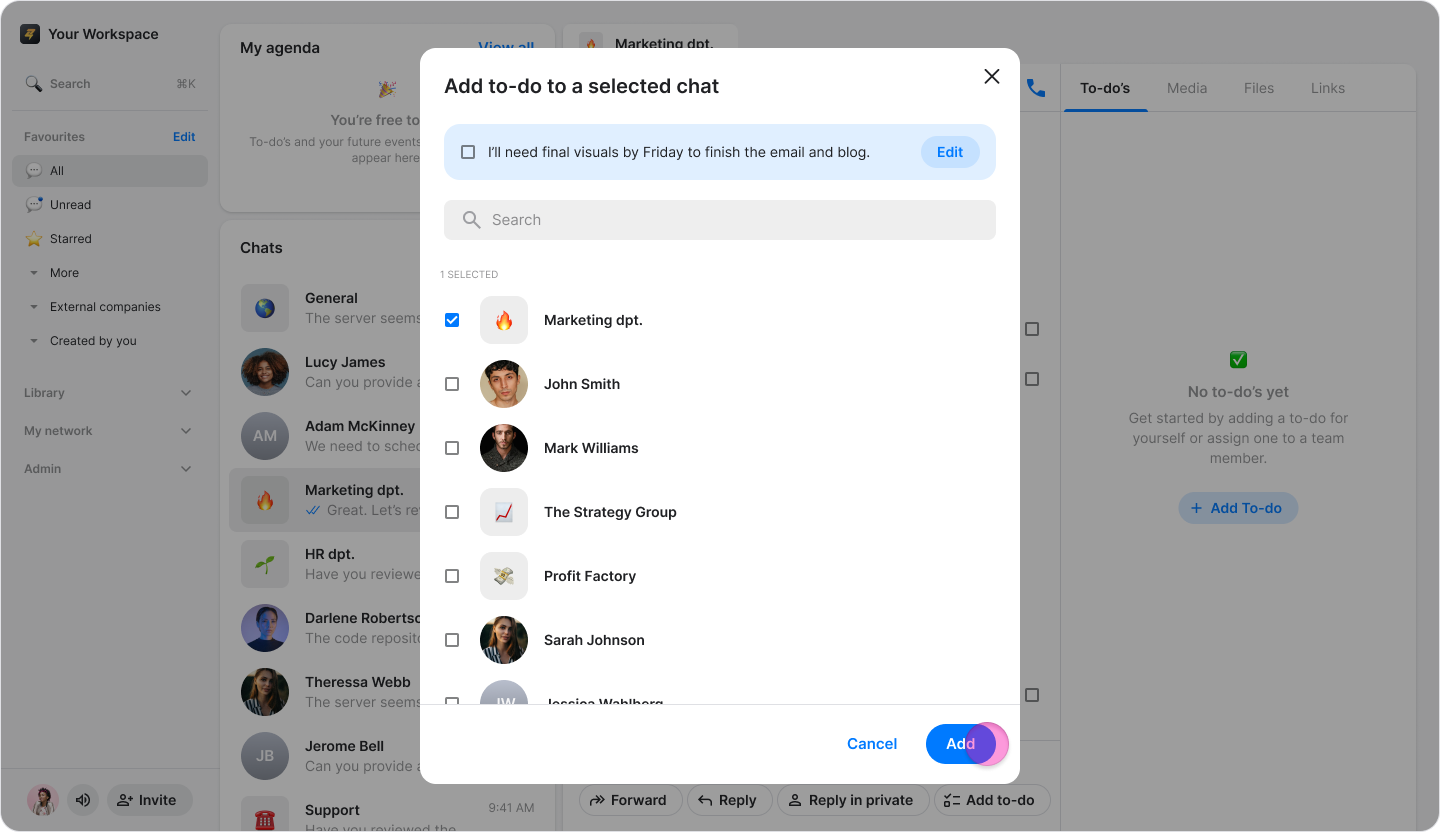
Note: These items function as regular to-dos and appear in the "To-dos" tab of your chosen chat.