
Pin Messages
Pin important messages to the top of a chat so you can quickly access them later.
Access: All Users
On Mobile (iOS & Android)
Follow these steps to pin a message using the Zenzap mobile app.
Open the chat containing the message you want to pin.
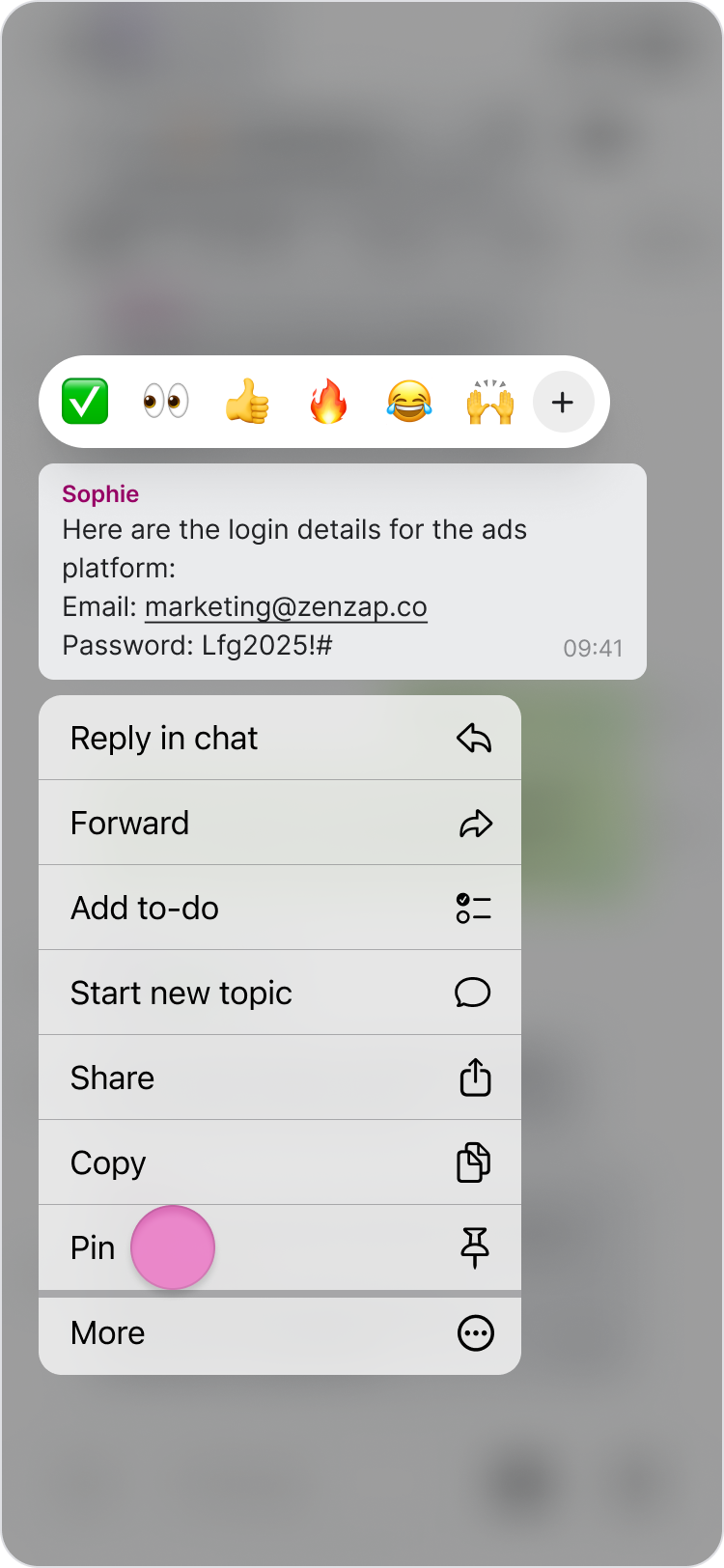
Long press the message.

Tap "Pin".
Note:
You can pin up to three messages in each chat.
Pinned messages appear at the top of the chat.
Tap a pinned message to jump directly to its location in the conversation.
On Desktop (Windows, macOS, & Web App)
Follow these steps to pin a message using the Zenzap desktop or web app.
Open the chat containing the message you want to pin.
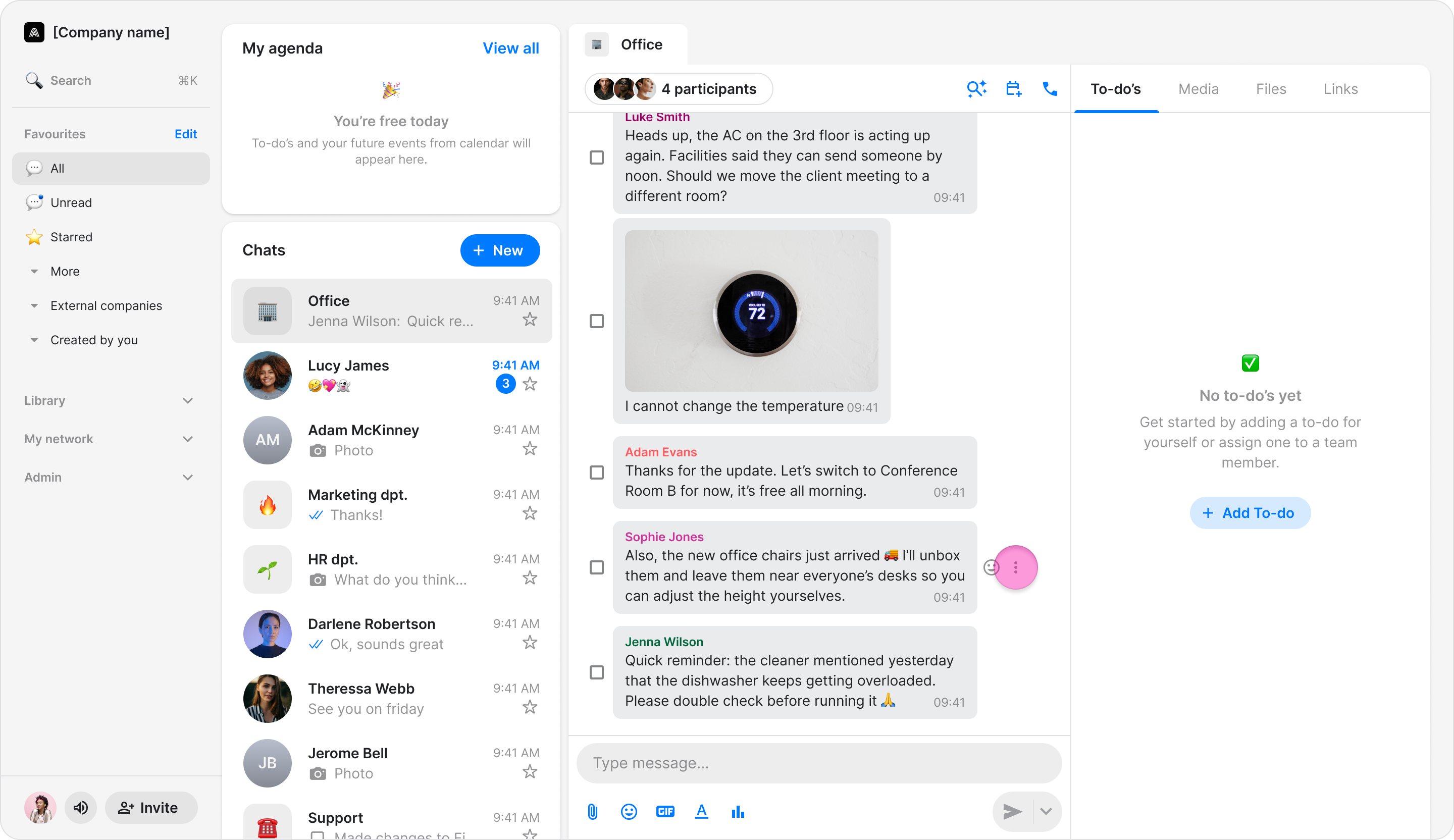
Hover over the message.
Click the three dots.
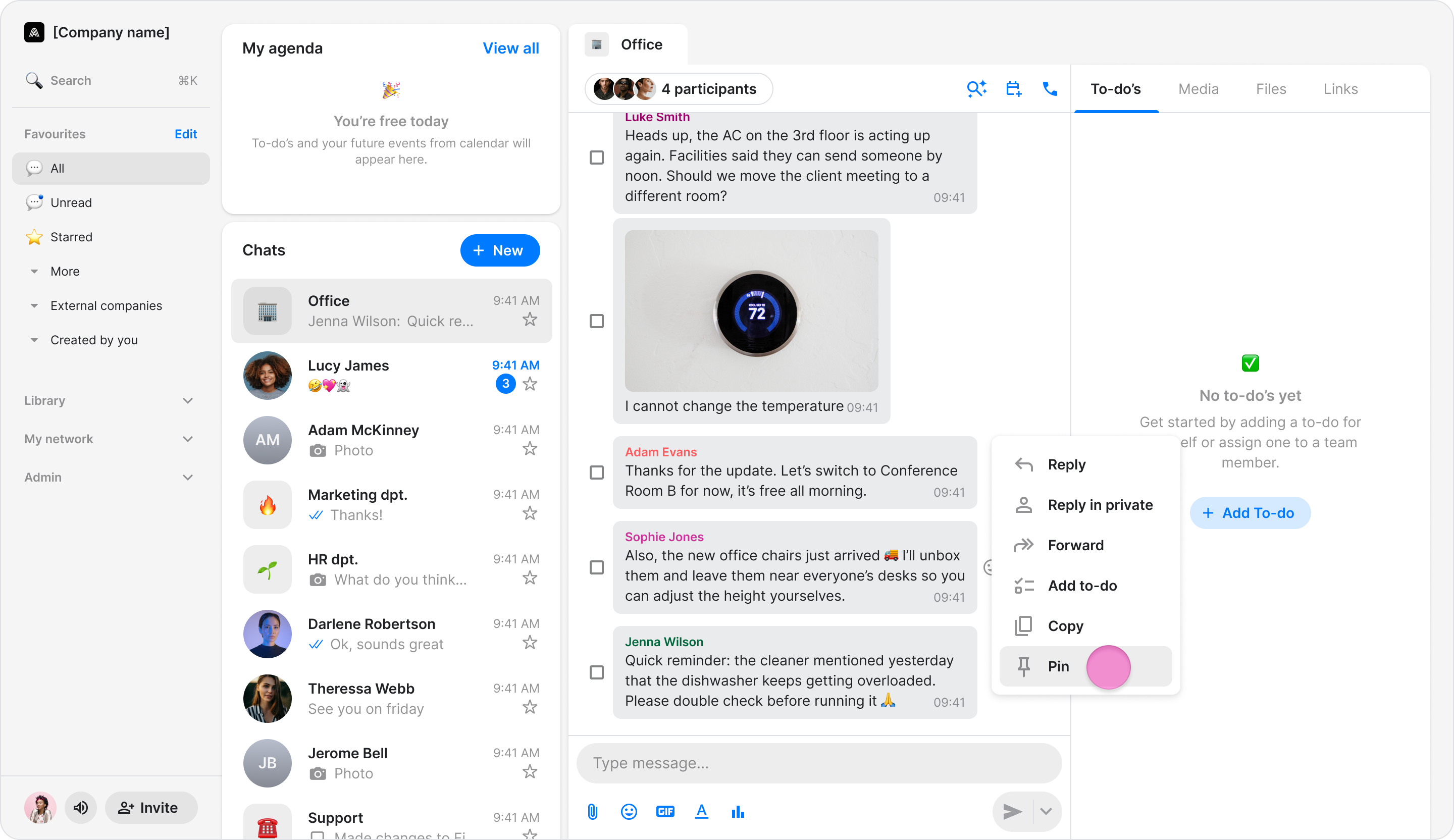
Click "Pin".
Note:
You can pin up to three messages in each chat.
Pinned messages appear at the top of the chat.
Click a pinned message to jump directly to its location in the conversation.