
Make the "Archive" Folder Visible
Add the “Archive” folder to your home screen for faster access to your archived chats.
On Mobile (iOS & Android)
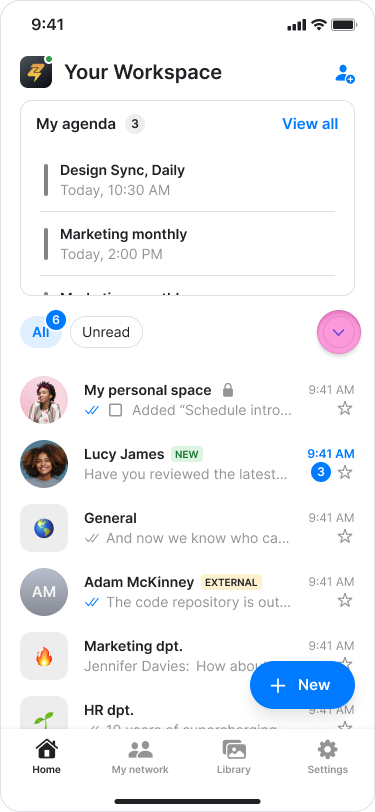
Find the list of folders (e.g., "Chats", "Unread", "DMs") on the "Home" screen.
Tap the "down arrow" icon next to the folders.
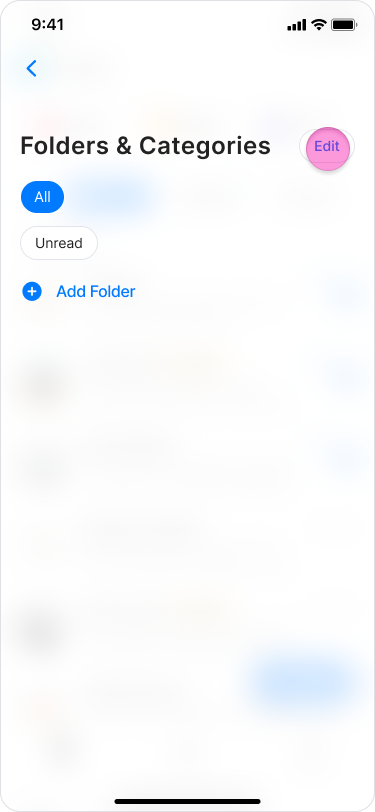
Tap "Edit" at the top right.
Under the "Hidden folders & categories" section, tap the circle next to the "Archive" folder.
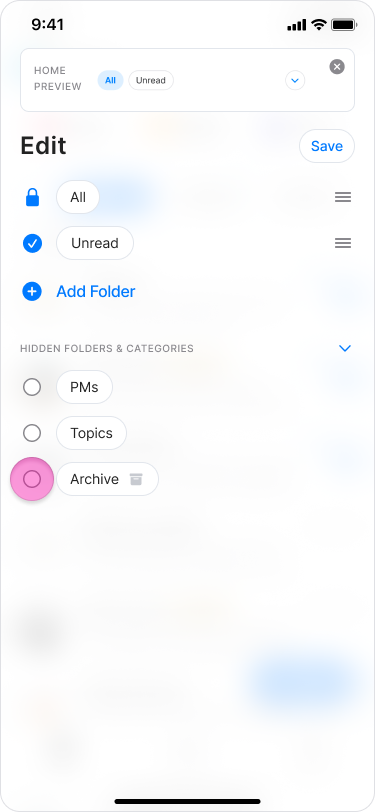
Tap “Save” at the top right.
Return to "Home" to see the "Archive" folder.
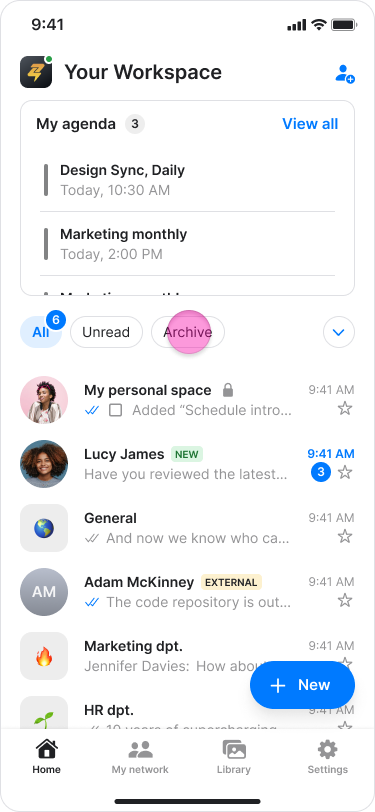
Note: More information on managing your folders in this article.
On Desktop (Windows & Web App)
Click "Edit" next to "Favorites" in the sidebar menu.
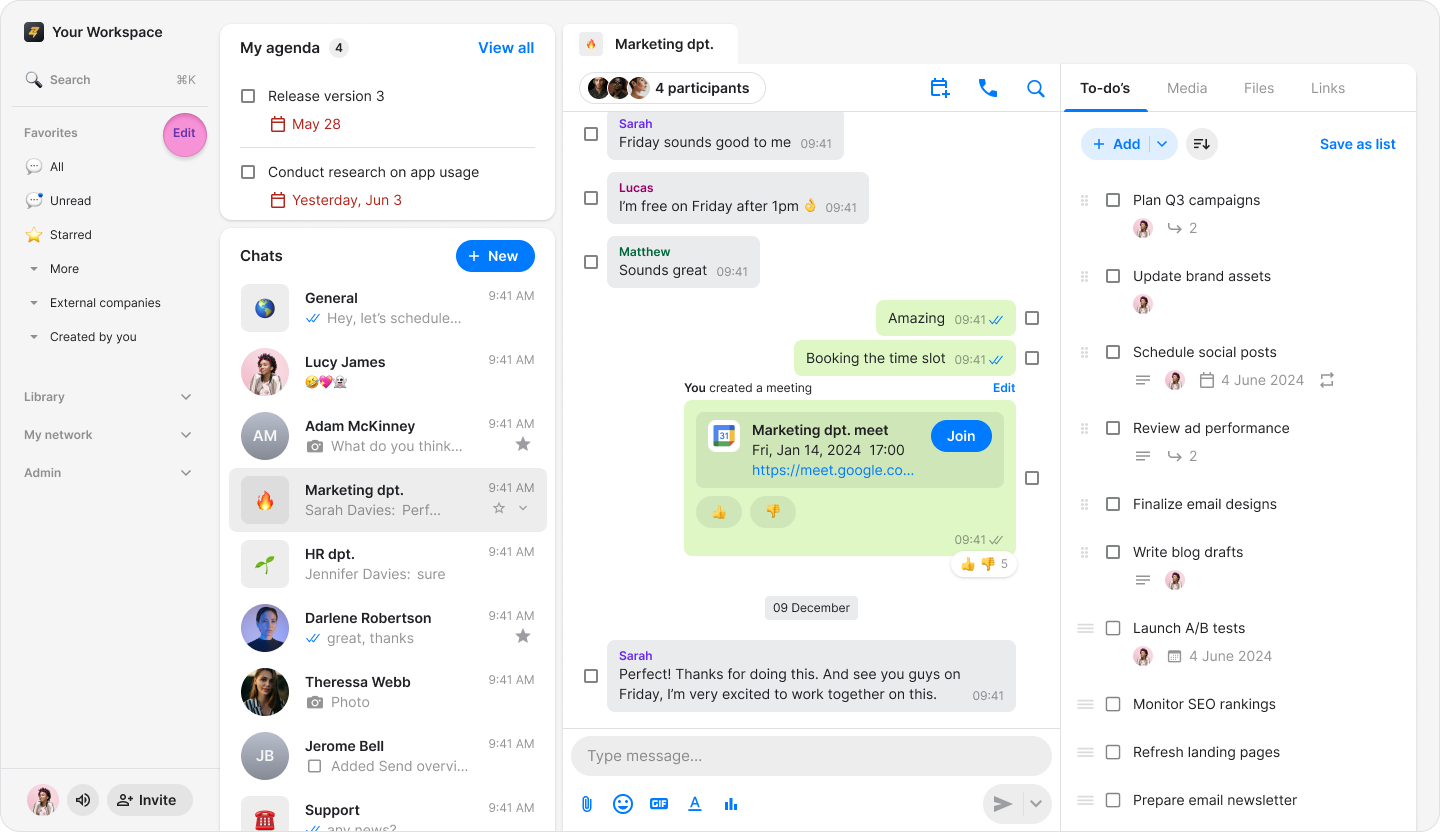
In the pop-up window, select the "Archive" folder by clicking the checkbox.
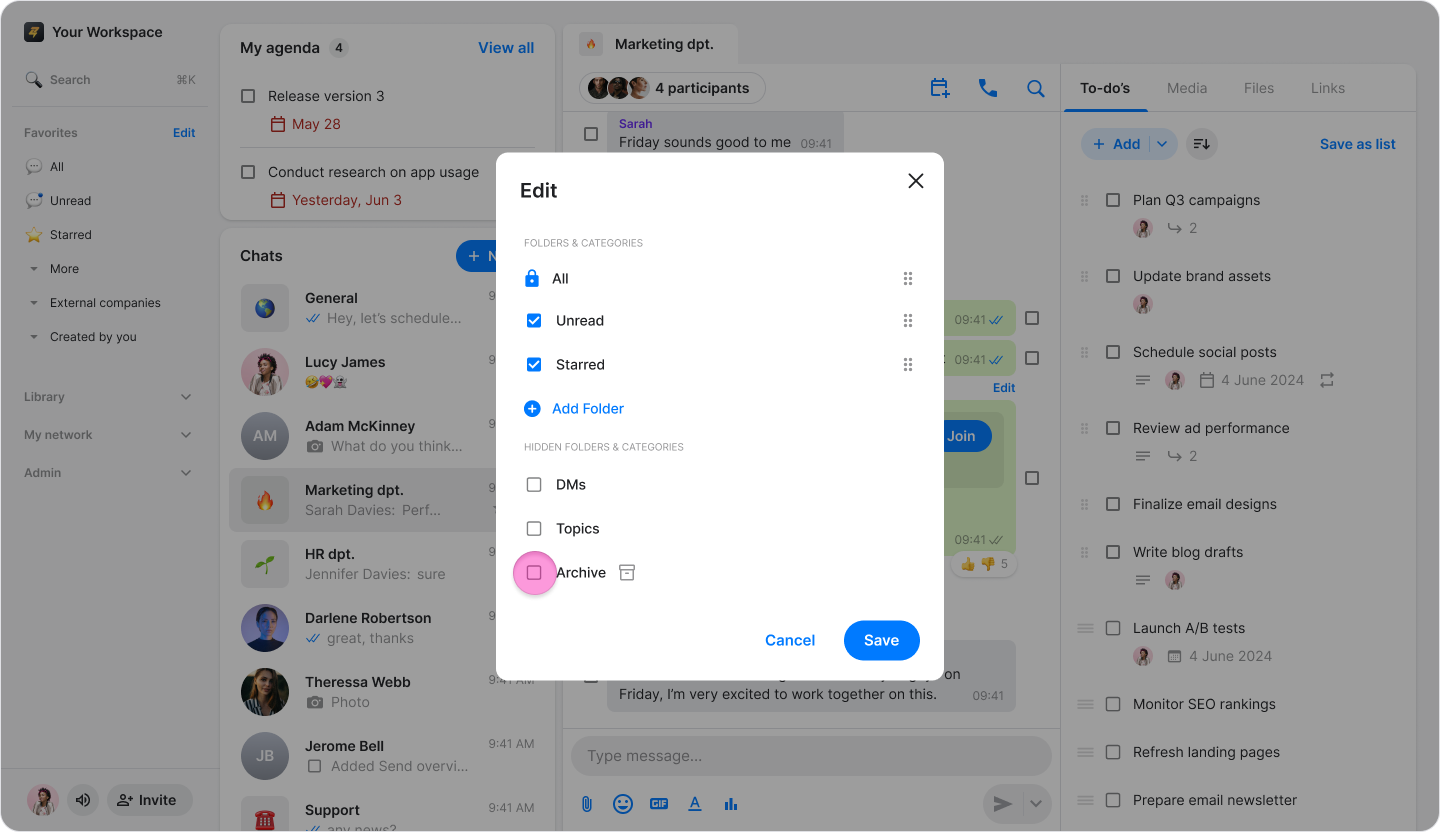
Click "Save" at the bottom right.
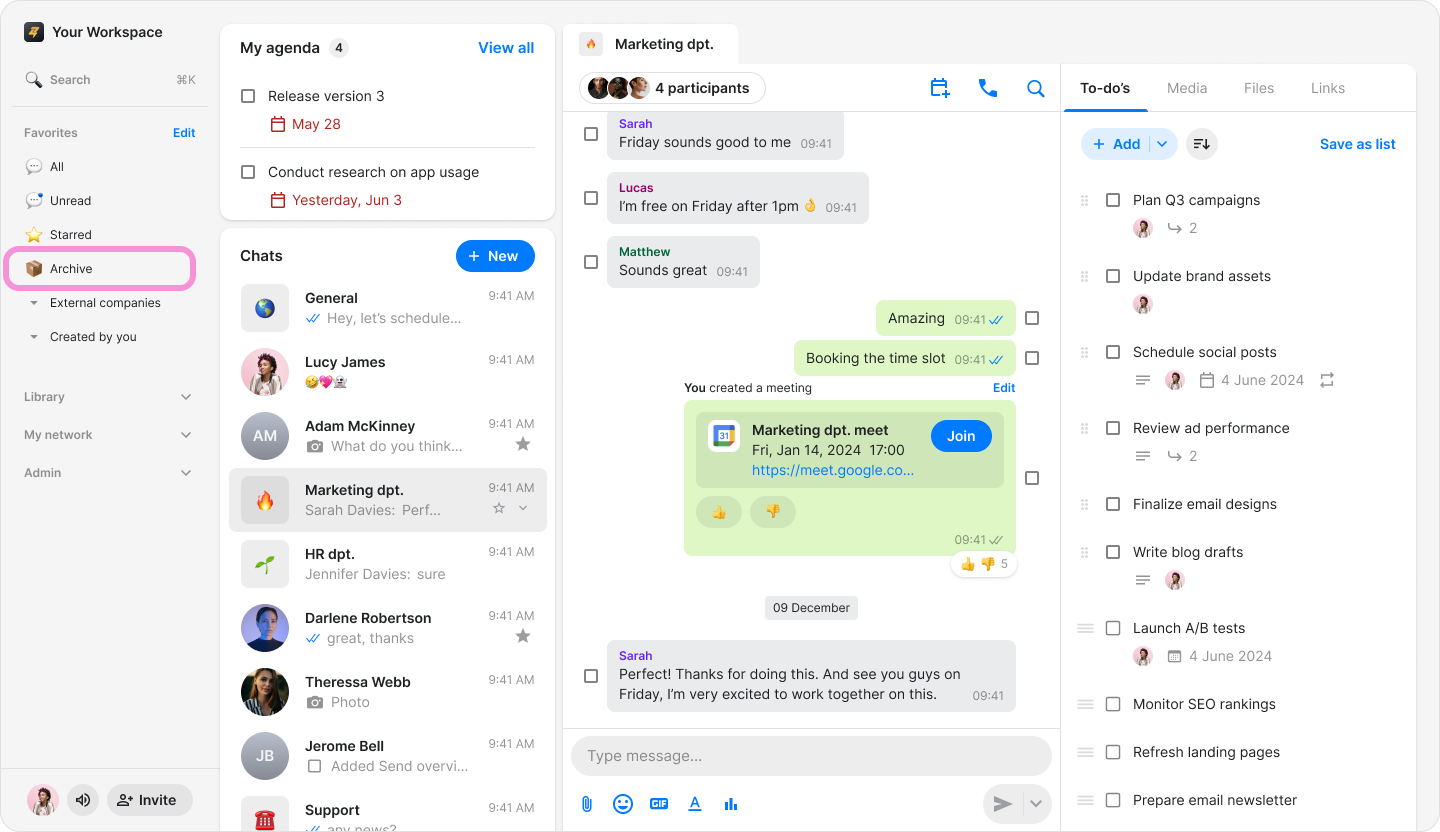
The "Archive" folder will now appear under "Favorites" alongside your other folders.
Note: For more information on managing your folders in this article.