
Share Messages to other Apps
Edited
Share your messages and media with other apps outside the platform to collaborate with people in other workspaces.
On Mobile (iOS & Android)
Long-press on the message.
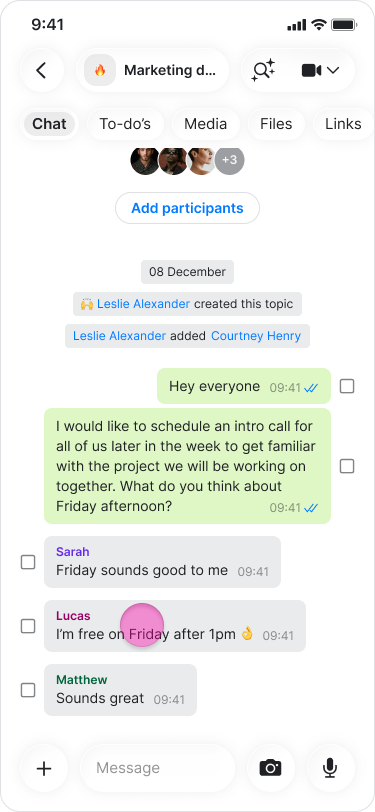
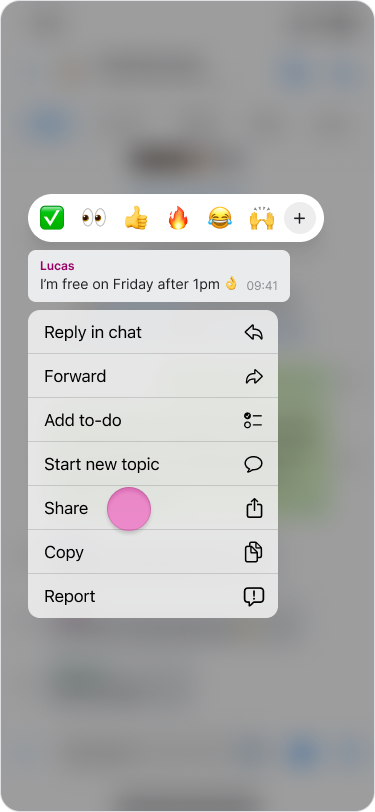
Tap “Share”.
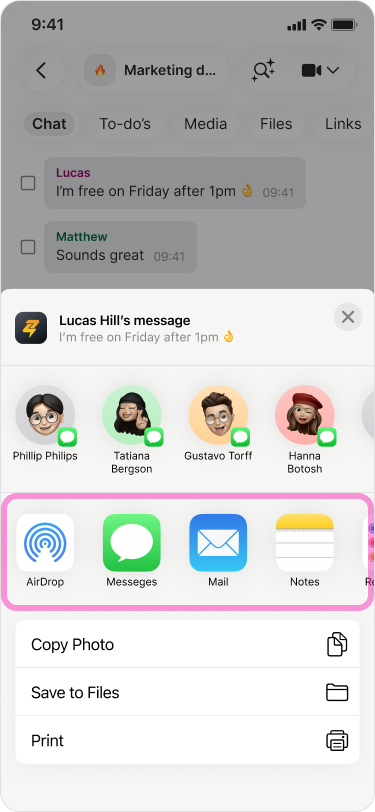
Select the app you want to share the message through
Note: You can also select "Copy" to share text and images elsewhere.
On Desktop (macOS)
Hover over the message you want to share.
Click the “Three dots” icon.
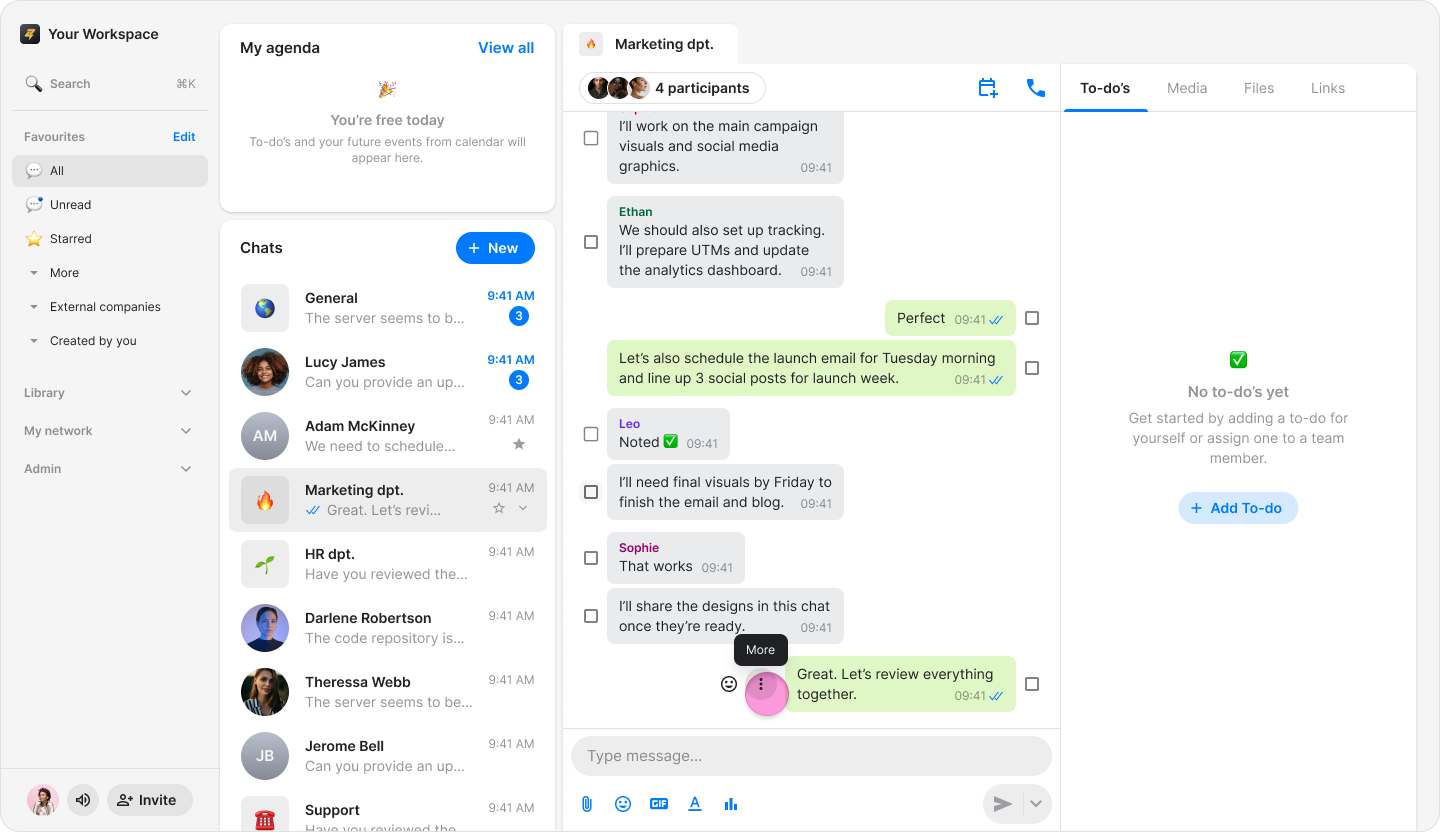
Select “Share”.
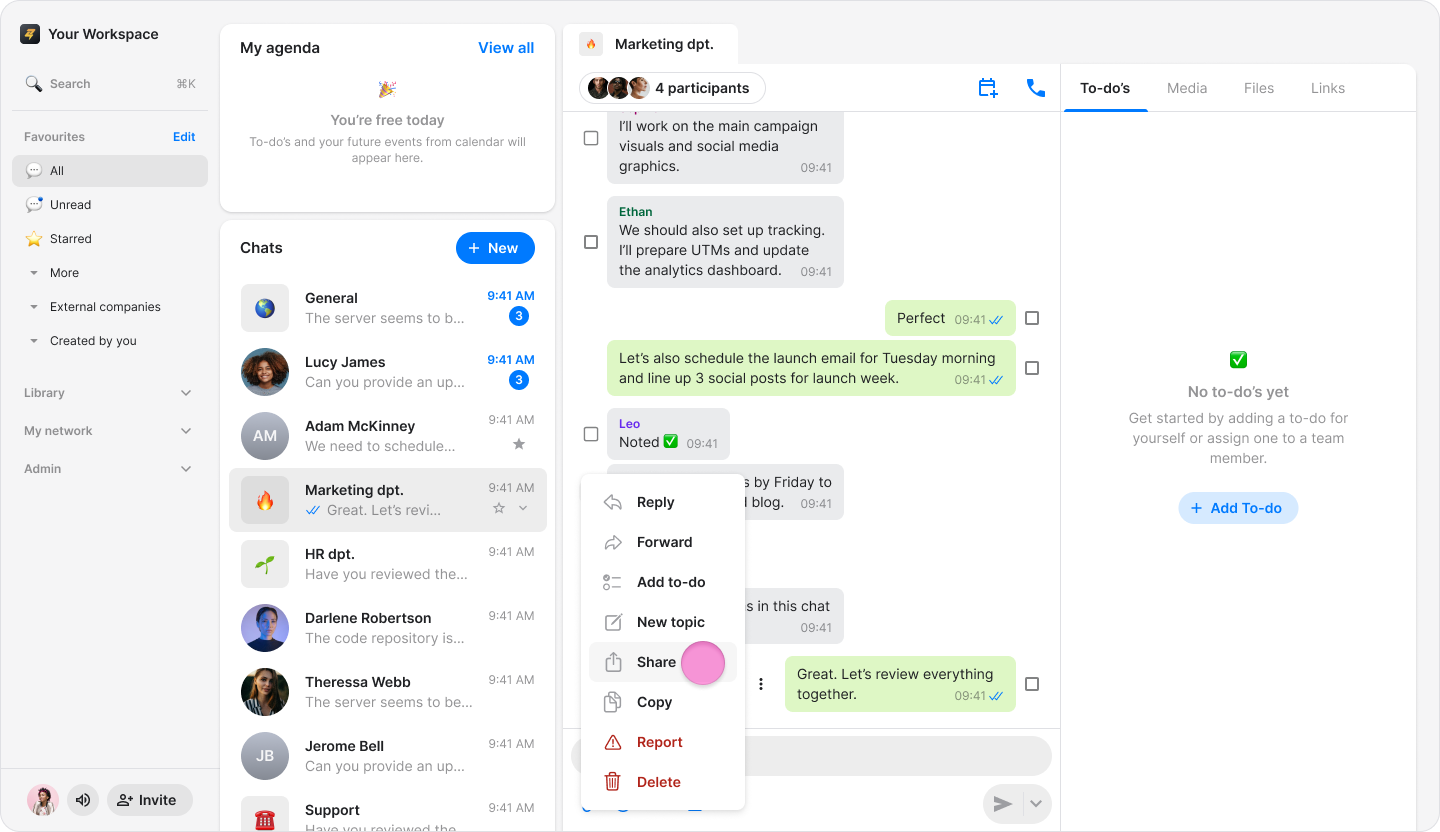
Select the app you want to share the message through.
Note: You can also select "Copy" to share text and images elsewhere.