
Forward Messages
Forward one or multiple messages to other topics or chats to quickly share information with your team.
On Mobile (iOS & Android)
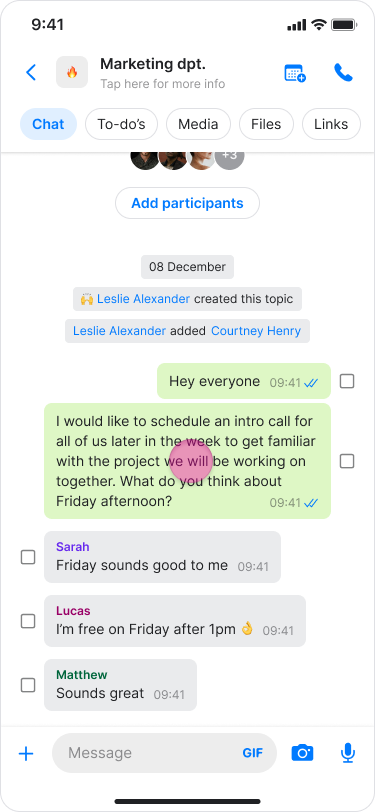
Find the message that you want to forward.
Long-press the message.
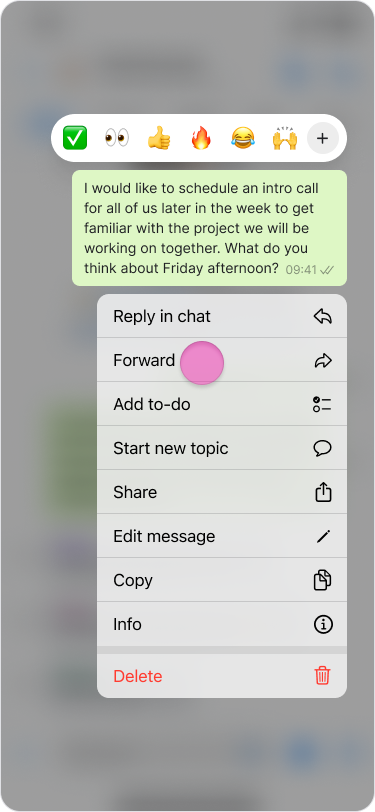
Tap “Forward”.
Select the desired chat or search for it.
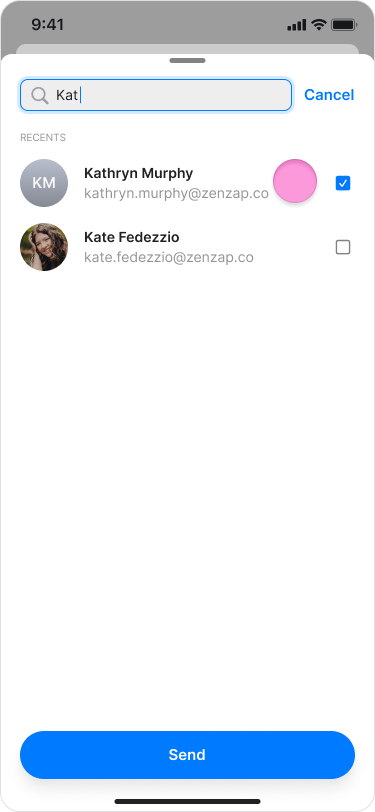
Tap “Send”.
Note:
Forwarded messages include a "Forwarded" label to clarify if a message was written by the sender or shared from another conversation.
You can also forward photos, videos, files, locations, and contacts.
On Desktop (Windows, macOS, & Web App)
Hover over the message you want to forward.
Click the “Three dots” icon.
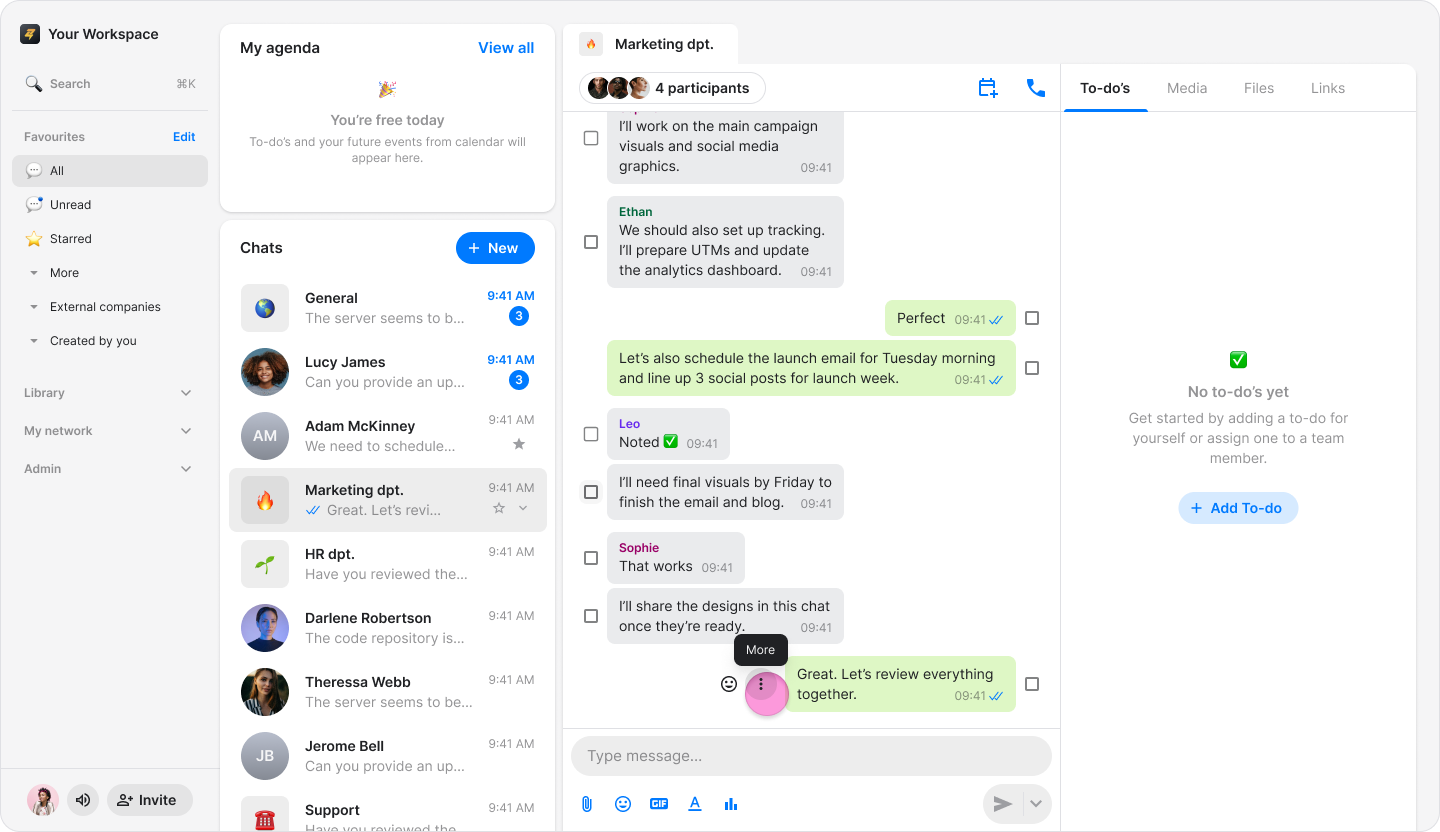
Select “Forward”.
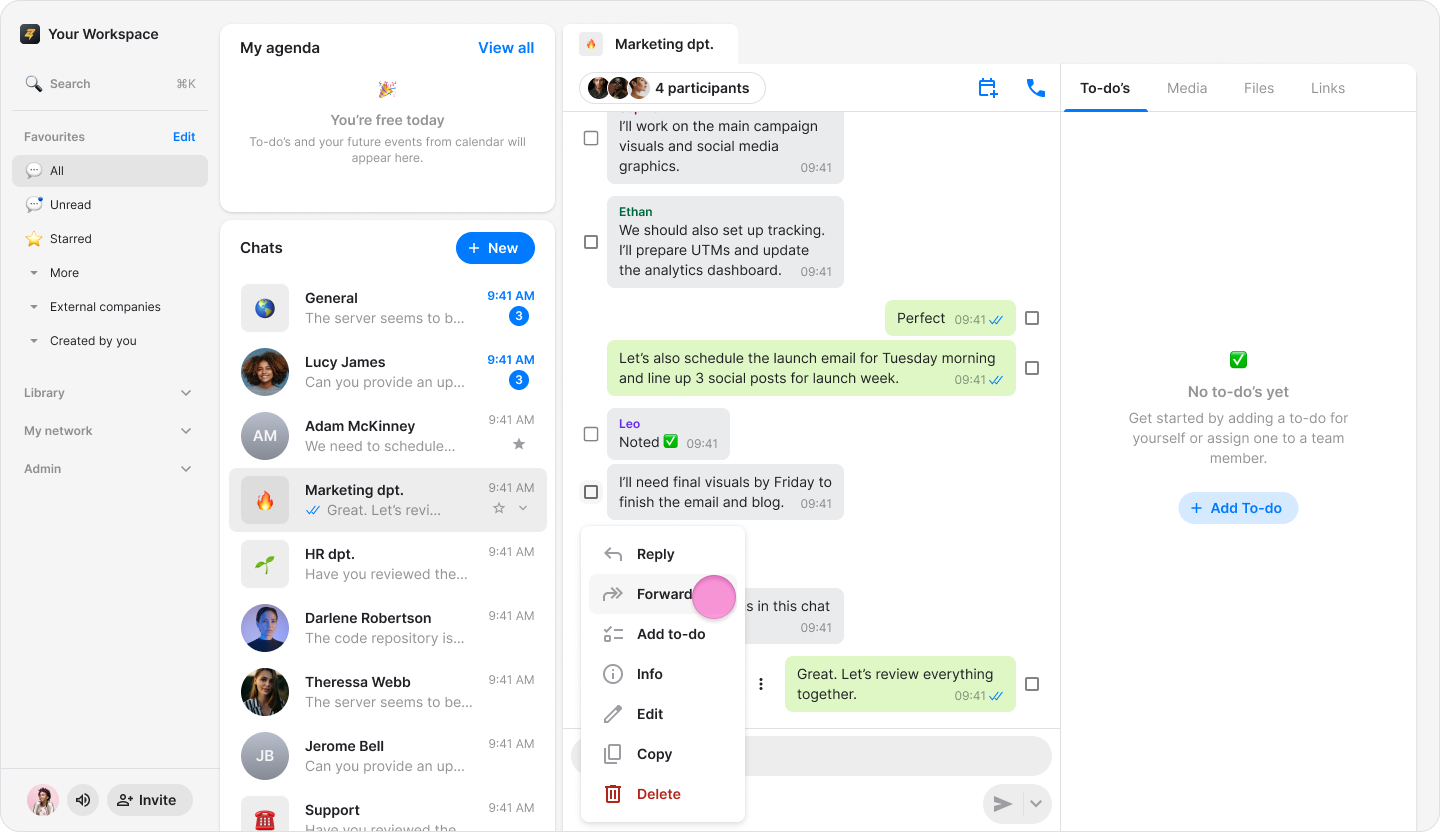
Select the desired chat or search for it.
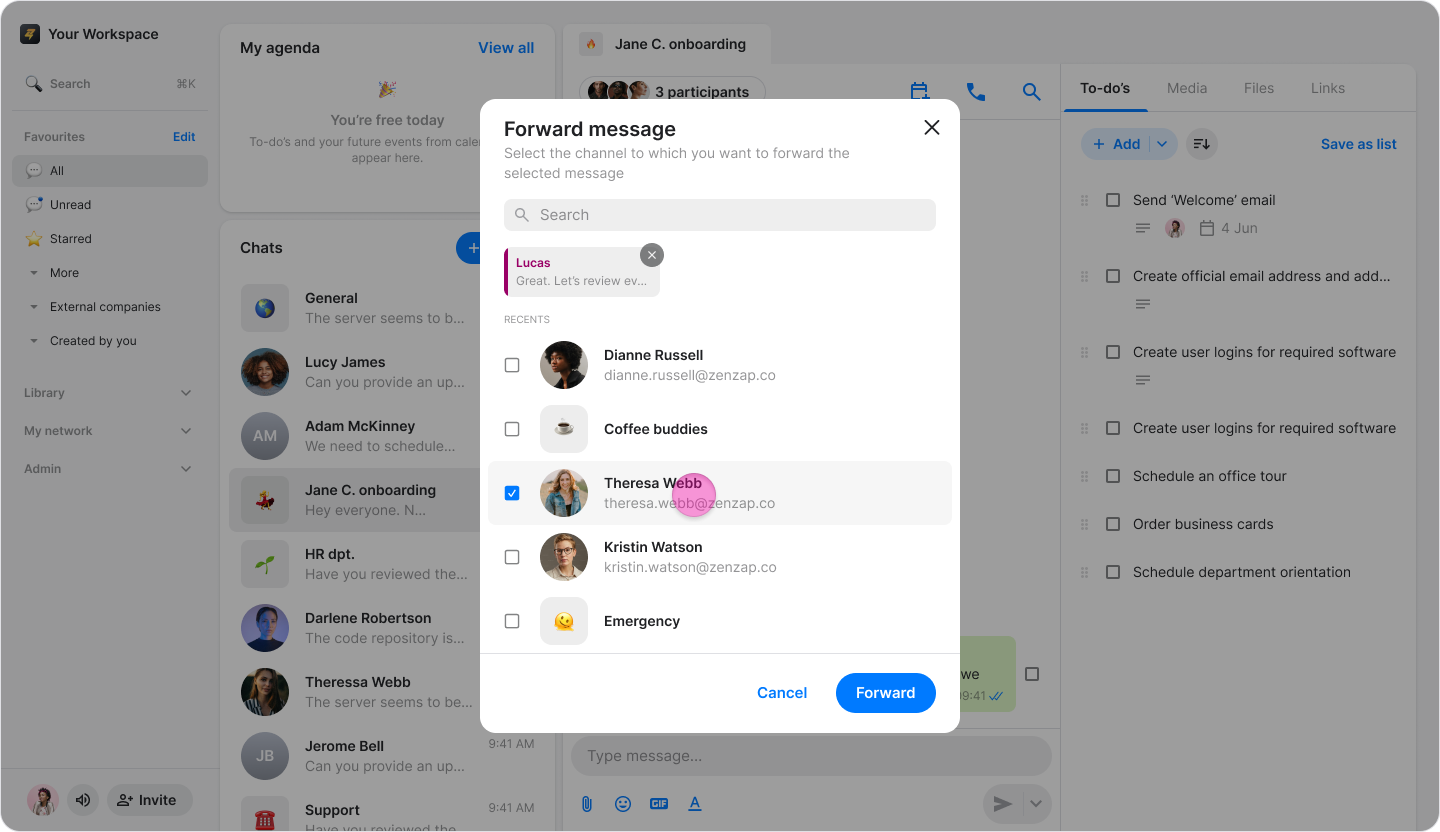
Click “Send” (on macOS) or “Forward” (on Windows & Web App).
Note:
Forwarded messages include a "Forwarded" label to clarify if a message was written by the sender or shared from another conversation.
You can also forward photos, videos, files, locations, and contacts.