
Create To-dos from Messages Using A.I
Use AI to automatically convert multiple messages into organized tasks simultaneously to manage your workload more efficiently.
On Mobile (iOS & Android)
Open any chat.
Tap the “Circle” icon near the messages you want to create to-dos for.
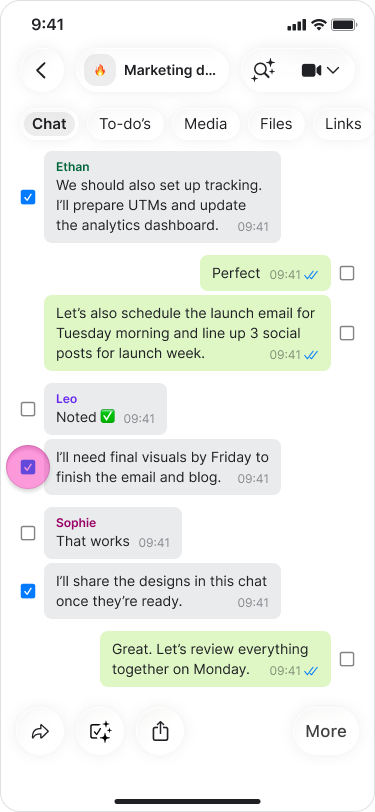
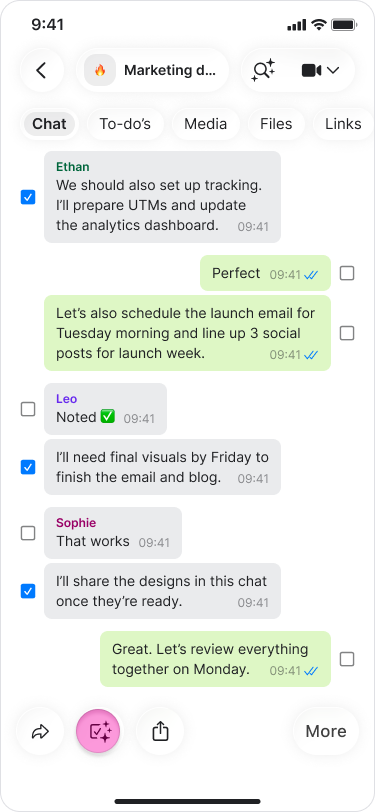
Select “Add to-do” from the menu.
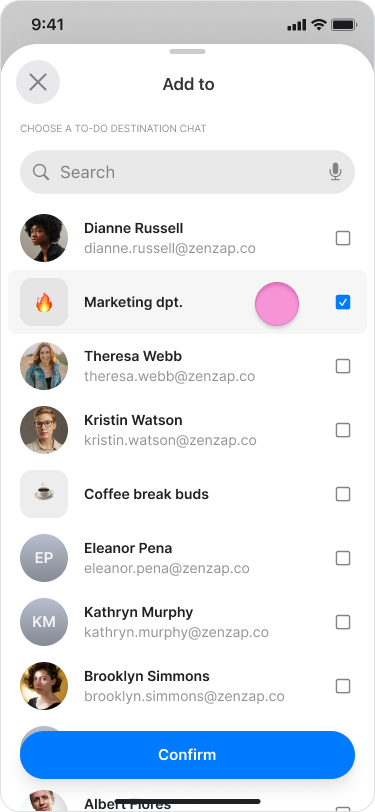
Search and select the chat you want to send the to-dos to.
Review the list of AI-generated tasks.
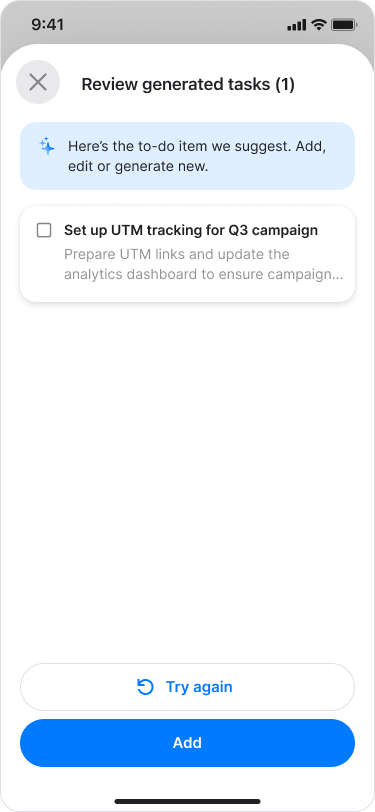
Choose if you want to edit or delete one of the tasks.
Tap “Save”.
Note: Our AI automatically generates these tasks, which may result in multiple tasks being created from a single message.
On Desktop (Windows, macOS, & Web App)
Open any chat.
Click the "Circle" icon near the messages you want to create to-dos for.
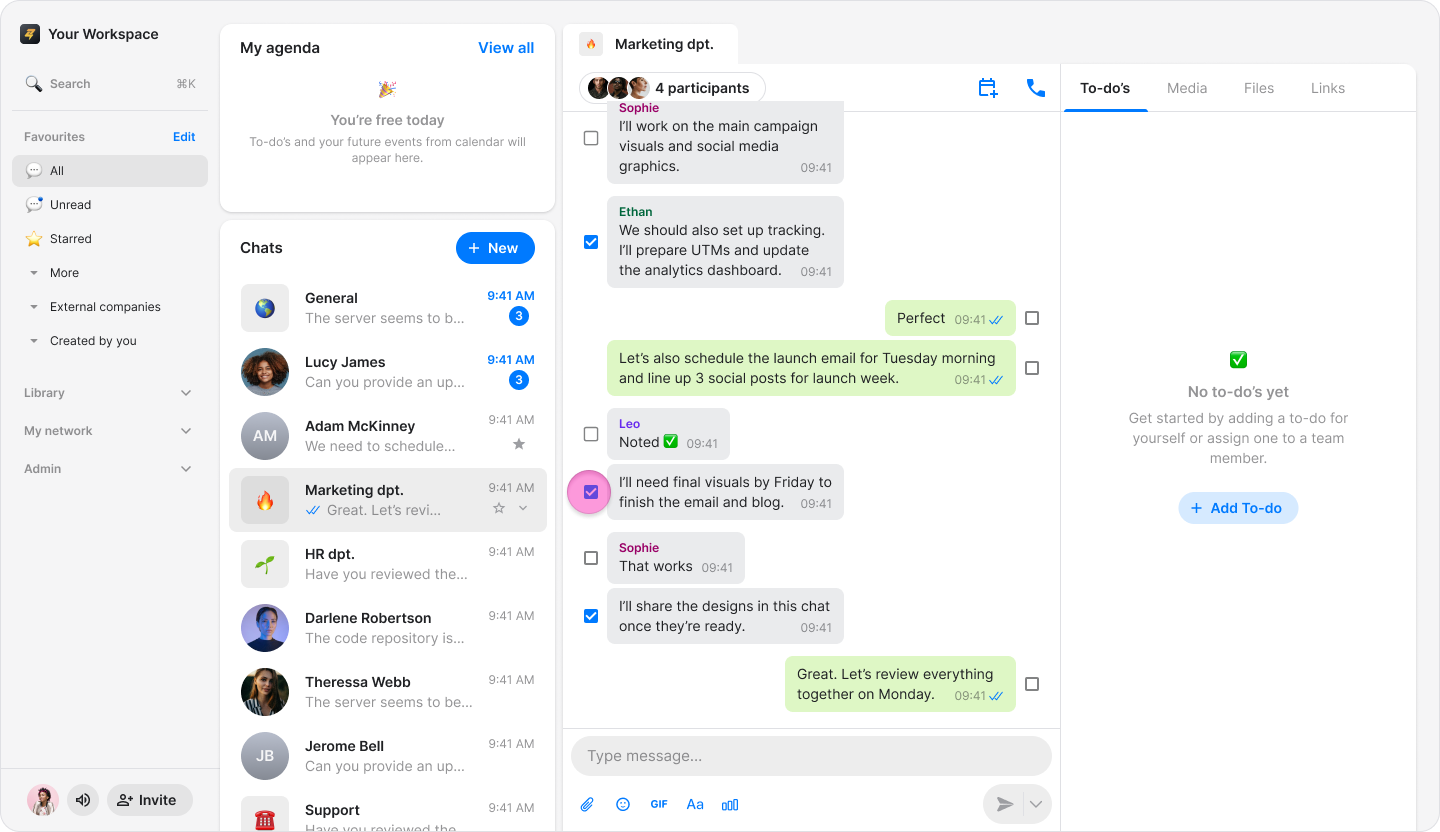
Select "Add to-do" from the menu.
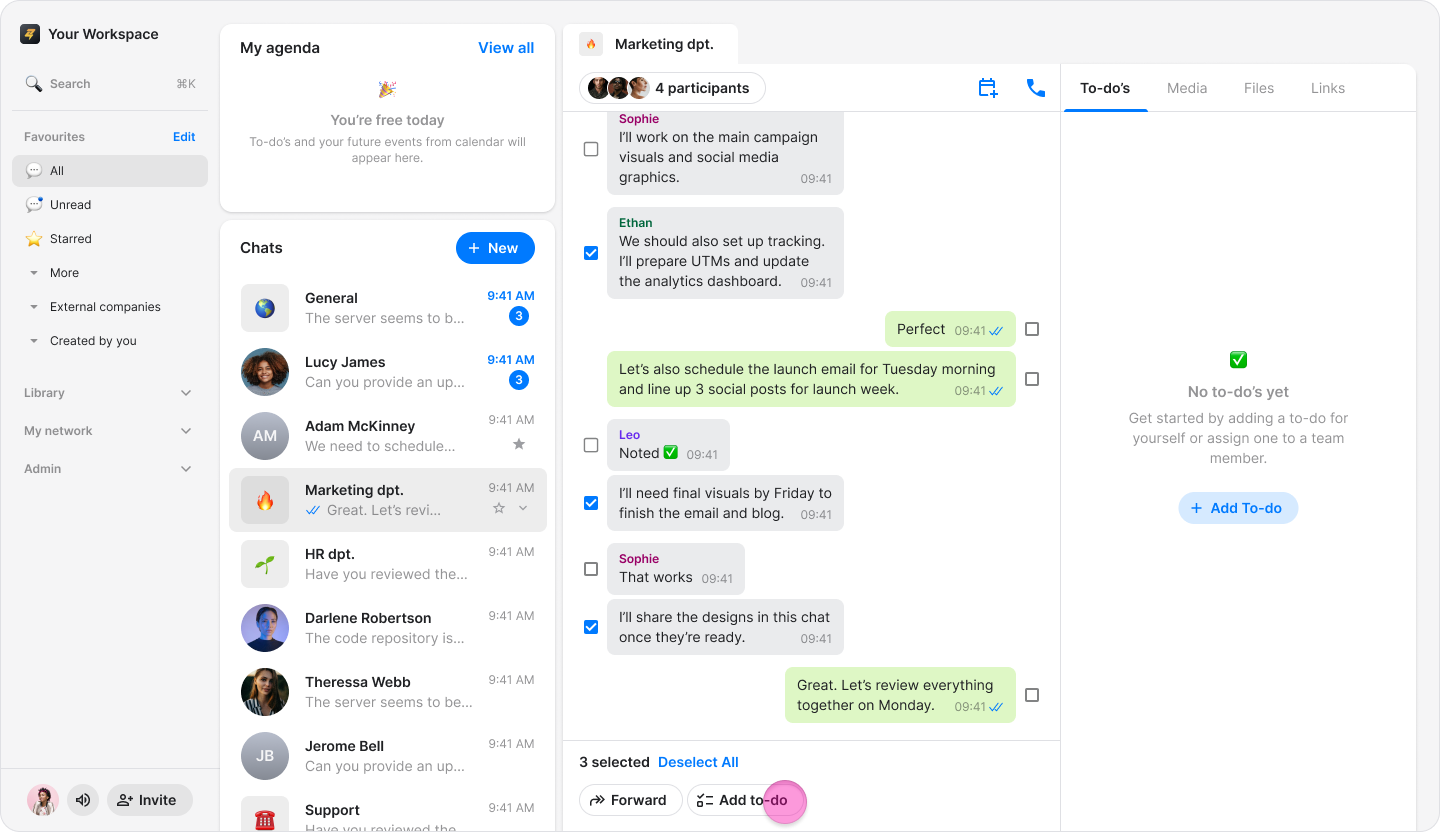
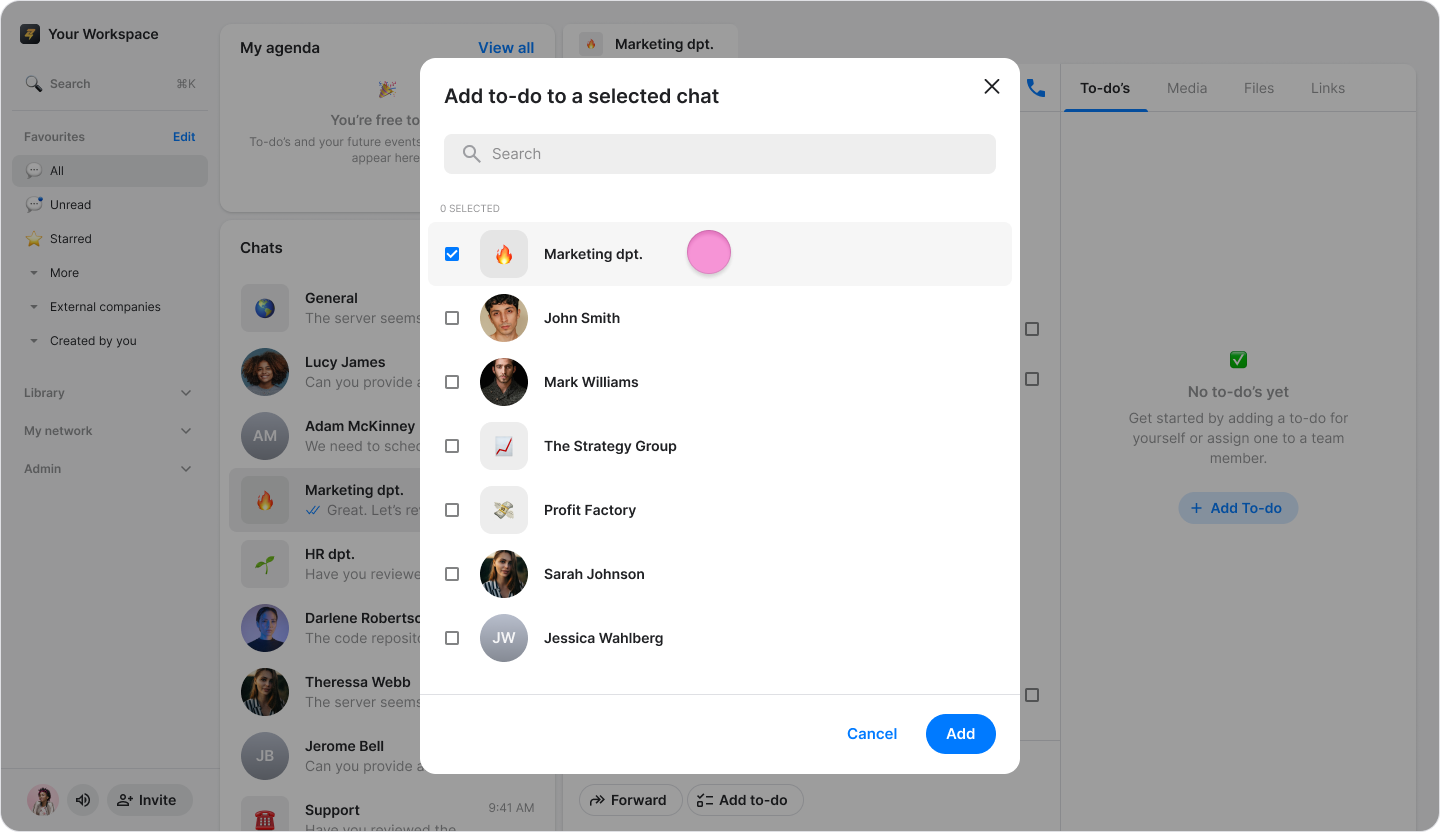
Search and select the chat you want to send the to-dos to.
Review the list of AI-generated tasks.
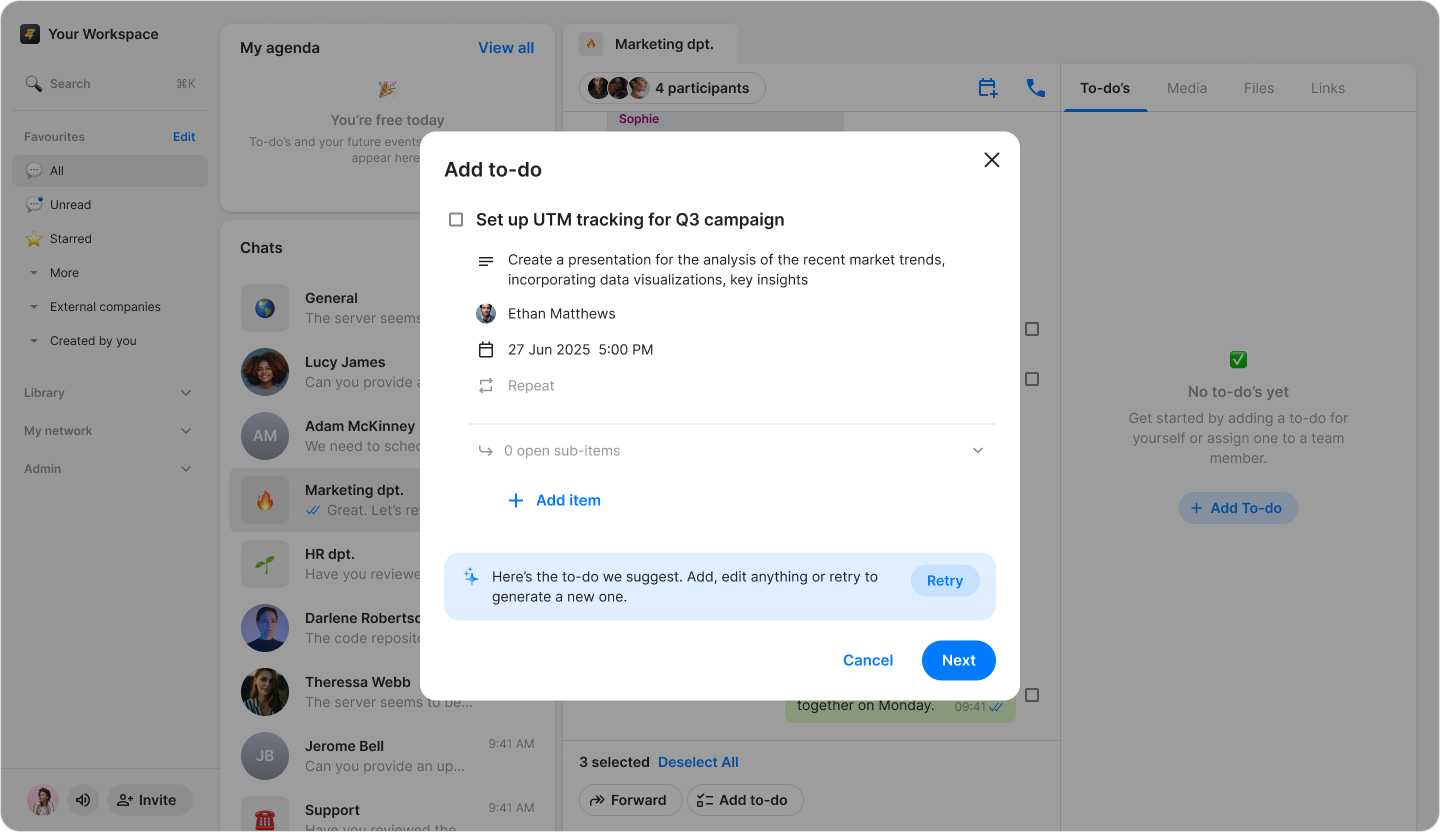
Choose if you want to edit or delete one of the tasks.
Click "Save".
Note: Our AI automatically generates these tasks, which may result in multiple tasks being created from a single message.