
View Message Info
Check who has received and read messages in both direct messages and group chats.
On Mobile (iOS & Android)
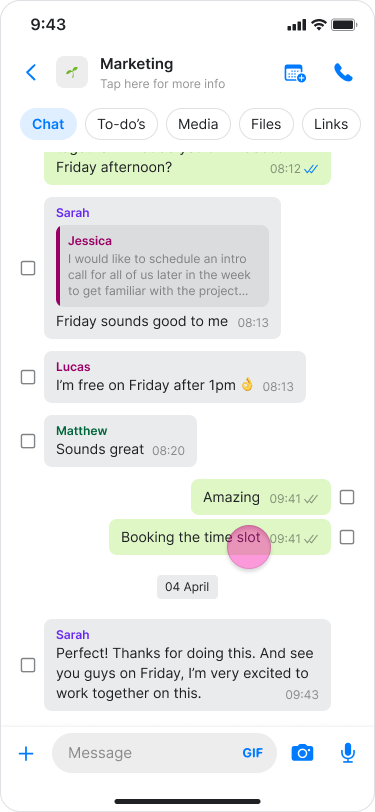
Long-press the message.
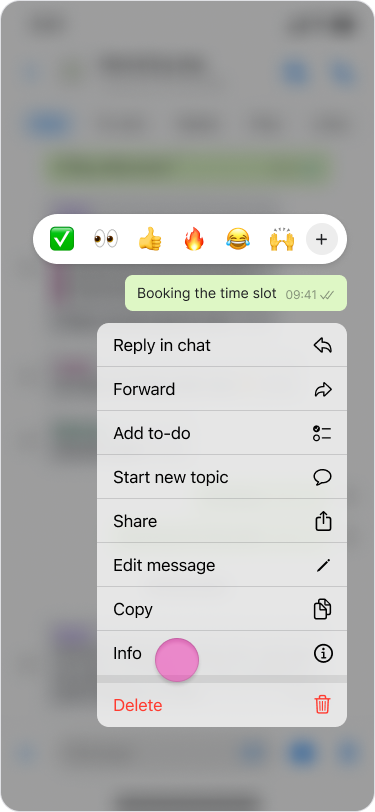
Tap “Info”.
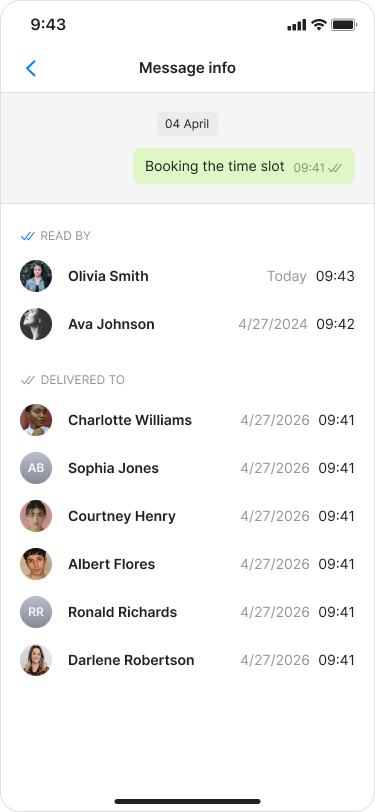
The message info screen will show:
“READ BY”: See who has read the message.
“DELIVERED TO”: See who has received the message.
Note:
For messages containing images or files, you can also view delivery and read status.
Blue check marks indicate that all participants read the message, while black check marks indicate it was delivered but not yet read.
If you only see "DELIVERED TO", no one has read the message yet.
On Desktop (Windows, macOS, & Web App)
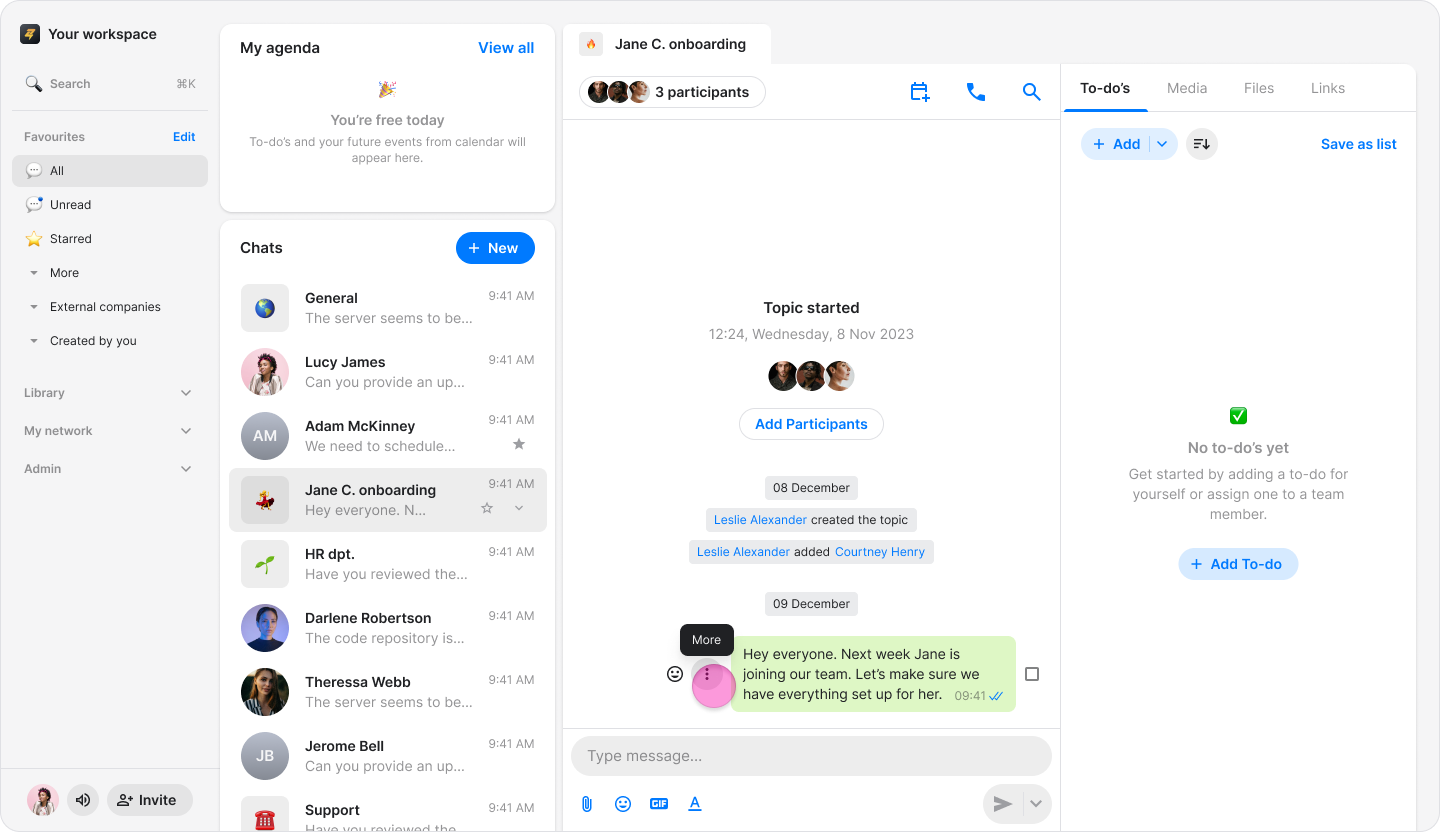
Hover over the message you want to view.
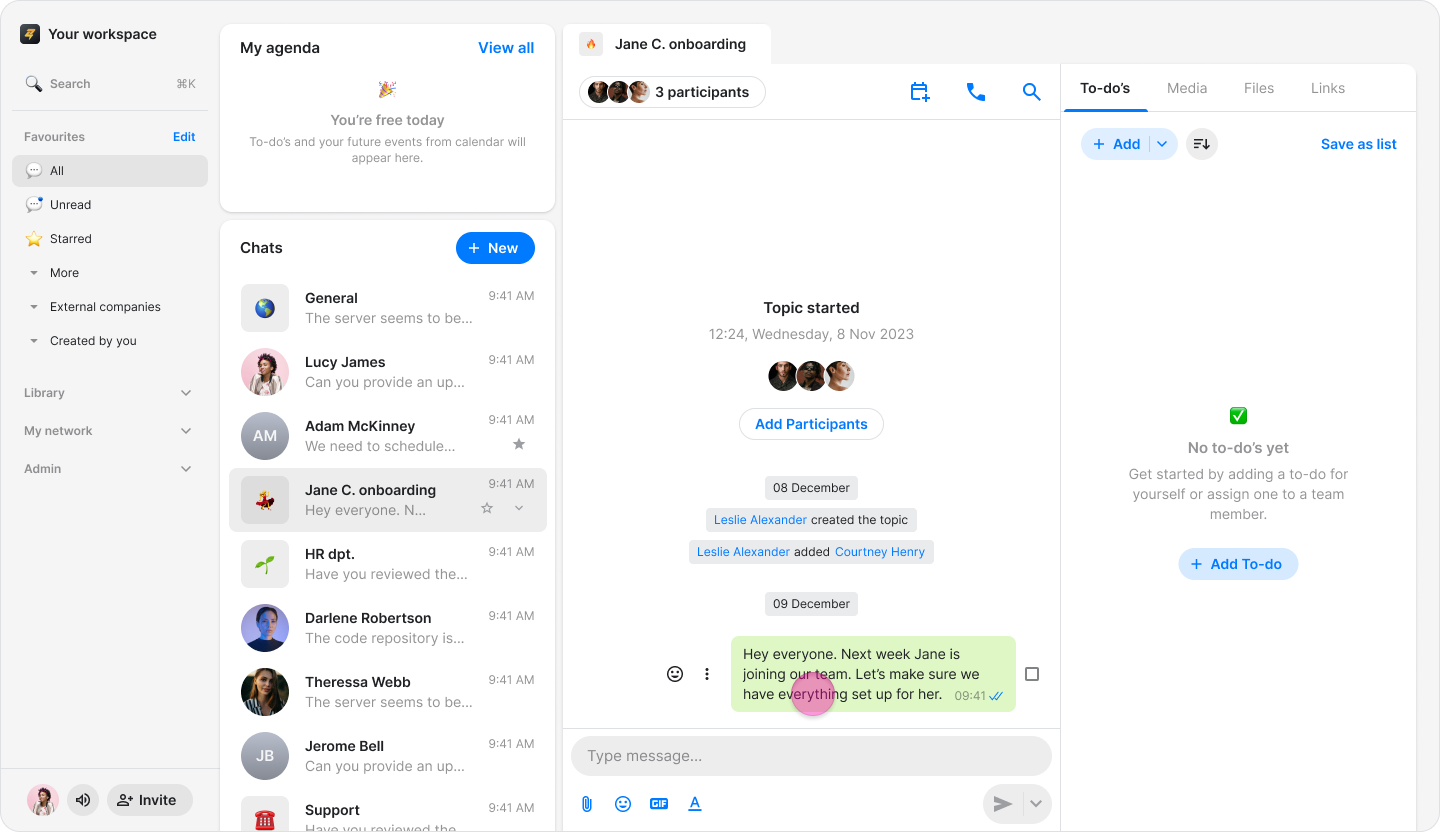
Click the “Three dots” icon.
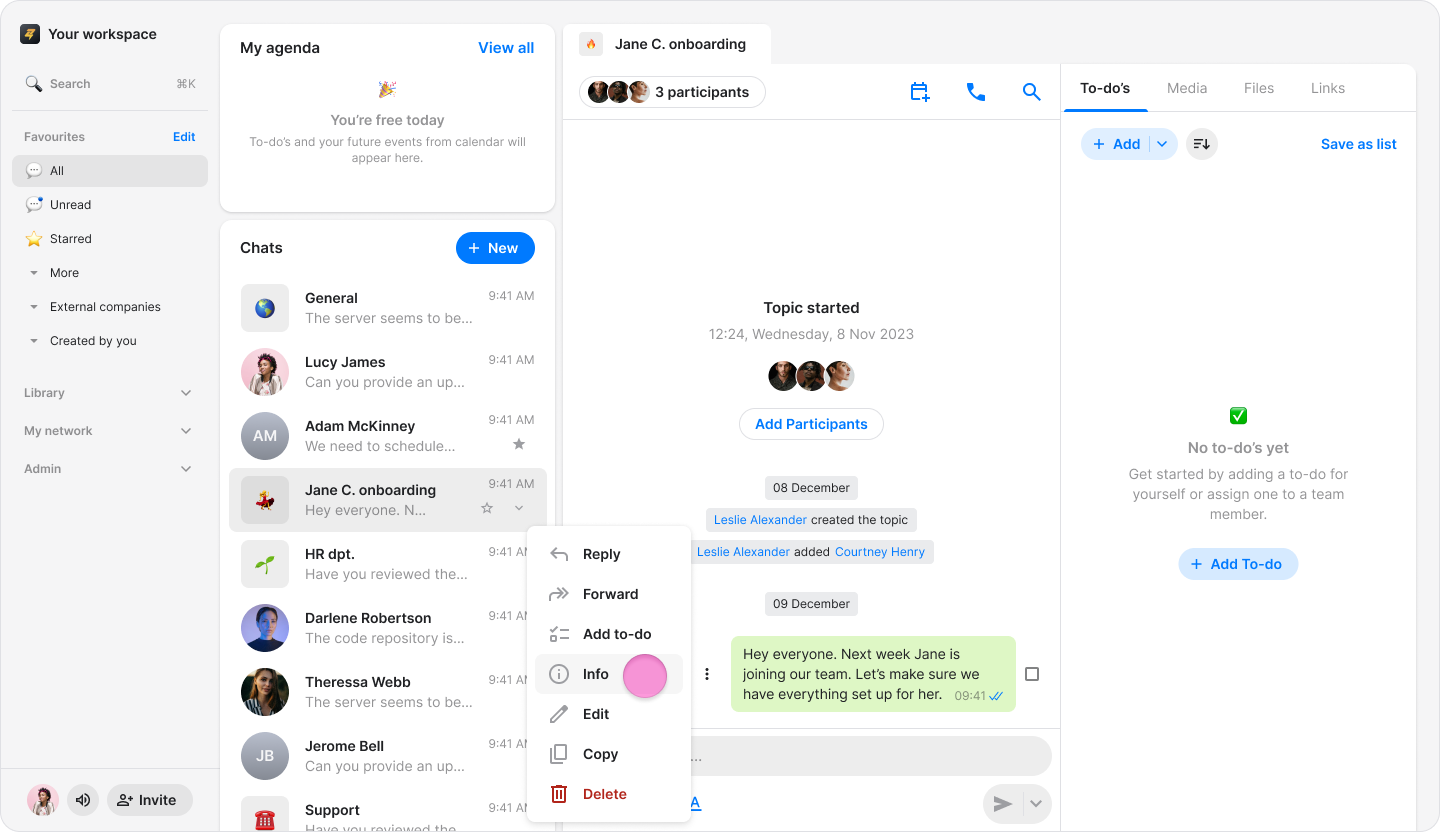
Select “Info”.
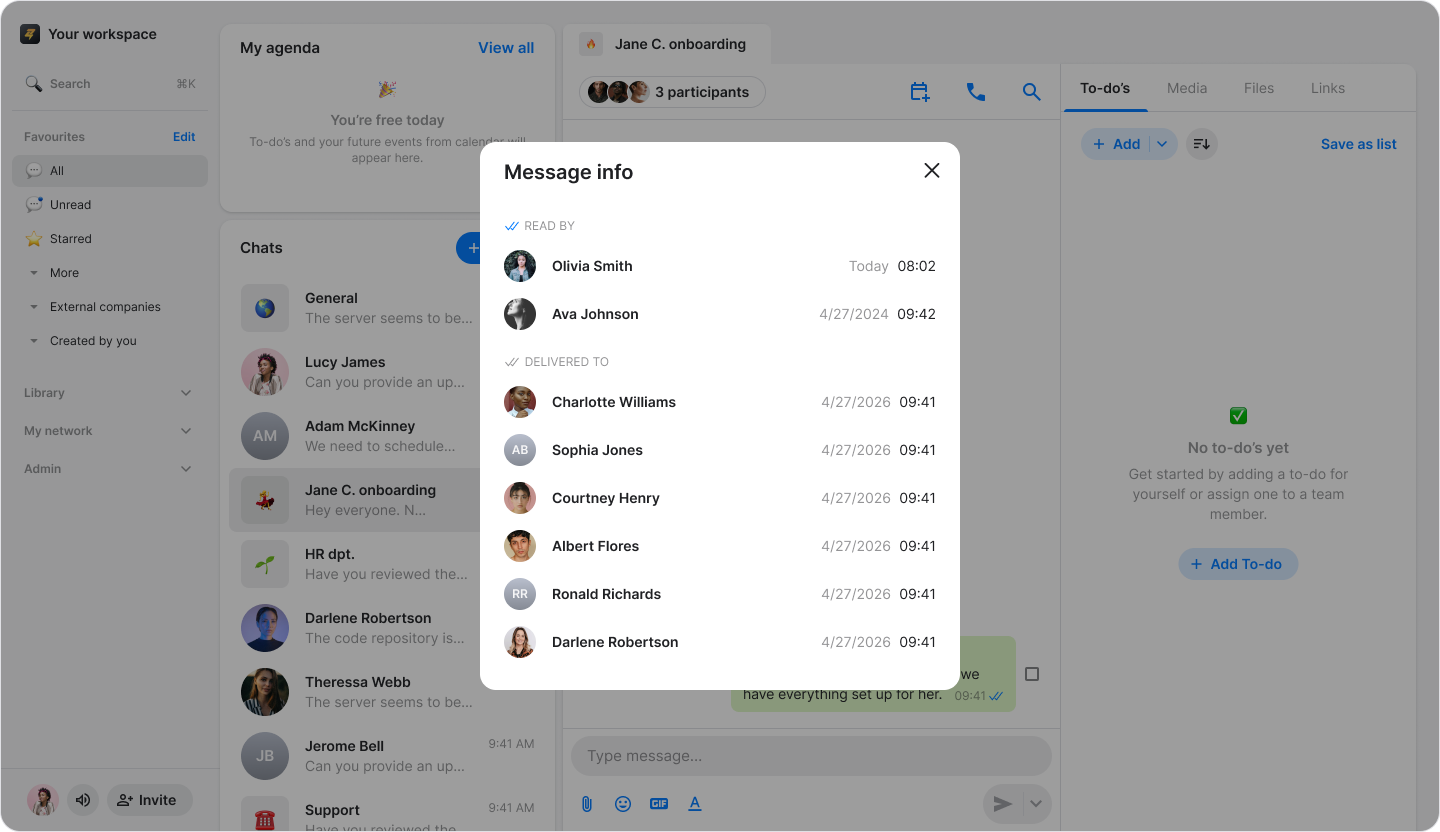
The message info screen will show:
“READ BY”: See who has read the message.
“DELIVERED TO”: See who has read the message.
Note:
For messages containing images or files, you can also view delivery and read status.
Blue check marks indicate that all participants read the message, while black check marks indicate it was delivered but not yet read.
If you only view "DELIVERED TO", no one has read the message yet.