
Collaborate with an AI Agent in a Group Chat
Ask an AI agent to answer questions, summarize conversations, or handle tasks in a group chat, so your whole team can work with it together.
On Mobile (iOS & Android)
Open a group chat that includes an AI agent.
Type your request, such as "Summarize this chat for me."
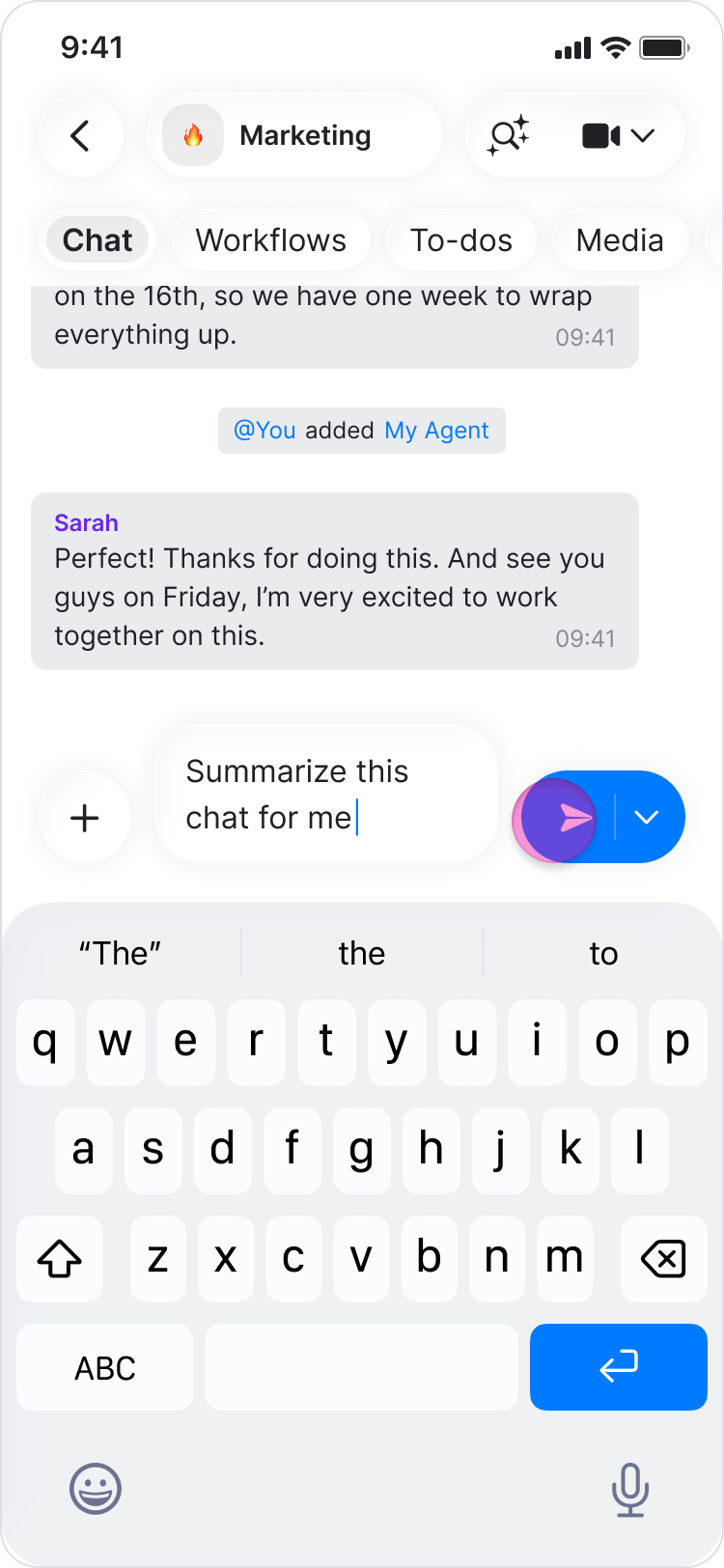
Tap "Send." The AI agent responds directly in the chat.
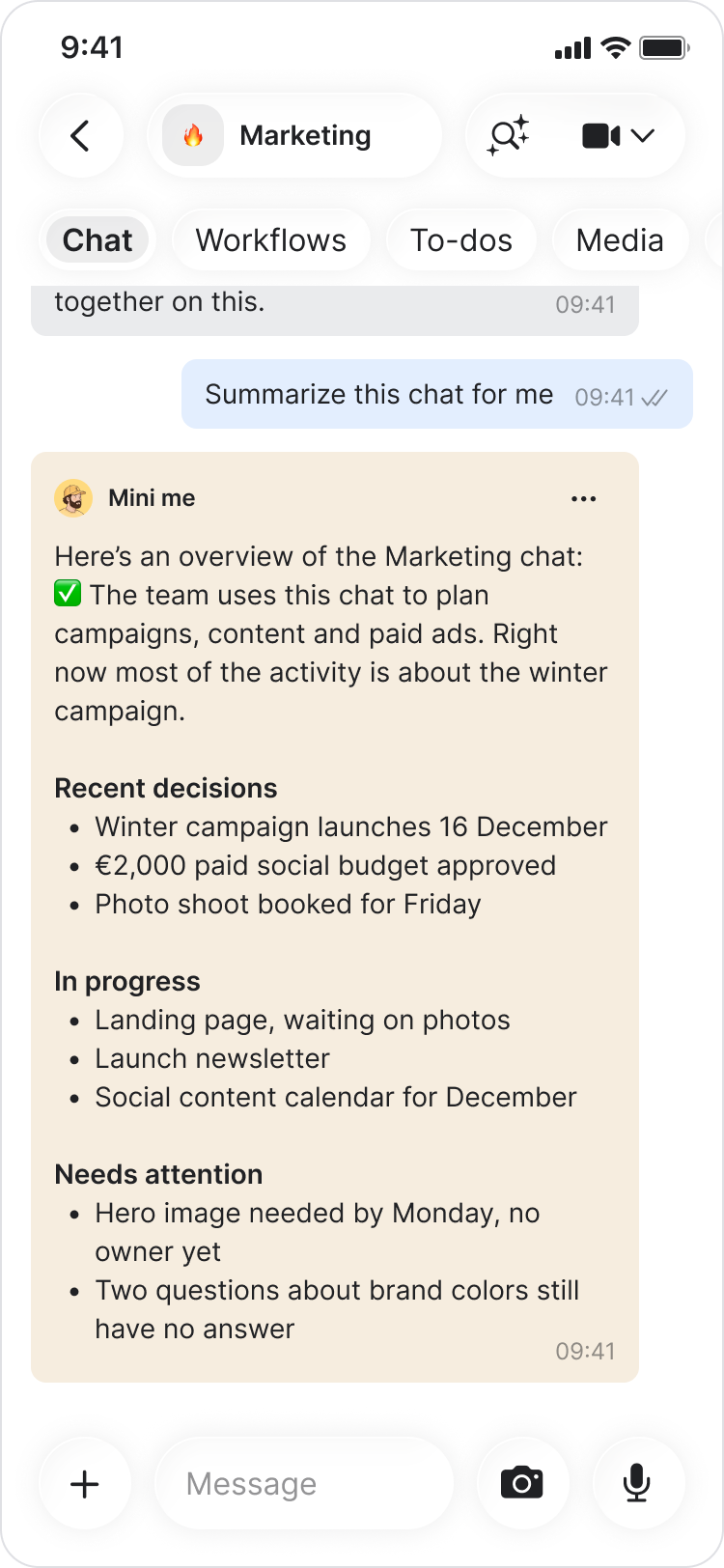
Note:
You don't need to mention the AI agent directly. Depending on its instructions, it may respond when it has something useful to add or when it's clear you're talking to it.
Anyone in the group chat can ask an AI agent for help, even if they didn't create it.
If there are multiple AI agents in the chat, you can mention a specific AI agent by typing "@" followed by its name (for example, "@Zenzap AI Agent Noam's").
When you interact with someone else's AI agent, it can use the context of the current group chat. It cannot access the owner's other chats unless you're also a member of those chats.
Anyone in the group chat can ask an AI agent to use its connected apps.
On Desktop (Windows, macOS, & Web App)
Open a group chat that includes an AI agent.
Type your request, such as "Summarize this chat for me."
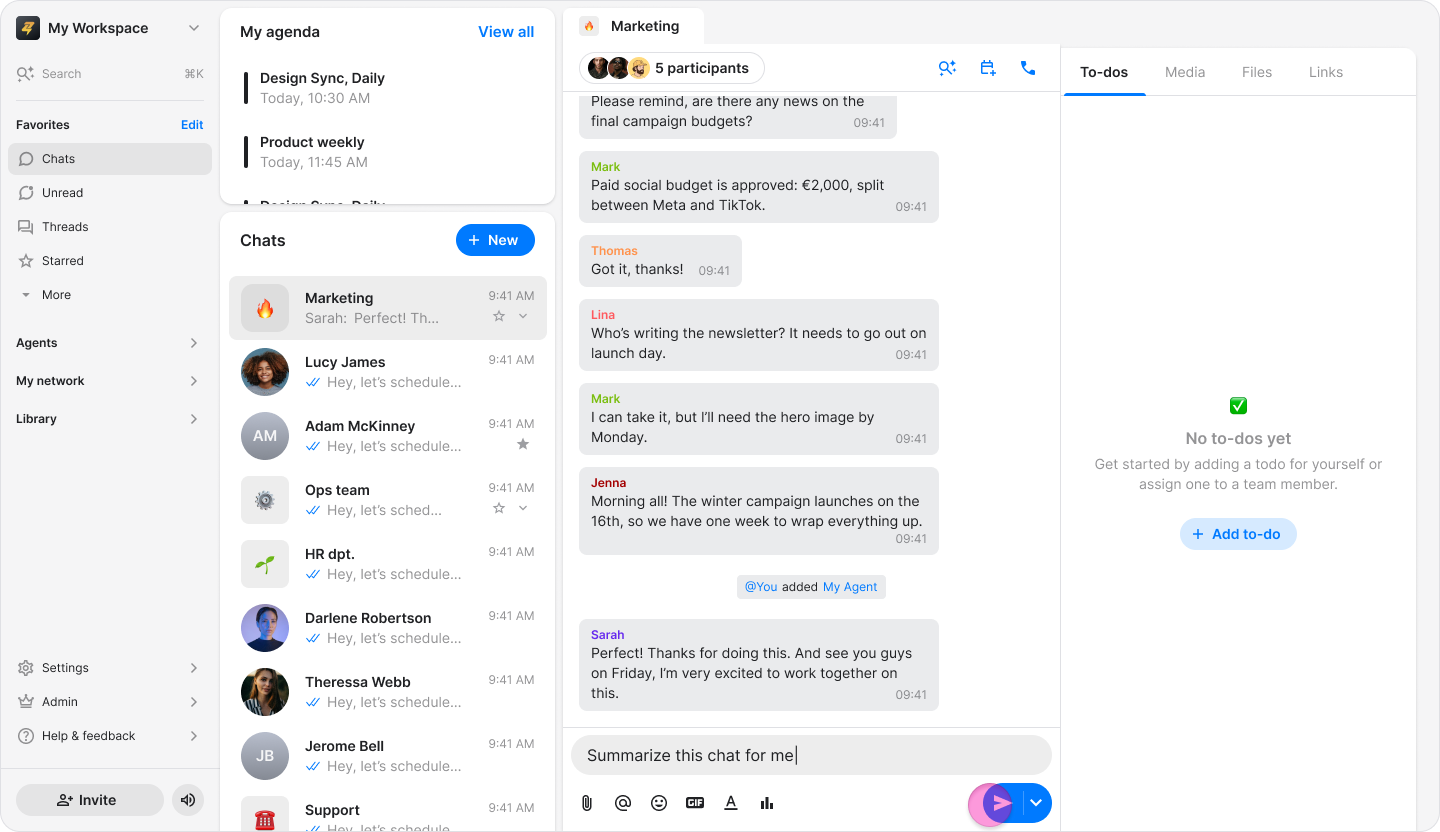
Click "Send." The AI agent responds directly in the chat.
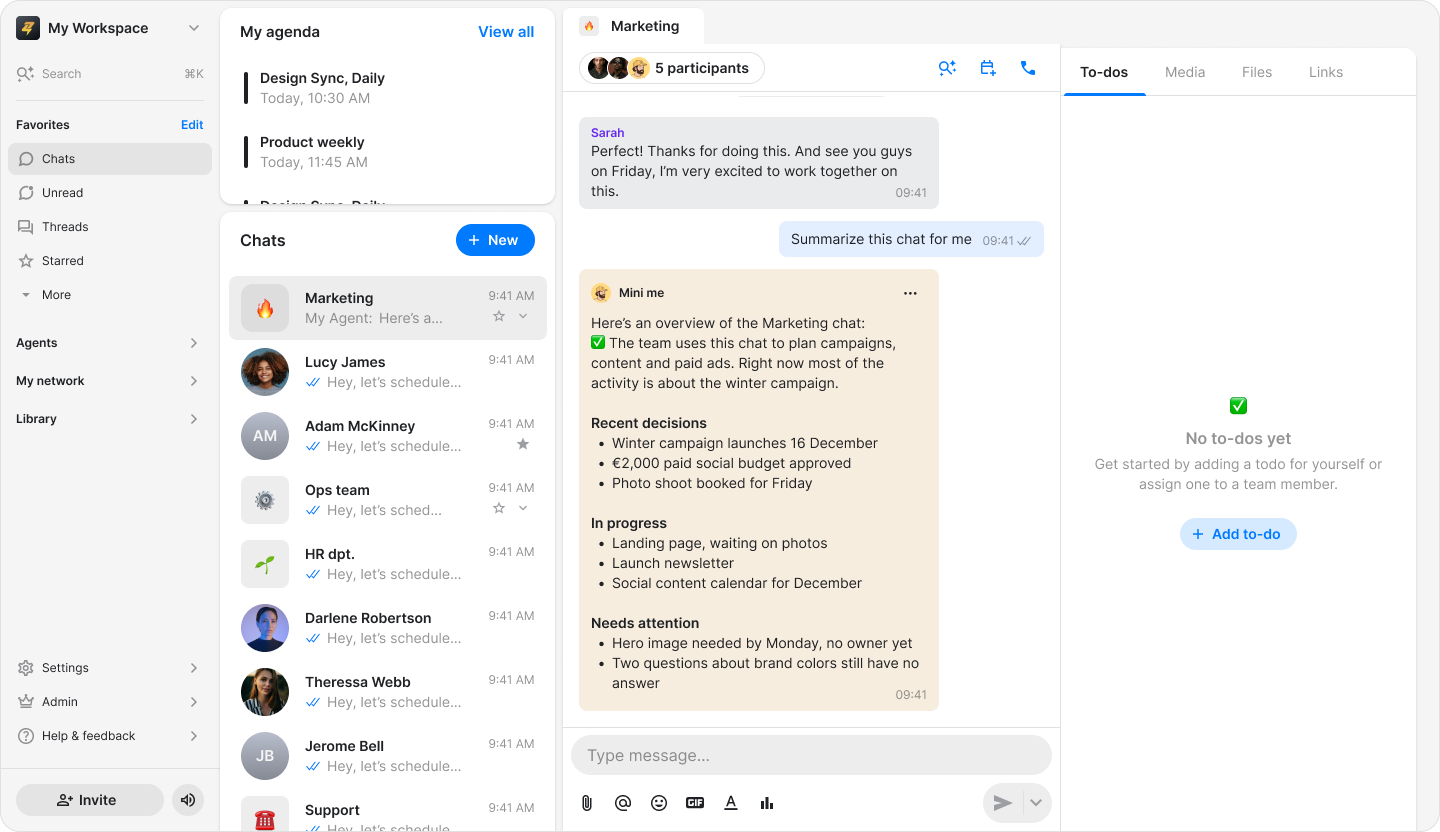
Note:
You don't need to mention the AI agent directly. Depending on its instructions, it may respond when it has something useful to add or when it's clear you're talking to it.
Anyone in the group chat can ask an AI agent for help, even if they didn't create it.
If there are multiple AI agents in the chat, you can mention a specific AI agent by typing "@" followed by its name (for example, "@Zenzap AI Agent Noam's").
When you interact with someone else's AI agent, it can use the context of the current group chat. It cannot access the owner's other chats unless you're also a member of those chats.
Anyone in the group chat can ask an AI agent to use its connected apps.