
Remove Employee Access
Edited
Instantly revoke a user's access to your workspace to protect company data and maintain security when a team member leaves.
Access: Workspace Admins
On Mobile (iOS & Android)
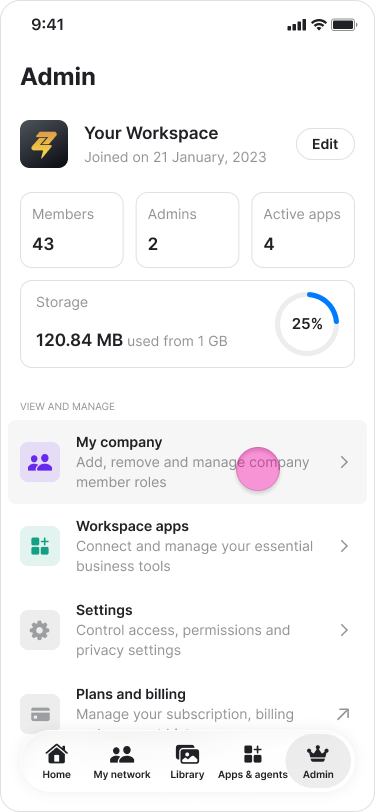
Tap the "Admin" tab.
Tap "My company".
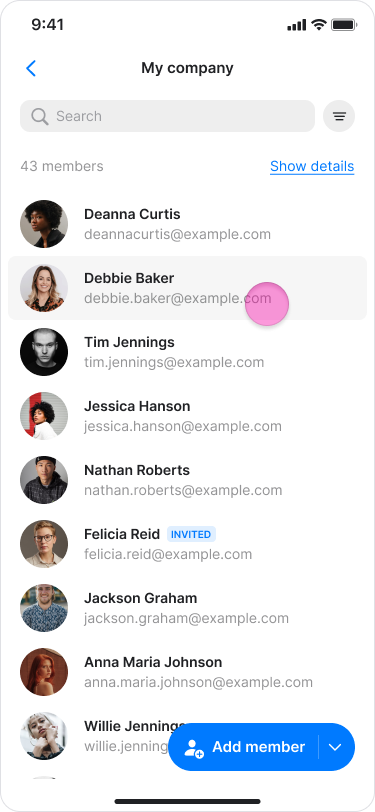
Search for or click the user you want to remove.
Tap the employee's name.
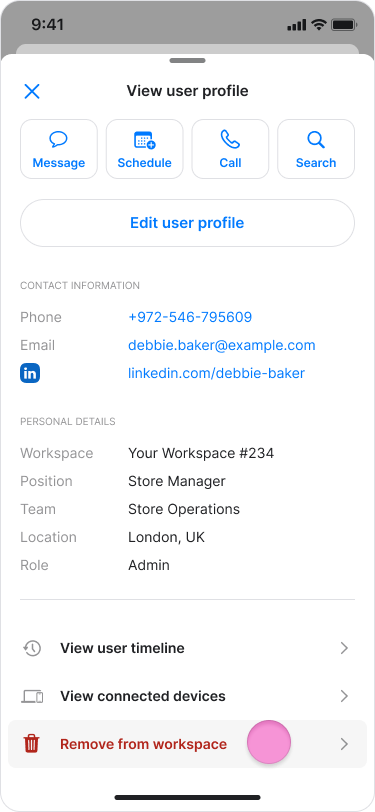
Scroll down and tap "Remove from workspace".
Tap "Confirm" to finalize the removal.
On Desktop (Windows, macOS, & Web App)
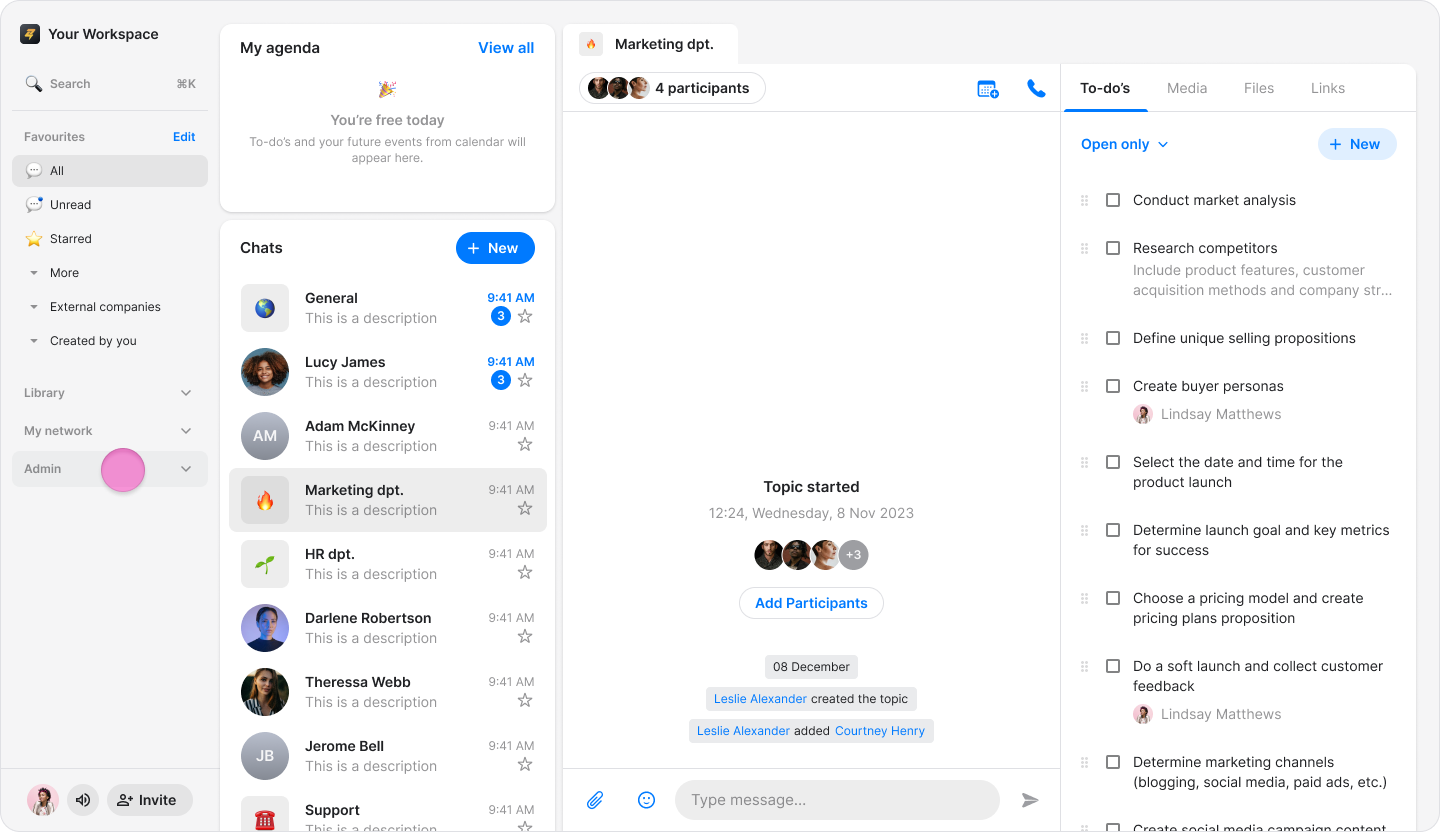
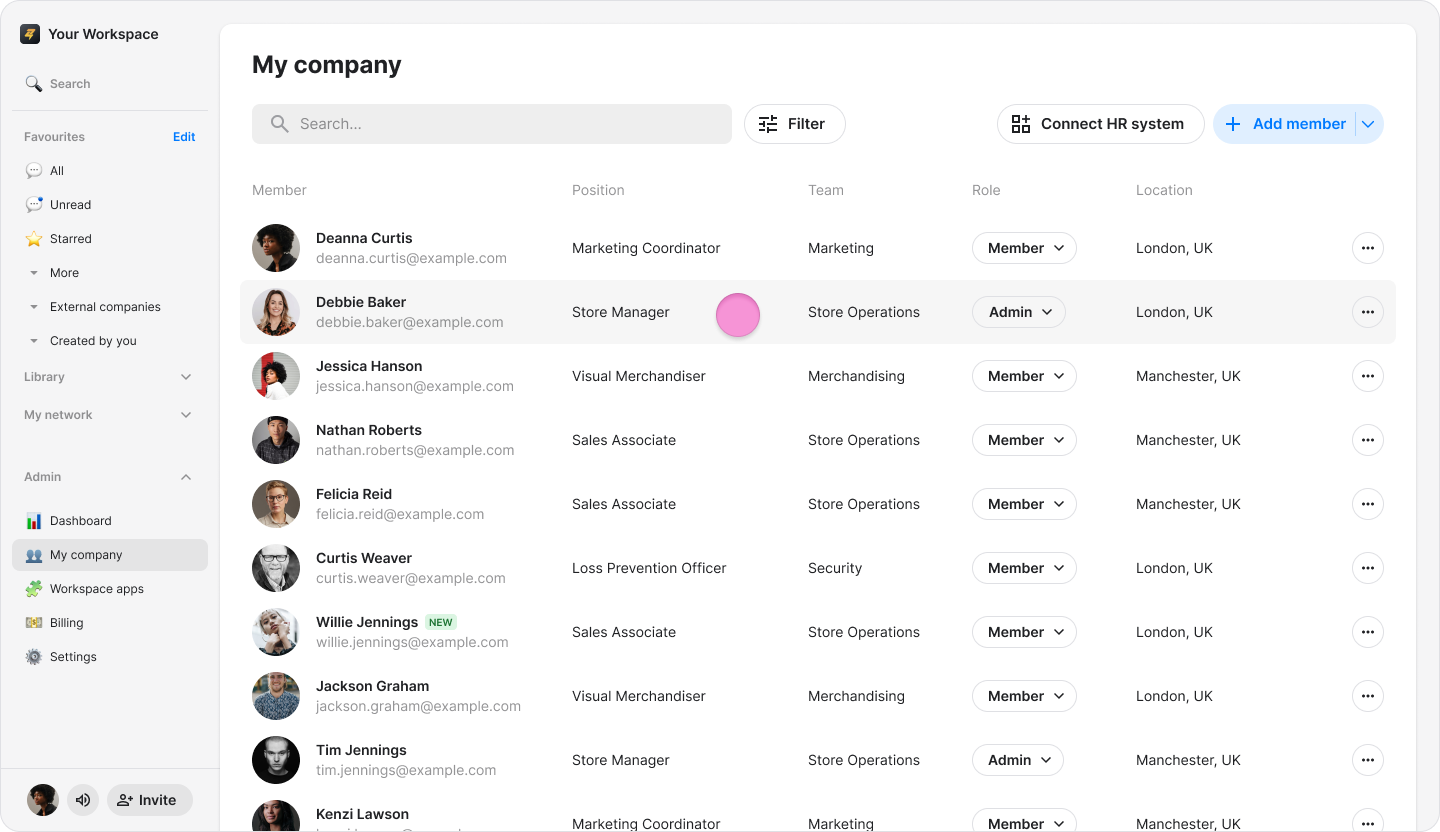
Click "My company" in the sidebar menu (on macOS) or "Admin" (on Windows and Web).
Search for or click the user you want to remove.
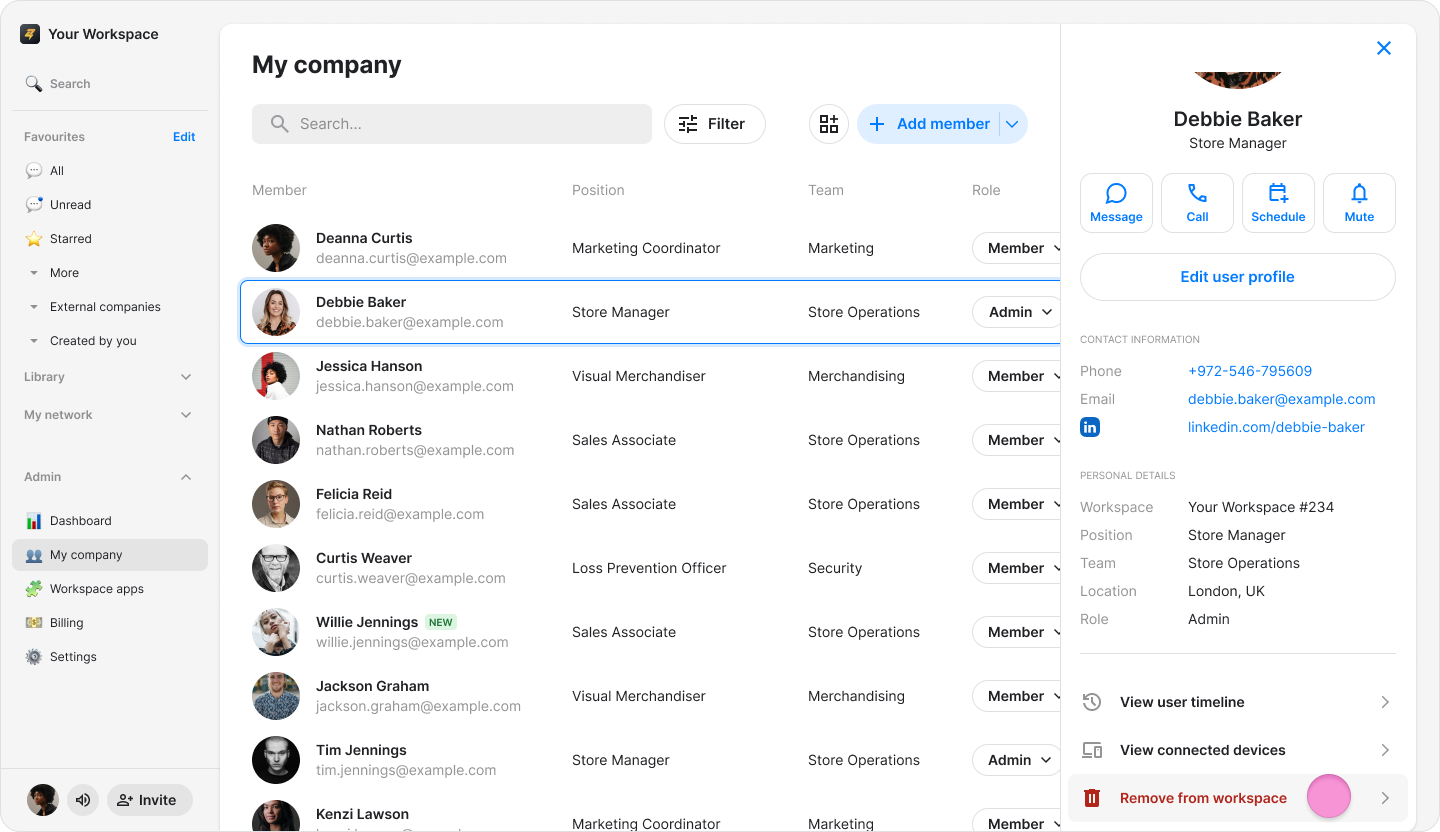
Click "Remove from workspace".
Click "Confirm" to complete the removal.