
Approving Join Request
Edited
Approve new team members who have created an account so they can begin collaborating in your workspace.
Access: Admins only.
On Mobile (iOS & Android)
Tap the "Admin" tab.
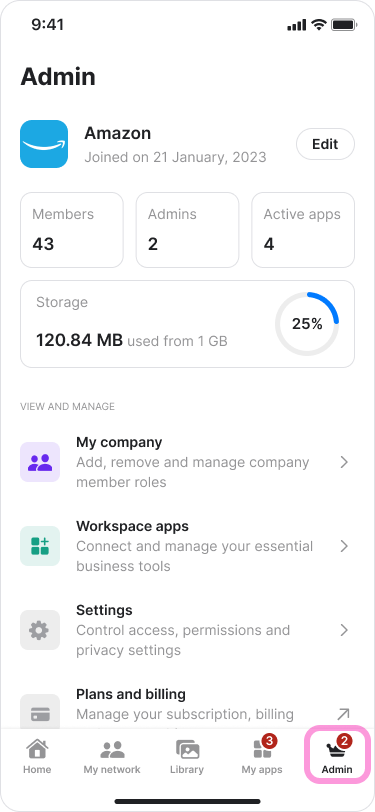
Tap "My Company".
Note: You will see a badge showing the number of pending requests.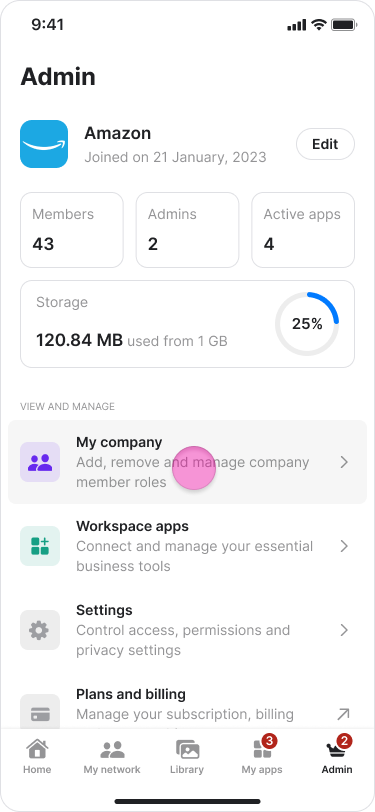
Tap the new member's name with the "Request" label.
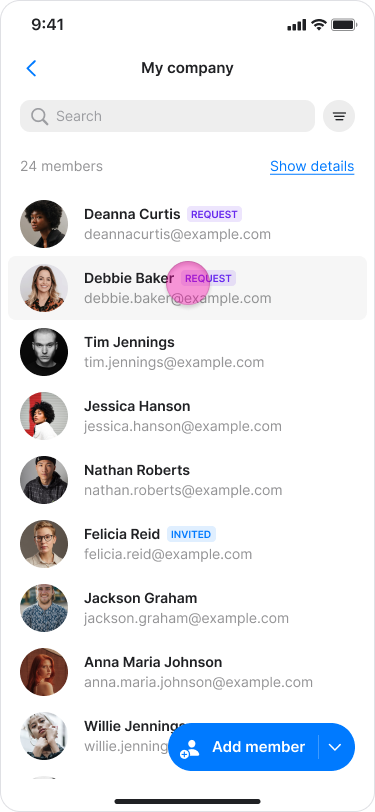
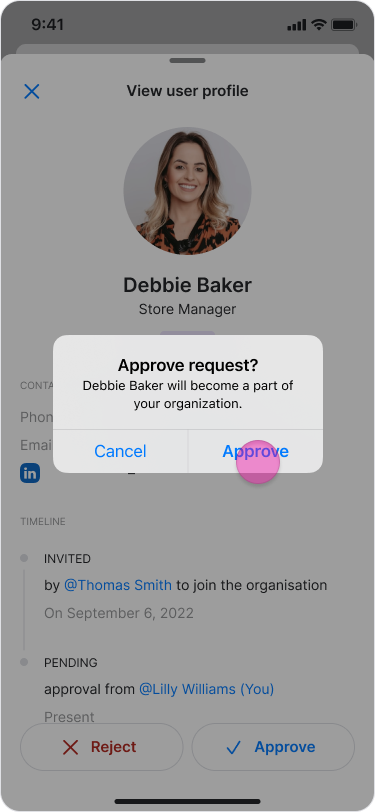
Tap "Approve".
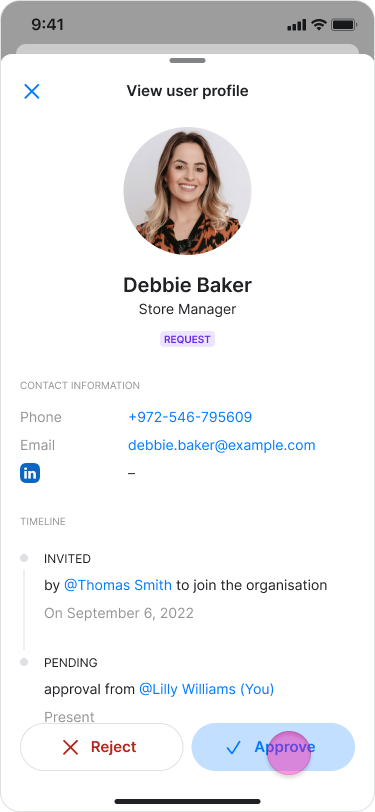
Tap "Approve" again to confirm.
On Desktop (Windows, macOS, & Web App)
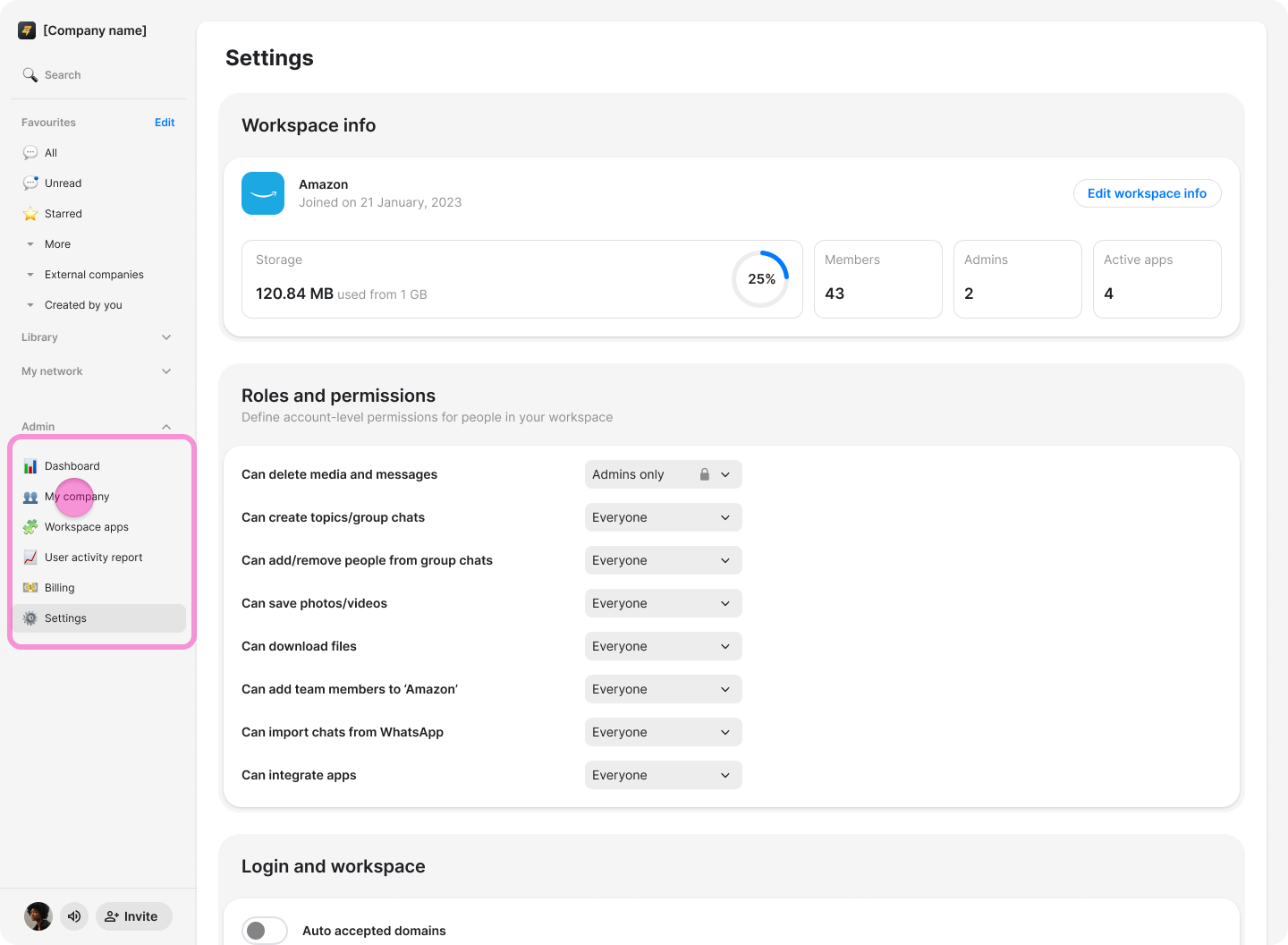
Click "[Workspace Name] Admin" (Windows & Web App) or "My Company" (macOS) in the left-side menu.
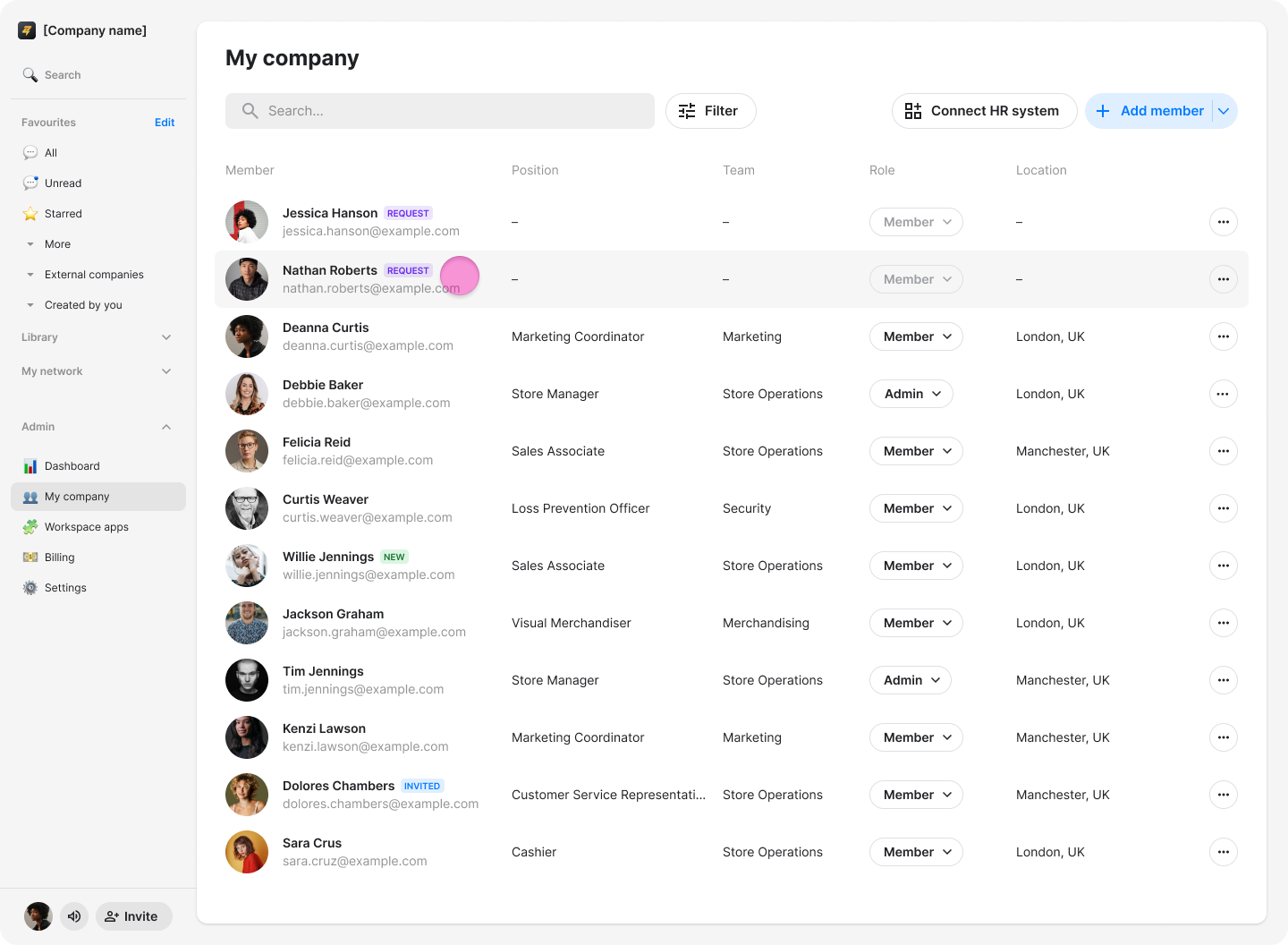
Click the team member you want to approve.
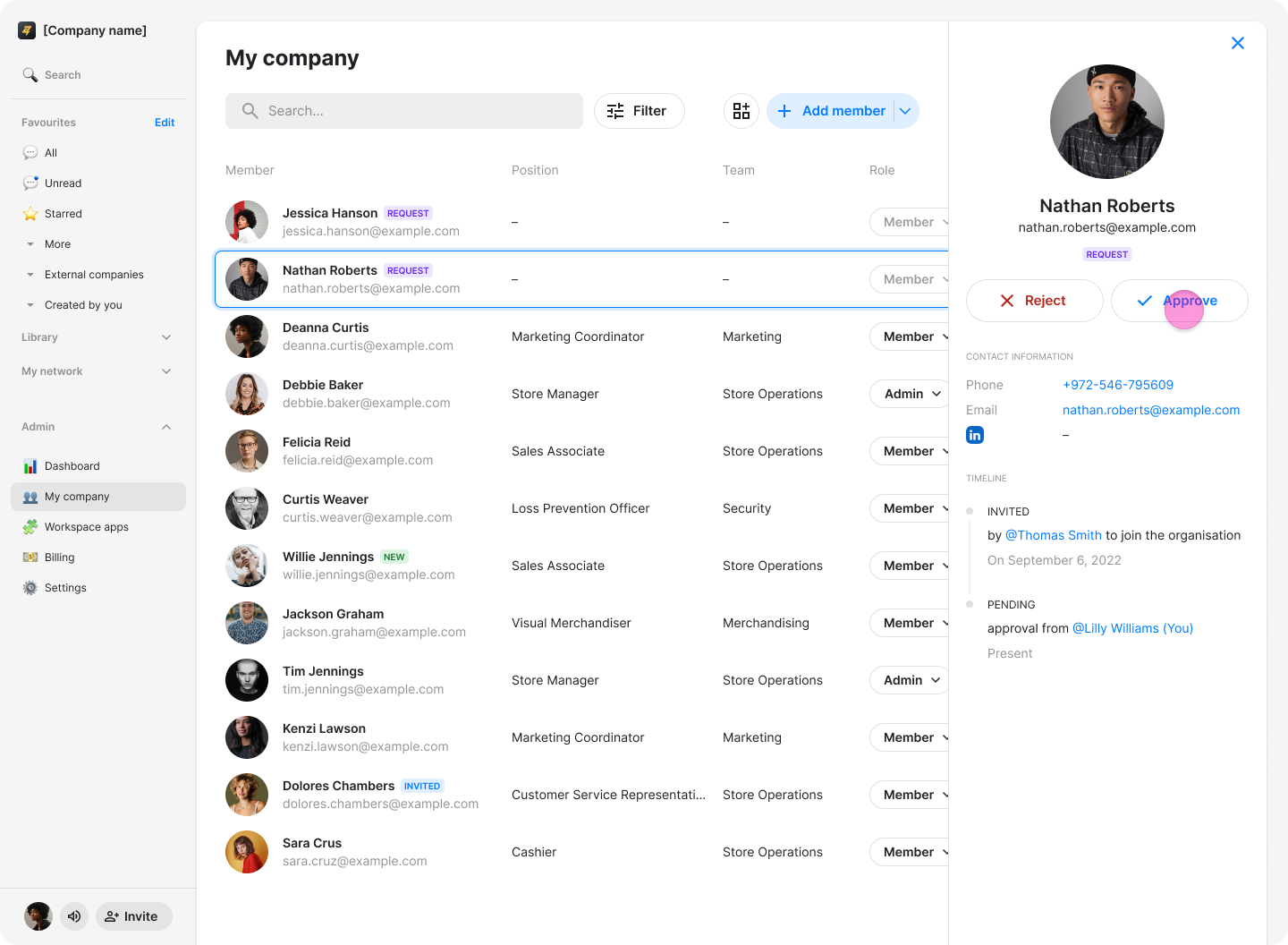
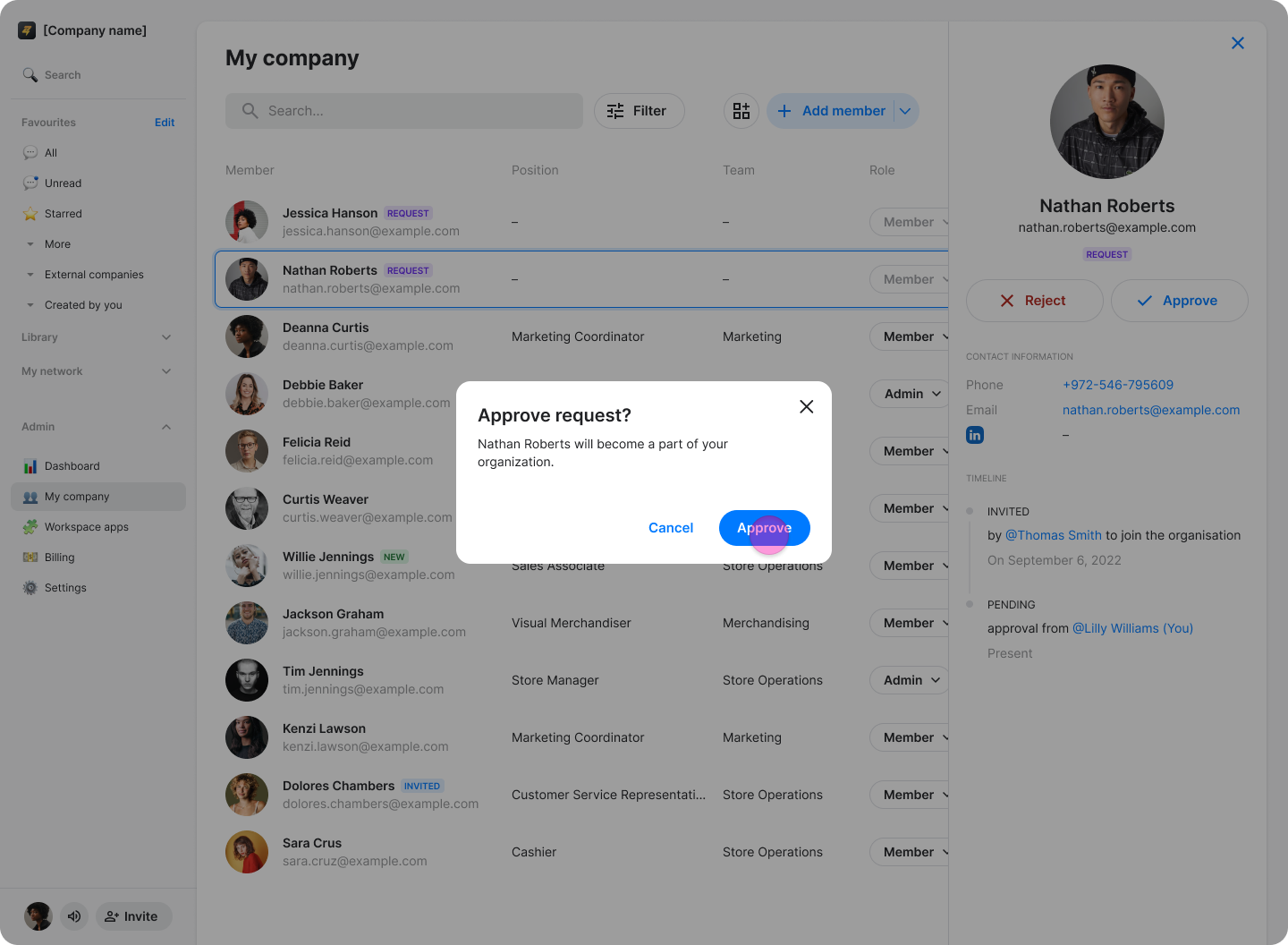
Click "Approve" in the panel on the right.
Click "Approve" again to confirm.
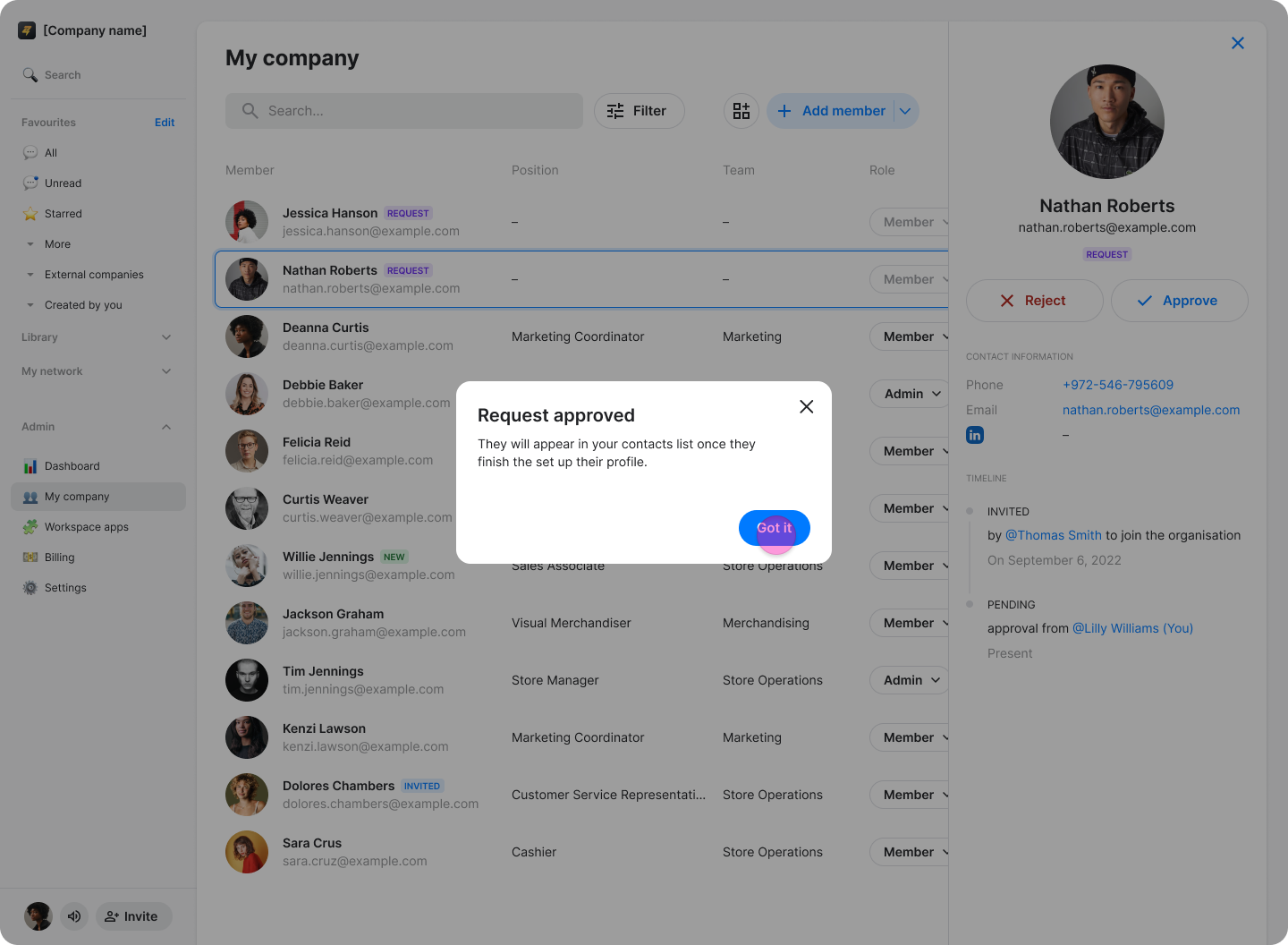
When the "Request Approved" confirmation appears, click "Got it".
workspace join request
approve member
pending requests
New member request